Borderlands 4 Community Challenge Offers Players a Free Skin, But There’s a Catch

borderlands 4 community challenge

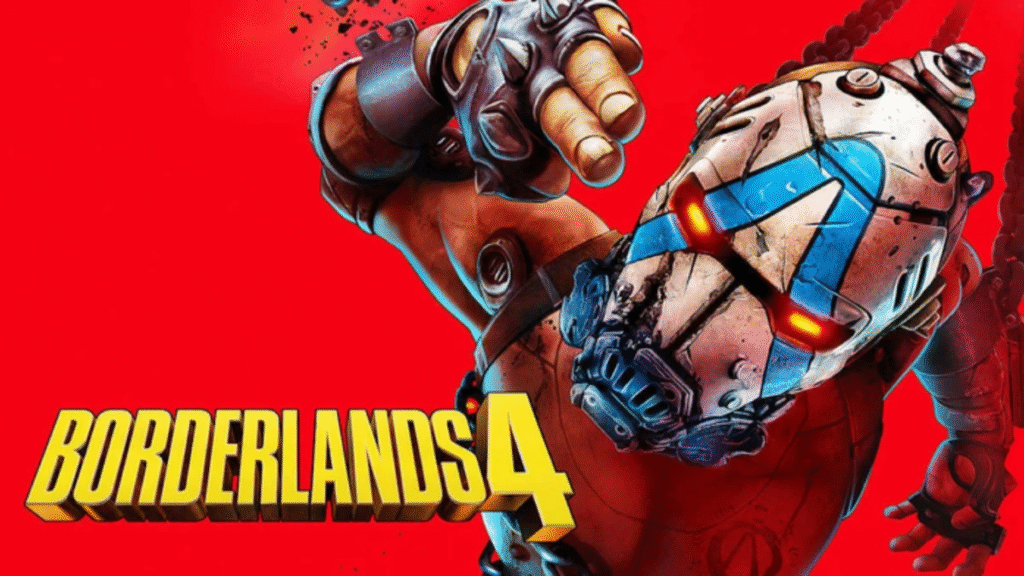
The Borderlands franchise has always been known for its chaotic humor, over-the-top action, and unique cel-shaded art style. With the upcoming release of Borderlands 4, excitement is at an all-time high.

Fans are eagerly awaiting new Vault Hunters, fresh storylines, and of course, the endless loot that defines the series. But recently, a new announcement has stirred the community: Borderlands 4 Community Challenge Offers Players a Free Skin, But There’s a Catch.

This headline has sparked both excitement and debate among fans. On the surface, the idea of a free skin sounds like a generous reward. However, the “catch” has left players divided.

In this TazaJunction.com article, we’ll break down what the challenge entails, why it matters, and how it reflects the evolving relationship between developers and their player base.

What is the Community Challenge?

Community challenges are not new to the Borderlands franchise. They are large-scale events where players across the globe work together to achieve a common goal.

These goals often involve defeating a certain number of enemies, collecting specific loot, or completing missions within a set timeframe.

In this case, the announcement that Borderlands 4 Community Challenge Offers Players a Free Skin, But There’s a Catch means that players will need to participate in a massive, cooperative event.

The reward is a limited-edition skin for one of the new Vault Hunters, but unlocking it won’t be as simple as logging in.

The Free Skin Reward
Borderlands 4 Community Challenge

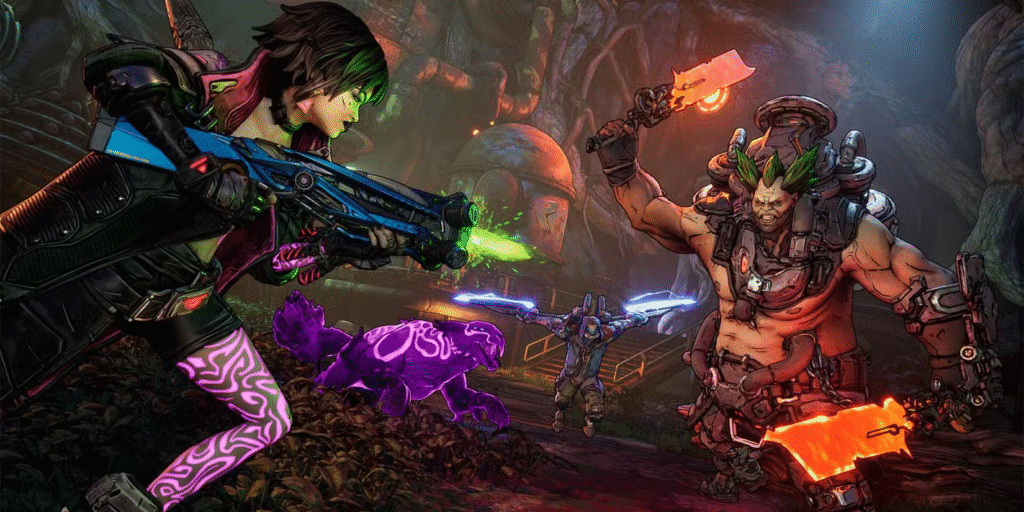
Cosmetic skins have always been a big part of Borderlands. They allow players to customize their Vault Hunters, showing off unique looks while blasting through hordes of enemies.

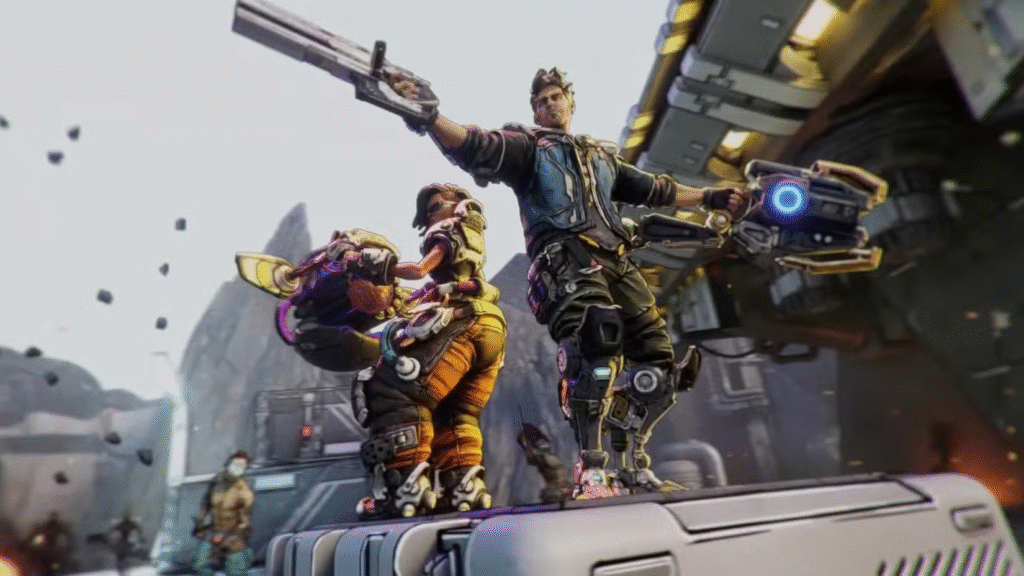
The free skin being offered in this challenge is rumored to be one of the most visually striking designs yet, featuring neon highlights and a futuristic armor aesthetic.

The fact that Borderlands 4 Community Challenge Offers Players a Free Skin, But There’s a Catch has generated so much buzz shows how much value players place on customization.

In a Borderlands 4 trick game where individuality is celebrated, a rare skin can become a badge of honor.

The Catch Explained

So, what’s the catch? To unlock the skin, the entire Borderlands community must collectively defeat a staggering number of enemies—reports suggest figures in the billions.

This means that individual effort alone won’t be enough. Players will need to log in, grind, and contribute to the global tally.

The phrase Borderlands 4 Community Challenge Offers Players a Free Skin, But There’s a Catch is accurate because while the skin is technically free, it requires significant time and effort from the community. If the goal isn’t met within the event’s timeframe, the skin may remain locked forever.

Why Developers Use Community Challenges?

Community challenges serve multiple purposes. They encourage player engagement, extend the lifespan of a game, and foster a sense of unity among fans. By making the challenge global, developers ensure that even casual players feel like they’re contributing to something bigger.

The fact that Borderlands 4 Community Challenge Offers Players a Free Skin, But There’s a Catch highlights how developers balance generosity with strategy. They give players a reward but also ensure that the game remains active and buzzing with activity.

Player Reactions

As expected, reactions to the announcement have been mixed. Some fans are thrilled at the idea of working together to unlock a rare cosmetic. Others feel frustrated that the reward isn’t simply given to all players.

The debate around Borderlands 4 Community Challenge Offers Players a Free Skin, But There’s a Catch reflects a broader conversation in gaming: should rewards be tied to effort, or should they be accessible to everyone?

The Psychology of “Free, But Earned”
image 337

From a psychological perspective, the “catch” makes the reward more valuable. When players invest time and effort into achieving a goal, the reward feels more meaningful. This is why limited-time skins often become status symbols within gaming communities.

The phrase Borderlands 4 Community Challenge Offers Players a Free Skin, But There’s a Catch perfectly captures this dynamic. The skin is free in terms of money, but it costs time, dedication, and collective effort.

Comparisons to Past Events

Borderlands has a history of community-driven events. In Borderlands 2, players participated in loot hunts and boss challenges. In Borderlands 3, seasonal events like Bloody Harvest and Revenge of the Cartels kept the community engaged.

However, the scale of this new challenge is unprecedented. The fact that Borderlands 4 Community Challenge Offers Players a Free Skin, But There’s a Catch suggests that Gearbox is raising the stakes, pushing players to collaborate on a massive scale.

The Role of Skins in Gaming Culture

Cosmetic skins have become a cornerstone of modern gaming. They don’t affect gameplay, but they allow players to express themselves. In multiplayer environments, skins can also serve as status symbols, showing off achievements or rare event participation.

The announcement that Borderlands 4 Community Challenge Offers Players a Free Skin, But There’s a Catch taps into this culture. Players aren’t just chasing a cosmetic—they’re chasing recognition and exclusivity.

Potential Challenges for Players

While the idea is exciting, there are potential hurdles. Not all players have the time to grind for hours. Some may feel excluded if the community fails to meet the target. Others may worry about server stability during such a massive event.

These concerns are why the phrase Borderlands 4 Community Challenge Offers Players a Free Skin, But There’s a Catch resonates so strongly. The catch isn’t just about effort—it’s about accessibility and fairness.

What This Means for the Future of Borderlands 4?

This community challenge sets the tone for how Borderlands 4 will engage its players post-launch. It suggests that Gearbox plans to keep the game alive with ongoing events, rewards, and community-driven goals.

The fact that Borderlands 4 Community Challenge Offers Players a Free Skin, But There’s a Catch is making headlines shows that the developers are committed to creating a living, evolving experience rather than a static game.

Conclusion

The Borderlands franchise has always thrived on chaos, humor, and community. The announcement that Borderlands 4 Community Challenge Offers Players a Free Skin, But There’s a Catch embodies all of these elements. It’s chaotic in scale, humorous in its “free but not free” twist, and deeply rooted in community participation.

While some players may grumble about the catch, others will embrace the challenge as an opportunity to be part of something bigger. In the end, whether the skin is unlocked or not, the event will bring players together, spark conversations, and keep the Borderlands spirit alive.
Borderlands 4 Modders Are Taking Performance Problems Into Their Own Hands

borderlands 4 modders

The launch of Borderlands 4 was one of the most anticipated gaming events of 2025. Fans of the looter‑shooter franchise were eager to dive into its chaotic gunplay, colorful worlds, and over‑the‑top humor.

However, the excitement was quickly tempered by widespread technical issues, particularly on PC. Frame rate drops, stuttering, and inconsistent performance became common complaints across forums and social media.

In response, Borderlands 4 Modders Are Taking Performance Problems Into Their Own Hands, creating unofficial fixes and optimizations to improve the experience for frustrated players.

The State of Performance at Launch

When Borderlands 4 trick hit the market, many players expected a polished experience, especially given the franchise’s long history and the use of Unreal Engine 5.

Instead, even high‑end systems struggled to maintain stable frame rates. Reports surfaced of powerful GPUs failing to deliver expected performance, with some players experiencing severe stuttering during combat or when moving between areas.

While Gearbox Software acknowledged the issues and promised patches, the pace of official fixes left some players impatient.

This is where the modding community stepped in — and why Borderlands 4 Modders Are Taking Performance Problems Into Their Own Hands became a rallying cry for those unwilling to wait.

The Rise of Community‑Made Fixes

Within days of release, modders began dissecting the game’s files, looking for ways to improve performance without sacrificing visual quality. Two of the most popular solutions to emerge were:

  • Ultimate Engine Tweaks – Designed to remove most stutters, improve stability, decrease input latency, and enhance picture clarity without noticeable visual loss.
  • Borderlands Optimizer – Focused on reducing stuttering by optimizing shader compilation and asset streaming.

These mods quickly gained traction, amassing tens of thousands of downloads. The speed and effectiveness of these community efforts demonstrated why Borderlands 4 Modders Are Taking Performance Problems Into Their Own Hands resonates so strongly with the player base.

Why Modders Are Stepping In?

Borderlands 4 Modders

There are several reasons why Borderlands 4 Modders Are Taking Performance Problems Into Their Own Hands:

  1. Frustration with Official Patches – Players often feel that developers prioritize new content over fixing core technical issues.
  2. Technical Expertise in the Community – Many modders have deep knowledge of game engines and optimization techniques.
  3. Desire for a Better Experience – For some, modding is about taking control of their gaming experience and tailoring it to their preferences.
  4. Open PC Ecosystem – Unlike consoles, PC gaming allows for relatively easy modification of game files.

How These Mods Work?

The technical methods behind these mods vary, but they often involve:

  • Adjusting Engine Settings – Tweaking Unreal Engine 5 parameters to improve asset streaming and reduce CPU/GPU bottlenecks.
  • Optimizing Shaders – Pre‑compiling or streamlining shader usage to prevent in‑game stutters.
  • Reducing Background Processes – Disabling unnecessary logging or background tasks that consume resources.
  • Fine‑Tuning Visual Effects – Lowering or removing certain post‑processing effects that have a high performance cost.

By making these changes, modders can often achieve smoother gameplay without a significant drop in visual fidelity — one of the main reasons Borderlands 4 Modders Are Taking Performance Problems Into Their Own Hands has been so effective.

The Role of Gearbox Software

While the modding community has been proactive, Gearbox Software has not been silent. The company has released statements acknowledging the performance issues and has promised ongoing optimization patches.

However, some comments from leadership — including dismissive remarks about player complaints — have fueled the perception that Borderlands 4 Modders Are Taking Performance Problems Into Their Own Hands out of necessity rather than choice.

This dynamic has created an interesting relationship between official and unofficial solutions. In some cases, modders’ discoveries may even inform future patches, as developers observe which tweaks are most effective.

Risks and Considerations

Although the idea that Borderlands 4 Modders Are Taking Performance Problems Into Their Own Hands is appealing, it’s not without risks:

  • Game Stability – Poorly implemented mods can cause crashes or corrupt save files.
  • Compatibility Issues – Mods may conflict with future patches, requiring reinstallation or updates.
  • Security Concerns – Downloading from unverified sources can expose players to malware.
  • Multiplayer Restrictions – Some mods may be flagged by anti‑cheat systems, limiting online play.

For these reasons, players are advised to back up their save files and only download mods from reputable sources.

The Broader Impact on the Gaming Industry

image 220

The fact that Borderlands 4 Modders Are Taking Performance Problems Into Their Own Hands speaks to a larger trend in gaming. Increasingly, communities are unwilling to wait for official fixes when they have the skills to implement their own.

This has been seen in other titles as well, from Cyberpunk 2077 to Skyrim, where modders have addressed bugs, improved graphics, and even added entirely new content.

For developers, this can be both a blessing and a challenge. On one hand, modders can extend the life of a game and keep players engaged. On the other, it can highlight shortcomings in the official product and create pressure to match or exceed community‑driven improvements.

Player Reactions

The reception to these performance mods has been overwhelmingly positive. Many players report significant improvements in frame rates and stability after installing them. Social media posts and forum threads are filled with testimonials praising the modders’ work and sharing before‑and‑after performance metrics.

This groundswell of support reinforces the idea that Borderlands 4 Modders Are Taking Performance Problems Into Their Own Hands not just for themselves, but for the entire community.

Looking Ahead

As Borderlands 4 continues to receive official updates, the role of modders may evolve. Ideally, future patches will address the root causes of the performance issues, reducing the need for unofficial fixes.

However, given the creativity and dedication of the modding community, it’s likely that they will continue to enhance the game in other ways — from quality‑of‑life improvements to entirely new gameplay features.

Even if Gearbox eventually resolves all technical problems, the legacy of this moment — when Borderlands 4 Modders Are Taking Performance Problems Into Their Own Hands — will remain a testament to the power of player‑driven innovation.

Final Thoughts

The story of Borderlands 4’s rocky launch and the community’s response is a reminder of the unique relationship between developers and players in the modern gaming landscape.

While official patches are essential, the speed and effectiveness of community‑made solutions show that players are not passive consumers. They are active participants in shaping their gaming experiences.

By stepping up when performance issues threatened to overshadow the game’s strengths, Borderlands 4 Modders Are Taking Performance Problems Into Their Own Hands in a way that benefits the entire player base.

It’s a powerful example of how passion, skill, and collaboration can overcome technical hurdles — and a sign that the future of gaming will continue to be shaped not just by studios, but by the communities that love their games.

Borderlands 4 Trick Makes Console Performance Better

borderlands 4 trick

The launch of Borderlands 4 has been a wild ride for fans of the looter‑shooter franchise. While the game has been praised for its chaotic gunplay, colorful worlds, and over‑the‑top humor, it hasn’t been without its share of technical hiccups — especially for console players.

Many have reported frame rate drops, stuttering, and sluggish performance after extended play sessions. Fortunately, a simple yet effective Borderlands 4 Trick Makes Console Performance Better, offering a temporary but noticeable improvement until official patches arrive.

In this TazaJunction.com article, we’ll break down exactly what this trick is, why it works, and how you can combine it with other settings tweaks to get the smoothest possible experience on your console.

The Problem: Performance Drops Over Time

One of the most frustrating issues for console players is that Borderlands 4 often runs well at first, but performance degrades the longer you play. This can manifest as:

  • Lower frame rates during intense combat
  • Delayed input response
  • Stuttering when moving between areas
  • Visual hiccups during cutscenes

Some players suspect this is due to a memory leak or resource management issue in the console versions. While Gearbox Software has acknowledged the problem and is working on a fix, the community has already found a workaround — and that’s where the Borderlands 4 Trick Makes Console Performance Better comes in.

The Trick: Restarting the Game

It might sound almost too simple, but the Borderlands 4 Trick Makes Console Performance Better involves quitting the game completely and restarting it after a few hours of play.

This clears whatever is bogging down the system — whether it’s cached data, memory allocation issues, or background processes — and restores performance to its initial smoothness.

Here’s how to do it effectively:

  1. Save Your Progress – Make sure you manually save or reach an autosave point.
  2. Quit to Console Dashboard – Don’t just return to the main menu; fully close the application.
  3. Restart the Game – Relaunch Borderlands 4 fresh from your console’s home screen.
  4. Repeat as Needed – If you notice performance dipping again after a few hours, repeat the process.

While this isn’t a permanent fix, it’s a quick and easy way to keep your sessions running smoothly until Gearbox releases an optimization patch.

Why This Works?

The reason the Borderlands 4 Trick Makes Console Performance Better is likely tied to how the game manages memory and resources over time.

As you play, the game loads new assets, textures, and effects into memory. If these aren’t cleared efficiently, they can build up and strain the console’s available resources, leading to performance degradation.

Restarting the game essentially resets the memory usage, giving your console a clean slate to work with. This is a common workaround in many large, open‑world or asset‑heavy games, especially those running on new engines like Unreal Engine 5.

Additional Tweaks for Better Console Performance

Borderlands 4 Trick

While restarting is the core of the Borderlands 4 Trick Makes Console Performance Better, you can combine it with other settings adjustments to further enhance your experience:

1. Switch to Performance Mode

Most modern consoles offer a choice between “Quality” and “Performance” modes. Quality mode prioritizes higher resolution and visual effects, while Performance mode targets a higher, more stable frame rate. For a fast‑paced shooter like Borderlands 4, Performance mode is the better choice.

2. Adjust Controller Sensitivity

Fine‑tuning your horizontal and vertical sensitivity can make aiming feel more responsive. Some players recommend lowering sensitivity slightly to reduce overshooting targets during frame dips.

3. Reduce Camera Effects

Turning off camera head‑bob and reducing motion blur can make gameplay feel smoother, even if the frame rate isn’t perfect.

4. Change Session Settings to Local Only

If you’re playing solo and don’t need online features, switching your session to “Local Only” can reduce network‑related stutter. Just remember this will prevent online co‑op.

5. Keep Your Console Cool

Overheating can cause throttling, which impacts performance. Ensure your console has good ventilation and isn’t in an enclosed space.

Community Feedback

The Borderlands 4 Trick Makes Console Performance Better has been widely shared across forums, social media, and gaming communities. Many players report that restarting the game every few hours keeps performance consistent, especially during long play sessions.

Some have even built it into their routine — taking a short break to stretch, grab a drink, and restart the game before diving back into the action. While it’s not ideal to have to do this, most agree it’s worth the minor inconvenience for smoother gameplay.

Gearbox’s Response

image 197

Gearbox Software has acknowledged the performance issues and confirmed they are working on a fix. In the meantime, they’ve suggested that players use the restart method if they encounter performance drops.

This aligns with the community‑discovered Borderlands 4 Trick Makes Console Performance Better, showing that sometimes the simplest solutions are the most effective.

The Bigger Picture: Console Optimization Challenges

The need for a Borderlands 4 Trick Makes Console Performance Better highlights a broader challenge in modern game development. With games becoming more complex and visually demanding, optimizing them for multiple platforms — each with different hardware capabilities — is no small feat.

Unreal Engine 5, which powers Borderlands 4, offers stunning visuals but can be resource‑intensive. Balancing graphical fidelity with stable performance is a constant push‑and‑pull for developers, especially when launching simultaneously on PC, PlayStation, and Xbox.

Looking Ahead

While the restart trick is a handy stopgap, players are eager for a permanent fix. Gearbox has a history of post‑launch support for the Borderlands series, so it’s likely that performance patches will arrive in the coming weeks or months.

Until then, the Borderlands 4 Trick Makes Console Performance Better remains the go‑to solution for console players who want to keep their vault‑hunting adventures running smoothly.

Final Thoughts

The Borderlands 4 Trick Makes Console Performance Better is a testament to the resourcefulness of the gaming community. Faced with performance issues, players didn’t just complain — they experimented, shared findings, and came up with a practical workaround that anyone can use.

If you’re playing Borderlands 4 on console and notice your frame rate dipping or controls feeling sluggish after a few hours, give this trick a try. It’s quick, easy, and can make the difference between a frustrating session and an enjoyable one.

Until Gearbox rolls out a permanent fix, this simple restart method — combined with smart settings adjustments — is your best bet for keeping Pandora’s chaos running at full speed.

Borderlands 4 Switch 2 Catch: What Players Must Know Before Launch

borderlands 4

Excitement for Borderlands  4 is building—especially for those eager to loot on the go with the Nintendo Switch 2. But before fans rush to pre-order, there’s a big caveat that might change the calculus.

Known as the Borderlands  4 Switch 2 catch, this issue centers on performance compromises and download requirements that may frustrate even the most devoted Vault Hunter.

Let’s break down what that catch is, why it matters, and how it impacts the upcoming looter-shooter’s portable experience with TazaJunction.com.


The Catch: 30 FPS and Game-Key Card Downloads

The first part of the Borderlands  4 Switch 2 catch is performance. Despite the powerful features of the new Switch 2 hardware and initial ambitions for 60 FPS, developers have confirmed the game will run at approximately 30 FPS, with noticeable dips during intense combat or multiplayer encounters.

This represents a significant shift in expectations for a fast-paced shooter, particularly for handheld performance.

The second, and perhaps more controversial part of the catch, is the physical media format. Instead of a traditional cartridge, physical copies of Borderlands 4 on Switch 2 will require a Game-Key Card.

This slim card acts as a license, but you’ll still need to download the full game—potentially 40 GB or more—even if you bought the physical edition. Both aspects combine to define the Borderlands  4 Switch 2 catch.

Recently, the gaming world buzzed with excitement—and concern—as details surrounding Call of Duty: Black Ops 7 began leaking across forums and social platforms.


Release Timing and Format: Fast, But Flawed

image 55

The good news: Borderlands  4 launches on Switch 2 a mere three weeks after its debut on PC, Xbox Series X/S, and PS5—on October 3, 2025. Gearbox and 2K have also confirmed that Switch 2 players will receive the same content as other platforms, including cross-play and local ad hoc co-op.

But the excitement is tempered by performance and format concerns. The Borderlands  4 Switch 2 catch highlights that while the game is quick to arrive and rich in content, the delivery mechanisms may hinder the user experience.


Why Frame Rate Matters?

For fast-paced shooters, frame rate is more than a number—it’s the heartbeat of responsiveness. Players have voiced unease over the Borderlands  4 Switch 2 catch, questioning how a game running at 30 FPS with dips can feel smooth during story missions or chaotic boss fights.

Despite Gearbox’s emphasis on not cutting features like cross-play, a compromised frame rate may be the price paid for platform parity. For some, that’s a deal-breaker; for others, a manageable trade-off.


The Download Dilemma

Using Game-Key Cards hurts two types of players. First, anyone with limited internet or slow download speeds will face waits before their physical copy runs. Second, collectors lament the lack of a fully playable cart—something they can plug in and enjoy without the download hassle.

This brings us back to the Borderlands  4 Switch 2 catch: even if you pay full price, you still need time and bandwidth—two things many Switch players would rather avoid.


Community Reaction: Frustration and Disappointment

The fan response has been vocal. On platforms like Reddit, players are calling out the catch:

“30 fps on the new hardware? I’m skipping it unless performance improves.”

“Paying full price and still need to download? Sounds lazy and half-baked.”

For many, the disappointment stems from unmet expectations—especially after witnessing earlier Switch ports that ran poorly. Now, even with better hardware, key compromises remain.


What Else Switch 2 Offers Despite the Catch?

Not everything about Borderlands  4 on Switch 2 is a drawback. Here’s where the experience still shines:

  • Full cross-play with PC, PlayStation, and Xbox users, bolstering the co-op experience.
  • No feature omissions; whether you buy standard or deluxe, you get the full game.
  • Local four-player ad hoc co-op, perfect for handheld sessions with friends.
  • Voice chat via GameChat and even USB-C camera support for face-to-face strategy.
  • A brief delay for optimization, giving Switch 2 owners a polished launch—if performance remains acceptable.

So while the Borderlands 4 Switch 2 catch is real, the offering remains rich in value and community features.


Tips for Players Deciding on the Switch 2 Version

If you’re evaluating whether to buy Borderlands  4 on Switch 2, here are some things to consider:

  1. Evaluate Your Play Style: Do you prioritize portability and co-op? Or do you need smooth console-level performance?
  2. Infrastructure Check: You’ll need a reliable internet connection—and perhaps plenty of storage—to download and play quickly.
  3. Plan for Lag: Expect drops in frame rate during intense moments; decide if that’s manageable for you.
  4. Go for the Right Edition: Deluxe and Super Deluxe versions are available with pre-order bonuses. Ensure your preferred edition launches with content you value.
  5. Collect with Caution: If physical media matters, keep the Game-Key Card format in mind—your cartridge doesn’t contain the game itself.

Final Thoughts

The Borderlands  4 Switch 2 catch isn’t about gameplay quality—it’s about how that game arrives and runs. Gearbox has delivered a full-featured, cross-play-ready version of their latest looter-shooter, but at the cost of frame rate and download accessibility.

For those who prioritize portability and social play, Borderlands  4 on Switch 2 will still be compelling—despite the catch. But players who expect a seamless, traditional cartridge experience with smooth 60 FPS might want to wait for performance updates or choose alternate platforms.

Ultimately, the launch of Borderlands 4 on Switch 2 is a testament to hardware progress—and a reminder that technical limitations continue to influence design decisions, delivery formats, and player satisfaction.