Sam Altman Says OpenAI Screwed Up GPT-5 Rollout: Here Are the Changes Made So Far

sam altman says openai screwed up gpt-5 rollout

In the world of artificial intelligence, expectations are always high — especially when it comes to OpenAI. So when GPT-5 launched, anticipation quickly turned into criticism.

In a rare moment of corporate humility, Sam Altman says OpenAI screwed up GPT-5 rollout, publicly admitting that the transition wasn’t handled well and promising rapid improvements.

This TazaJunction.com article breaks down exactly what went wrong, how the community responded, and the key changes OpenAI has made to correct course.


What Happened with GPT-5?

When GPT-5 was first introduced, users expected a smarter, more capable AI. Instead, they were met with unexpected changes, a colder user experience, and the sudden disappearance of GPT-4o — a model many users had grown attached to.

The feedback was immediate and intense. Users took to Reddit, X (formerly Twitter), and Discord to express frustration. Some said GPT-5 felt “dumber” than GPT-4o, while others were upset about the forced switch with no warning. That’s when Sam Altman says OpenAI screwed up GPT-5 rollout — a striking and refreshingly honest response.


Three Core Issues in the Rollout

1. Sudden Removal of GPT-4o

One of the biggest complaints was the abrupt removal of GPT-4o for many users. The beloved model, known for its warm tone and responsiveness, was quietly disabled for ChatGPT Plus subscribers, who were automatically transitioned to GPT-5 without explanation.

Sam Altman says OpenAI screwed up GPT-5 rollout in part because this decision ignored user preference and emotional attachment to GPT-4o, underestimating how people had come to trust and enjoy it.

2. Broken Autoswitcher System

OpenAI introduced a new autoswitching system designed to shift between Fast (lightweight) and Thinking (advanced) versions of GPT-5. But the autoswitcher often failed, routing even complex queries through the Fast model, making GPT-5 appear underwhelming in intelligence.

This issue misrepresented GPT-5’s actual capabilities and left users confused. Once again, Sam Altman says OpenAI screwed up GPT-5 rollout because of this avoidable technical glitch, which directly affected how the AI performed during its crucial first days.

3. Change in Tone and Personality

A surprising number of users expressed emotional disappointment in GPT-5’s tone. GPT-4o was known for being warm, friendly, and empathetic. GPT-5, on the other hand, felt cold, robotic, and overly formal — a sharp contrast that disrupted the user experience.

As Sam Altman says OpenAI screwed up GPT-5 rollout, this shift highlighted a key oversight: users don’t just want smart AI — they want relatable AI.


How Did OpenAI Respond?

image 87

OpenAI moved quickly after the backlash. As public frustration grew, Sam Altman says OpenAI screwed up GPT-5 rollout and issued updates within days.

Here are the immediate changes made to address user concerns:

✅ GPT-4o Restored for ChatGPT Plus Users

In response to feedback, GPT-4o was re-enabled as a selectable model for ChatGPT Plus subscribers. This gave users the choice to continue using the AI they preferred, restoring a sense of control.

✅ Transparent Model Selection Interface

OpenAI updated the ChatGPT interface to show which version of GPT-5 was active — Fast, Thinking, or Auto. Manual selection was also introduced, so users can now choose based on their task needs.

✅ Increased Rate Limits

Plus users saw a notable increase in usage caps, especially for the Thinking model. This change made GPT-5 more practical for power users, researchers, and developers.

✅ Tone Adjustments for GPT-5

The company began refining GPT-5’s personality to include more empathy and warmth, acknowledging that personality matters just as much as performance. It’s a response rooted in the idea that AI is increasingly becoming a companion, not just a tool.


Why the Admission Matters?

In today’s tech industry, public apologies from CEOs are rare. So when Sam Altman says OpenAI screwed up GPT-5 rollout, it sent a clear message: OpenAI is listening.

Rather than downplay user feedback, Altman embraced it. His candid approach helped calm tensions and showed a willingness to learn from mistakes — something many users appreciated.

This openness also helped rebuild trust. The company’s rapid response, combined with ongoing transparency, suggests that OpenAI is committed to putting user experience first.


What Still Needs to Be Fixed?

Despite improvements, not everything has been resolved. Some users still report inconsistent performance, while others wish GPT-5 could mimic the creativity and warmth of GPT-4o more naturally.

There are also growing calls for:

  • Custom personalities: Giving users more control over tone and interaction style
  • Feature continuity: Ensuring future rollouts don’t suddenly remove key features
  • Better communication: Offering more detailed changelogs and advance notice before major updates

As Sam Altman says OpenAI screwed up GPT-5 rollout, it’s clear the company must continue refining its rollout strategy for future updates.


What This Means for the Future of AI?

This event marks a turning point for AI development. While GPT-5 represents a major leap in architecture and potential, its launch proved that user experience is just as critical as raw intelligence.

OpenAI is now focused on blending advanced reasoning with personality, warmth, and human-like responsiveness. After all, as Sam Altman says OpenAI screwed up GPT-5 rollout, the goal is not just to build smart machines, but to create AI that feels natural, trusted, and useful in everyday life.

This moment also shows that even the most innovative companies are not immune to missteps. What matters is how they respond — and OpenAI’s willingness to adapt may ultimately help it stay at the forefront of responsible, human-centered AI.


Conclusion

The GPT-5 rollout wasn’t perfect. From technical bugs to emotional miscalculations, it reminded the world that even the most powerful AI must be released thoughtfully. Yet the response to these issues — from public apology to swift improvements — shows a company willing to own its mistakes and grow from them.

By openly stating that Sam Altman says OpenAI screwed up GPT-5 rollout, OpenAI set a tone of transparency that the AI industry desperately needs.

If the lessons learned from this rocky release are applied wisely, GPT-5 may still become the milestone model it was meant to be.

Top 8 Apps Like Pinterest to Spark Your Creativity

apps like pinterest

If you’re a visual thinker, digital creator, or someone who finds inspiration through images, Pinterest has likely been a go-to platform for years. But what if you’re looking for something different?

Whether it’s to explore alternative features, discover new creative communities, or simply try something fresh, there are several apps like Pinterest that offer unique ways to collect, curate, and share ideas.

In this TazaJunction.com post, we’ll explore the top 9 apps like Pinterest that can spark your imagination, help organize your creative thoughts, and provide new ways to explore trends, aesthetics, and visual content.


Best 8 Apps Like Pinterest for Your Creativity

1. Instagram – Visual Inspiration Meets Community

While Instagram is best known as a social media giant, it’s also one of the most powerful apps like Pinterest when it comes to visual discovery. Through hashtags, saved posts, and themed profiles, users can explore a wide range of content — from DIY crafts and design ideas to fashion mood boards and travel aesthetics.

What sets Instagram apart is the ability to engage directly with creators, turning inspiration into connection. You can save posts to personal collections, follow niche pages, and even discover new ideas through the Explore page.

Instagram

2. Tumblr – A Creative Playground for All Interests

Tumblr has long been a favorite among creatives, artists, and fandoms. It functions like a hybrid of blogging and social media, allowing users to post images, GIFs, quotes, music, and videos. Its tag system and highly customizable blogs make it one of the most versatile apps like Pinterest available.

Whether you’re into photography, writing, mood boards, or aesthetics, Tumblr gives you the freedom to express creativity without the rigid structure of traditional platforms.

Tumblr

3. We Heart It – For Dreamy Aesthetics and Mood Boards

If you’re looking for a gentle, uplifting platform filled with beautiful imagery, We Heart It is one of the best apps like Pinterest in terms of vibe. It’s all about self-expression, positivity, and visual storytelling.

You can “heart” content you love, create collections, and explore categories ranging from art to self-care. It’s especially popular among teens and young adults who love curating aesthetic boards.

We Heart It

4. Behance – For Designers and Creatives

For more professional or design-focused users, Behance is a standout among apps like Pinterest. Created by Adobe, it’s a platform that allows artists, designers, photographers, and illustrators to showcase their work.

While it serves a different purpose than Pinterest, Behance is ideal for high-quality inspiration across categories like UI/UX, branding, typography, and motion graphics. It’s a perfect app for anyone working in or aspiring to enter creative industries.

Behance

5. Dribbble – The Hub for Digital Designers

Dribbble is another professional-level platform that earns its spot among the top apps like Pinterest. It focuses on UI/UX design, web development, graphic design, and animation. Designers upload “shots” — small snapshots of ongoing or completed projects — for feedback and exposure.

Dribbble allows users to like, save, and categorize content, making it a great tool for building mood boards, gathering design trends, and networking with fellow creatives.

Dribbble

6. MURAL – Visual Collaboration for Creative Teams

While MURAL is more of a productivity and collaboration tool, it deserves a mention among apps like Pinterest because of its focus on visual thinking. Teams use MURAL to create digital whiteboards for brainstorming, wireframing, and organizing ideas.

It’s ideal for creatives working in groups or those who prefer visual mapping over traditional lists. You can pin images, sticky notes, diagrams, and even sketches — making it great for inspiration and strategy alike.

MURAL

7. Notion – A Powerful Tool for Visual Organization

Though it’s primarily known as a productivity and note-taking app, Notion is increasingly being used by creators as a visual planning tool. Thanks to its database and gallery features, users can create boards that function similarly to Pinterest collections.

If you’re looking for apps like Pinterest that offer more customization and integration with writing, planning, and organizing, Notion is a fantastic choice. You can embed images, create mood boards and link them to project timelines or creative goals.

Notion

8. Fancy – Discover and Shop Inspiration

Fancy combines inspiration with e-commerce. Unlike other apps like Pinterest, Fancy leans into shoppable aesthetics. It lets users discover new products, curate wish lists, and buy directly from the platform.

It’s perfect for users who not only want to get inspired but also take action — whether that’s redecorating a room, upgrading a workspace, or gifting a friend something meaningful. Fancy is all about bringing your visual dreams into reality.

Fancy

Why You Might Want Alternatives to Pinterest?

Pinterest is an excellent platform, but there are several reasons users seek out apps like Pinterest:

  • More customization: Some alternatives allow greater freedom in board layout, categorization, and interaction.
  • Different content types: Some users want to curate more than just images — they want videos, music, links, or journal-style entries.
  • Community engagement: Pinterest isn’t known for its community interaction. Platforms like Instagram, Tumblr, or Behance offer more dialogue.
  • Specific niches: While Pinterest is broad, apps like Dribbble or Behance serve specific creative communities more deeply.

Exploring these alternatives can help you refine your creative process, discover new content, and even find a new digital home that better aligns with your style and goals.


Tips for Using Creative Apps Effectively

To make the most of these apps like Pinterest, here are a few tips:

  • Stay organized: Use collections, tags, or boards to separate themes or projects.
  • Follow niche creators: The more specific your follows, the more relevant your feed will be.
  • Use the platforms to plan projects: Whether it’s decorating your apartment or designing a website, use these tools to plan visually.
  • Engage with content: Like, comment, or share work that inspires you to help foster a creative community.

By actively using these platforms instead of passively scrolling, you’ll gain more creative energy and make the tools work for you.


Final Thoughts

Whether you’re a digital artist, a DIY enthusiast, a designer, or just someone who loves browsing beautiful visuals, there’s no shortage of apps like Pinterest to explore.

Each app on this list offers something unique — from Tumblr’s artistic chaos to Behance’s professional portfolios, or Notion’s structured galleries to Fancy’s shoppable dreams.

Trying out different platforms can open new doors to inspiration and help you stay creative, organized, and inspired across every aspect of your personal or professional life.

So, if you’re ready to broaden your creative horizons, give these apps like Pinterest a try — you might just find your next favorite digital canvas.

How to Delete Reddit History Permanently: A Complete Guide

delete reddit history

Reddit is one of the most popular platforms for online discussions, covering everything from tech news to memes, politics, hobbies, and personal advice.

But what happens when you want to clean up your digital footprint? Whether for privacy, a fresh start, or personal security, learning how to delete Reddit history permanently is an important step for many users.

In this TazaJunction.com guide, we’ll walk you through everything you need to know about managing your Reddit history — including comments, posts, and search data—and how to ensure it’s gone for good. Let’s dive in.


Why Would You Want to Delete Your Reddit History?

Before learning how to delete Reddit history permanently, it’s important to understand the reasons why users choose to do so:

  • Privacy Concerns: Reddit usernames may be anonymous, but that doesn’t stop people from connecting your account to your real identity.
  • Old Posts That Don’t Reflect You Anymore:Maybe your views have changed, or you posted something in frustration.
  • Minimizing Digital Footprint: Many people are now choosing to reduce their online trace.
  • Preparing to Delete or Abandon an Account: Before deleting an account, wiping the content is smart since Reddit doesn’t automatically remove your history.

Regardless of your reason, the steps below will show you how to delete Reddit history permanently across all content types.

Also we know digital natives grow smarter; tools like Kiddle for Kids will play a key role in shaping safe, exploratory, and autonomous web usage habits from an early age.


Understanding What Reddit Stores

image 85

When talking about Reddit history, there are typically three categories to consider:

  1. Comments – Responses you’ve left on posts across subreddits.
  2. Posts (Submissions) – Topics you’ve started or shared.
  3. Search History – Terms you’ve searched on Reddit’s app or website.

Each of these requires a different approach when learning how to delete Reddit history permanently.


Deleting Reddit Comments

Reddit doesn’t offer a one-click “delete all comments” feature. You’ll need to remove comments one by one manually or use a third-party tool or browser extension. Here’s the manual way:

Steps to Delete Comments Manually

  1. Log into your Reddit account.
  2. Go to your profile and click on the Comments tab.
  3. Scroll through the list and click the three dots (⋯) next to each comment.
  4. Select Delete and confirm.

If you only have a few comments, this process is manageable. But for users with years of history, it may take time unless you opt for automation.


Deleting Reddit Posts

Just like comments, posts must be removed one at a time unless you use external tools. Here’s how to delete them manually:

Steps to Delete Posts Manually

  1. Click on your Reddit username to access your profile.
  2. Navigate to the Posts section.
  3. For each post, click the three-dot menu.
  4. Choose Delete post, then confirm.

Learning how to delete Reddit history permanently requires patience if you go the manual route, but it’s effective.


Clearing Reddit Search History (App and Browser)

Reddit’s mobile app and web version track your search activity. To fully clean your history, here’s what to do:

1. On the Reddit App

  1. Open the app and tap the search bar.
  2. You’ll see a list of recent searches.
  3. Tap the ‘X’ next to each search to remove it.

2. On a Browser

Reddit’s web version doesn’t always save searches the way the app does, but your browser might. In that case, clearing your browser history may help.

To fully understand how to delete Reddit history permanently, it’s wise to clear both Reddit’s app data and your browser’s cache if privacy is a priority.


Using the Nuclear Option: Account Deletion

Some users wonder if simply deleting their Reddit account will wipe all their activity. Unfortunately, the answer is no.

If you delete your Reddit account without removing your posts and comments, they will still remain visible — only under a generic “deleted” username. That means your content stays online.

If you want to ensure a complete wipe:

  1. Delete all posts and comments first, manually or with a script/tool.
  2. Then delete your account.

That is how to delete Reddit history permanently if you’re planning to abandon the platform altogether.


Helpful Tools for Mass Deletion

Since Reddit doesn’t provide a built-in feature for mass deletion, many users turn to third-party tools and browser extensions. These tools can help automate the process and save time.

Some popular tools allow you to:

  • Delete all posts and comments in one click
  • Overwrite content with random text before deletion (for better privacy)
  • Work across different Reddit versions (old vs. new UI)

However, be cautious: These tools require access to your Reddit account. Use them at your own risk and avoid shady or unverified extensions.

Still, when it comes to how to delete Reddit history permanently, these tools are often the most efficient solution for users with years of activity.


Can Deleted Content Be Recovered?

One question users often ask is whether deleted Reddit content can be recovered.

The short answer: No, at least not from Reddit’s servers. Once you delete a comment or post, it’s removed from your profile and public threads. However, cached pages or archived websites like Wayback Machine or Google Cache may retain old versions.

That’s why, if you’re deeply concerned about privacy, it’s smart to overwrite the comment or post (e.g., by editing it to say “deleted”) before deleting it. This reduces the chance that original content remains accessible through caching or snapshots.

That’s a key part of understanding how to delete Reddit history permanently in the most secure way.


Protecting Your Privacy Moving Forward

Once you’ve cleaned up your Reddit history, you might want to maintain better privacy habits moving forward:

  • Use throwaway accounts for sensitive posts.
  • Avoid posting personal info, even anonymously.
  • Regularly delete or edit old posts.
  • Be mindful of third-party apps with Reddit access.

Learning how to delete Reddit history permanently is only one part of the equation — maintaining privacy on an ongoing basis is equally important.


Final Thoughts

Whether you’re looking to reclaim your privacy, start fresh, or simply minimize your online footprint, knowing how to delete Reddit history permanently puts control back in your hands. While Reddit doesn’t make it super easy, it is completely possible with a bit of time or the right tools.

From removing comments and posts to clearing search history and protecting your account, taking these steps can offer real peace of mind.

So if you’re ready to clean up your Reddit presence, now you know exactly where to start — and how to finish the job properly.

ASUS ROG Xbox Ally Price Reveal Delayed by Microsoft

asus rog xbox ally

The long-anticipated reveal of the ASUS ROG Xbox Ally price has hit an unexpected delay, leaving fans and tech enthusiasts wondering when they’ll finally get their hands on this powerful handheld gaming device.

While excitement for the joint effort between ASUS and Microsoft has been building steadily since its initial announcement, the latest development has temporarily cooled some of the hype.

Originally expected to be unveiled during the recent Xbox Developer Showcase, the pricing details for the ASUS ROG Xbox Ally were conspicuously absent. Microsoft later confirmed that the reveal had been pushed back, citing strategic timing and market readiness as key reasons.

This TazaJunction.com article dives deep into the delay, what the ASUS ROG Xbox Ally represents for the future of handheld gaming, and what fans can expect moving forward.


A Promising Collaboration: ASUS and Xbox

The ASUS ROG Xbox Ally is more than just a handheld console; it’s a fusion of ASUS’s Republic of Gamers hardware engineering with Microsoft’s Xbox ecosystem.

From what’s been teased, the device is designed to run Xbox Game Pass titles natively, feature tight integration with cloud gaming, and deliver PC-like performance in a portable form factor.

This partnership has garnered attention as it reflects Microsoft’s continued effort to expand its gaming footprint beyond traditional consoles and PCs.

The ASUS ROG Xbox Ally could become a game-changer in the growing world of handheld gaming — if the execution matches the concept.


Delay in Price Reveal: What Happened?

Fans were eagerly waiting for the full specs and pricing details during Microsoft’s summer gaming showcase. However, the segment covering the ASUS ROG Xbox Ally ended without addressing one of the most important questions: How much will it cost?

In a brief post-event statement, Microsoft explained that the price reveal had been intentionally delayed to “align with broader product strategy and market dynamics.”

While this left many disappointed, it wasn’t entirely surprising. The competition in the handheld gaming space is heating up, and both companies appear to be playing their cards carefully.


Industry Reaction and Fan Speculation

The delay in revealing the price for the ASUS ROG Xbox Ally has triggered widespread speculation. Many industry analysts believe that Microsoft and ASUS are recalibrating their pricing strategy in response to emerging competition, particularly from devices like the Steam Deck, Lenovo Legion Go, and Ayaneo handhelds.

Some believe that the price point could land somewhere between $499 and $699, depending on final hardware specs and available configurations. However, without an official number, fans are left to make educated guesses.

Enthusiasts have taken to social media platforms and forums to share their predictions, with many agreeing that the success of the ASUS ROG Xbox Ally may depend heavily on aggressive pricing.


Why the ASUS ROG Xbox Ally Matters

image 83

This isn’t just another gaming gadget. The ASUS ROG Xbox Ally is shaping up to be one of the most significant developments in the handheld space. Here’s why:

  1. Integration with Xbox Game Pass – Players can access a massive library of games right out of the box.
  2. Cloud Gaming Ready – The device is rumored to come optimized for Xbox Cloud Gaming, letting users stream AAA games from anywhere.
  3. PC-Level Performance – Leveraging ASUS’s ROG engineering, the Ally is expected to offer performance closer to that of a gaming laptop.
  4. Windows Compatibility – It’s anticipated that the ASUS ROG Xbox Ally will run on a customized version of Windows, expanding compatibility and user control.

In short, it aims to combine the flexibility of a PC with the plug-and-play accessibility of a console — all in a portable device.


The Handheld Gaming Market Is Exploding

The delay also highlights just how competitive the handheld gaming market has become. Ever since Valve’s Steam Deck hit the scene, major tech companies have been racing to introduce their own take on portable, high-performance gaming systems.

The ASUS ROG Xbox Ally enters this space not as an outsider, but as a potential category leader. With Xbox’s gaming ecosystem and ASUS’s hardware reputation, it carries weight that could shift the market.

This makes pricing all the more crucial — a premium tag could alienate casual gamers, while an affordable one could massively disrupt the competition.


Timing Is Everything

Microsoft’s decision to delay the price reveal could be a strategic move based on several factors:

  • Upcoming Competitor Announcements: Other companies may be preparing new reveals or pricing updates. Microsoft may be waiting to respond or undercut them.
  • Component Cost Adjustments: Supply chain and manufacturing costs continue to fluctuate, and both Microsoft and ASUS could be finalizing the most efficient pricing model.
  • Marketing Synchronization: The price announcement may be tied to a broader marketing rollout, possibly closer to holiday 2025 or early 2026.

Either way, the decision shows that Microsoft is being cautious — and perhaps wise — in how it introduces the ASUS ROG Xbox Ally to the world.


What We Know So Far

Even without the pricing, several important details about the ASUS ROG Xbox Ally have already been confirmed or leaked:

  • 7-inch Full HD display with high refresh rate
  • Custom AMD APU optimized for gaming
  • High-capacity SSD storage
  • Windows OS with Xbox app pre-installed
  • Support for external GPUs via ASUS XG Mobile
  • Docking capabilities for monitor and peripherals

These features suggest that the ASUS ROG Xbox Ally will offer a premium experience, but they also raise questions about affordability.


Fan Expectations Are High

Expectations for the ASUS ROG Xbox Ally are sky-high — and understandably so. Many gamers are looking for a device that combines the comfort of Xbox gaming with the flexibility of PC.

Steam Deck owners, for instance, often have to tweak settings or install third-party apps to enjoy Game Pass games. The Ally aims to make that seamless from the start.

That convenience, combined with raw hardware power, is what excites so many about the device. But that excitement could easily wane if the price doesn’t meet expectations.

Fans are hoping for a competitive, sub-$600 launch price to justify the investment — especially if cloud gaming is the primary use case.


What Microsoft and ASUS Need to Do Next

To maintain momentum, both companies need to handle the next phase of the ASUS ROG Xbox Ally rollout carefully. Here’s what fans are looking for:

  1. Clear and competitive pricing
  2. Accurate benchmarks and gameplay footage
  3. Confirmed release window
  4. Detailed hardware specs
  5. Cross-platform game compatibility insights

If these aspects are delivered clearly, the ASUS ROG Xbox Ally could dominate headlines once again — for all the right reasons.


Final Thoughts

The ASUS ROG Xbox Ally is poised to be one of the most intriguing devices in the gaming hardware landscape. Despite the temporary setback of a delayed price reveal, interest in the device remains high.

Microsoft and ASUS are clearly aware of what’s at stake, and it’s likely that the delay is more about positioning than hesitation. Gamers looking for the next leap in portable performance are keeping their eyes on this upcoming handheld.

If the final price matches the expectations and features, the ASUS ROG Xbox Ally could redefine what handheld gaming looks like in the Xbox ecosystem and beyond.

10 Useful & Creative Discord Bio Template for Your Profile

discord bio template

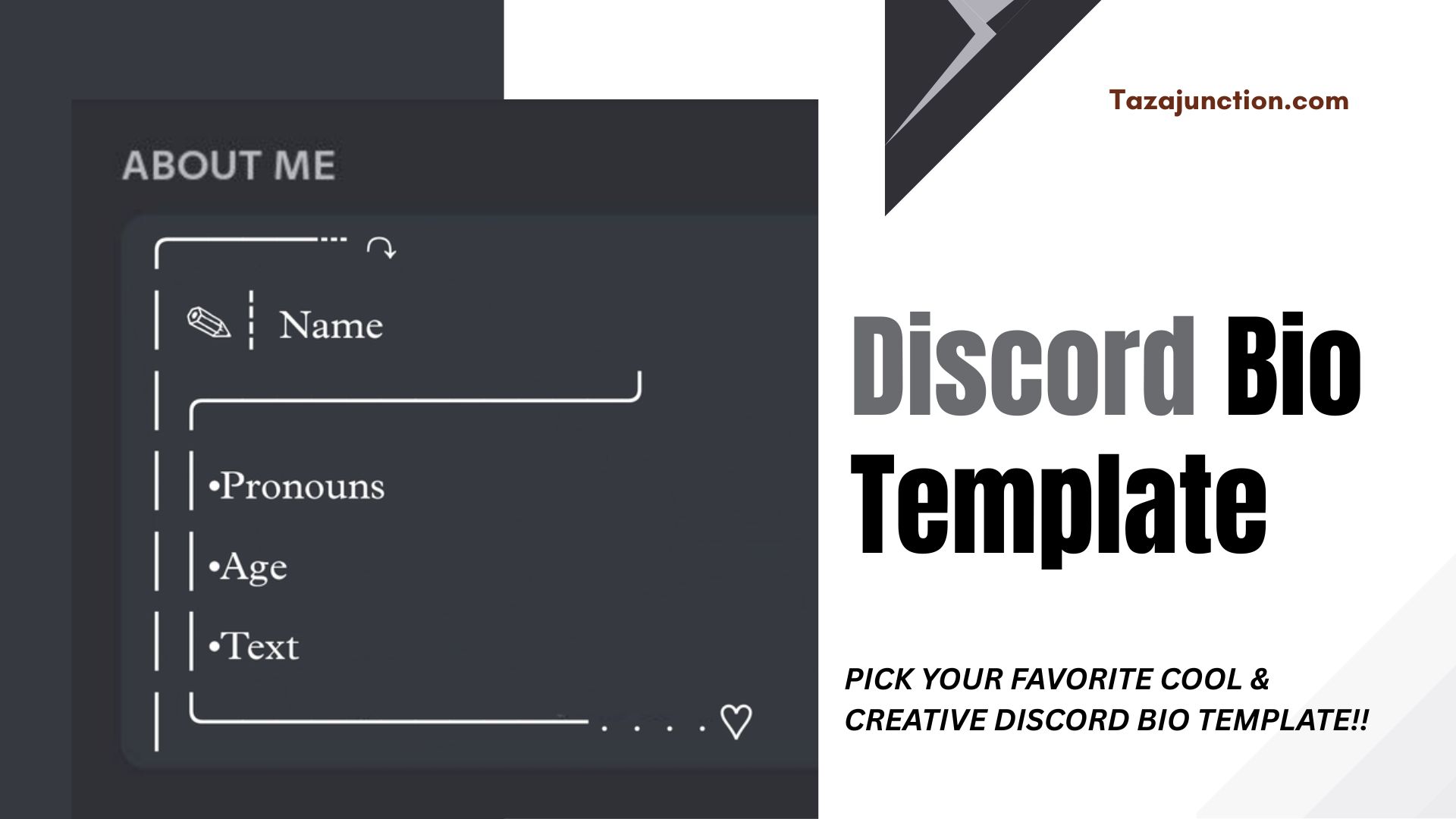
Your Discord profile is more than just a username—it’s your identity in the digital world of communities, gamers, creators, and friends. One of the best ways to stand out is by using a creative Discord bio template that reflects your personality, interests, or vibe.

Whether you’re a gamer, artist, developer, or just someone who wants their profile to look aesthetic and unique, crafting the right bio can make a lasting impression.

In this TazaJunction.com guide, we’ll explore how to build your perfect Discord bio, why it matters, and provide several Discord bio template examples that you can copy, customize, and make your own.


Why Your Discord Bio Matters?

The Discord “About Me” section may seem small, but it’s the first place others look when they click on your profile. With limited space and characters, your bio needs to be clear, stylish, and full of personality.

Using a creative Discord bio template helps ensure you’re expressing yourself the right way—whether that’s casual, professional, mysterious, or funny.

A strong bio can:

  • Help you get noticed in servers
  • Show your role or interests clearly
  • Give your profile a polished, aesthetic feel
  • Attract like-minded people or collaborators
  • Set the tone for how people interact with you

How to Choose the Right Discord Bio Style?

Before you pick or customize a creative Discord bio template, think about how you want to come across. Are you going for something clean and minimalist? Or something chaotic and fun? Do you want to list your hobbies or share a quote? Knowing your style will help guide your choices.

Here are some popular directions:

  • Aesthetic & Minimalist: Clean emojis, lowercase text, and subtle expressions.
  • Edgy or Gamer Style: Gamertags, ranks, favorite games, and aggressive tones.
  • Professional & Clean: For devs, mods, or those networking on Discord.
  • Funny or Meme-ish: Bios that make people laugh.
  • Mystery or Vibe: Short bios that make people curious.

Once you decide your tone, picking the perfect Discord bio template becomes easier.

If you’re new to Discord or just haven’t used screen share before, our guide will walk you through everything you need to know about Discord Screen Share.


What to Include in Your Bio?

A great Discord bio typically includes:

  • A one-line intro or identity
  • Emojis or symbols for flair
  • Interests or current obsessions
  • Socials or tags (if relevant)
  • Quotes or catchphrases

Using one of these bio templates for Discord helps you organize this info in a format that fits within Discord’s character limit and keeps your style cohesive.


10 Cool & Creative Discord Bio Template Ideas

Here are ten ready-to-use creative Discord bio template examples. Feel free to copy, paste, and tweak them to match your personality!

image 81

1. Minimal & Clean

✦ just vibing
✦ coffee addict ☕
✦ always online (maybe too much)

2. Gamer Focused

🎮 gamer | apex main
💥 clutch or kick
🎧 late-night squad chat vibes

3. Aesthetic Vibe

♡ dreamer
𓆩🦋𓆪 pastel soul
₊˚ vibing through the chaos

4. Funny & Sarcastic

full-time disappointment
⚠️ professional button masher
if offline, i’m pretending to be productive

5. Mystery & Edgy

0% emotion, 100% strategy
🕷️ catch me in the shadows
silent, but always watching

6. Creative Artist Bio

🎨 digital daydreamer
📸 IG: @myartpage
open for commissions ~ dm me

7. Dev or Tech Vibe

💻 front-end wizard
⌨️ currently building: [cool project]
📍 #javascript | #design | #ux

8. K-pop or Fandom Inspired

🌸 blink | army | stay
🌙 music, fanfics & chaos
📌 “stan talent, stan [group name]”

9. Book Lover / Introvert Style

📚 introverted page-turner
🌧 rainy day vibes
currently lost in another chapter

10. Your Own Vibe

✨ self-made
🎧 music on, world off
💬 always down to chat

Each cool Discord bio template above can be easily modified. Swap out emojis, replace lines with your own interests, or blend templates together to create something unique.


Tips to Make Your Bio Stand Out

Even with the perfect creative Discord bio template, a few extra touches can help you stand out even more:

  • Use Unicode symbols and stylish fonts (just don’t overdo it)
  • Stick to a theme: color, mood, or vibe
  • Keep it concise and readable
  • Update it regularly to reflect your mood or status
  • Avoid clutter – sometimes less is more

You don’t need to cram everything into your bio. Sometimes one witty line says more than a paragraph.


When to Change Your Discord Bio?

Think of your Discord bio like your status or story. It doesn’t have to stay the same forever. Here are some times when updating your creative Discord bio template makes sense:

  • Starting a new project or job
  • Joining a new community
  • Mood or aesthetic change
  • After a major life event
  • Seasonal or holiday vibes

Refreshing your profile every so often keeps it interesting for others and helps your bio reflect where you’re at.


Discord Bio for Different Roles

You might want different versions of a Discord bio template depending on your role:

  • Server Moderator/Admin: Keep it friendly, professional, and helpful.
  • Streamer/Content Creator: Include your Twitch/YouTube handle or schedule.
  • Casual Member: Keep it fun, simple, and welcoming.
  • Artist/Designer: Use your bio to direct people to your portfolio or social.

No matter your role, a good Discord bio template adds personality and professionalism to your digital presence.


What Not to Do in Your Bio?

Even the most creative bio can fall flat if you include the wrong things. Try to avoid:

  • Offensive or inappropriate content
  • Overloading with hashtags or links
  • Extremely long bios that get cut off
  • Spammy or irrelevant emojis
  • Copying bios from others without tweaking them

Always make your bio a genuine reflection of you—that’s what gets noticed.


Final Thoughts

Your Discord profile is your space, your digital calling card. Whether you want to keep things low-key and aesthetic or bold and energetic, a creative Discord bio template helps you communicate who you are in just a few lines. With limited space and infinite creativity, the right template makes all the difference.

Don’t be afraid to experiment with styles, emojis, and language until you land on something that truly feels like you. Whether you’re a gamer, artist, meme lord, or quiet lurker, your bio can say a lot—even when you’re not online.

So go ahead, pick your favorite creative Discord bio template, tweak it, and let your profile do the talking.

Google’s Latest Smartphone AI Is Leaving Apple in the Dust

latest smartphone ai

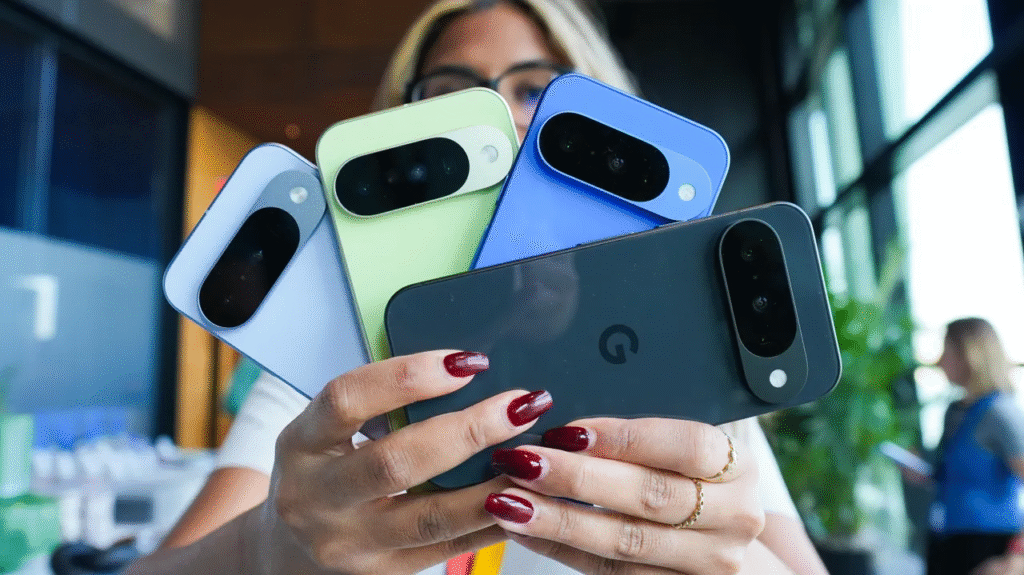
Google has once again propelled smartphone AI into the future with an impressive set of features that put its rival Apple on notice. The company’s latest smartphone AI advancements introduce real-time voice translation, predictive app launches, and AI photo editing—capabilities that redefine what users expect from mobile devices.

Apple’s ecosystem remains strong, but it’s clear that Google is accelerating ahead in terms of on-device intelligence and proactive assistance.

In this TazaJunction.com article, we’ll dive into the key features of Google’s latest smartphone AI, compare how they stack up against Apple’s offerings, and explore what this means for the mobile tech landscape moving forward.


What Makes Google’s Latest Smartphone AI Stand Out?

1. Real-Time Multilingual Conversation

One of the most striking features of Google’s latest smartphone AI is seamless, real-time conversation translation. Users can speak in one language, and the phone instantly displays and speaks the translation. Unlike earlier apps, this works smoothly between various languages and dialects, with impressive accuracy and latency.

2. Predictive App Shortcuts

Using context, location, and usage patterns, Google’s latest smartphone AI anticipates the app you’re most likely to use next—whether it’s messaging your ride-share driver or opening the calendar as your flight time approaches. It displays dynamic app shortcuts right on your home screen, streamlining your workflow.

3. Runtime Smart Camera Enhancements

Thanks to its latest smartphone AI, the camera can now label objects, translate text on the fly, and even identify landmarks during preview—before you tap the shutter. These real-time overlays offer contextually rich experiences while capturing your shot.

Also, if you’re looking for innovation, performance, and versatility in one sleek package, the Samsung Galaxy Z Fold 7 is the foldable to beat in 2025.


AI-Driven Power Efficiency

By distributing processing intelligently between on-device AI hardware and Google’s cloud infrastructure, the latest smartphone AI delivers high-performance features without killing battery life.

This strategic balance outperforms Apple’s current AI approach, which remains largely cloud-centric and more energy-intensive.


Privacy First: On-Device Intelligence

image 77

Unlike many AI systems that depend heavily on cloud processing, Google’s latest smartphone AI can perform tasks like transcription or contextual actions entirely on the device.

This offers enhanced privacy and keeps sensitive interaction data secure—an area where Apple has traditionally emphasized its advantage, but one where Google is now making bold strides.


Putting It Side-by-Side: Google vs. Apple

FeatureGoogle’s Latest Smartphone AIApple (iOS AI Capabilities)
Real-Time TranslationLive multilingual voice and textTranslation apps require app launch
Predictive App AIContextual, home-screen suggestionsNo automated in-app suggestions
Camera AI EnhancementsReal-time recognition in camera UILimited to post-shot analysis
On-Device ProcessingYes, minimal cloud dependencyHeavily relies on cloud services

The latest smartphone AI from Google significantly outpaces iOS in terms of autonomy, context-awareness, and proactive assistance.


Developer Impacts & Ecosystem Growth

With these AI capabilities, Google is opening doors for creative developers:

  • New APIs let developers leverage real-time translation or app prediction in their own apps.
  • Smart camera features are exposed through an AR overlay toolkit, encouraging innovation.
  • AI-based shortcuts and assistant integrations empower third-party apps to offer advanced automation.

All these momentum points reinforce how Google’s latest smartphone AI is expanding not just Google’s capabilities but also the broader Android ecosystem.


Impact on Consumer Experience

For users, this translates into a smarter, more intuitive phone:

  • No longer manual translation—conversations happen naturally.
  • Quick app access when you need it most.
  • Camera functionality becomes an interactive learning tool rather than a passive shooter.

These features make Google’s latest smartphone AI not just a novelty but an integral part of everyday mobile use.


Potential Limitations and Considerations

While advanced, there are some caveats to keep in mind:

  1. Device Fragmentation: Not all Android phones will support the most advanced AI features—some require specific chips or newer models.
  2. Data Usage: While optimized for on-device tasks, certain features still rely on internet connections.
  3. Learning Curve: Users might need time to adapt to new interactions like predictive shortcuts or real-time overlays.
  4. Privacy Trade-Offs: Though much runs on-device, some features still rely partially on cloud services.

Even so, these constraints are manageable and expected during early rollout phases of such cutting-edge capabilities.


What’s Next for Mobile AI?

We’re likely to see:

  • Expansion of AI airport tools to mental health and personal finance features.
  • Improvements to real-time accuracy in translation and object detection.
  • Better battery impact as AI compute is refined and specialized chips proliferate.
  • AI becoming a core differentiator in Android vs. iOS competition.

The arrival of this latest smartphone AI opens the door to less hands-on and more organic interaction with mobile devices.


Final Thoughts

Google’s latest smartphone AI marks a major leap forward in mobile intelligence—offering smoother user experiences, unprecedented context awareness, and a vision of smartphones that work in sync with user intent.

Whether you value natural language tools, predictive assistance, or minimal cloud dependence, it’s clear that Google is reframing the expectations of what a phone “should do.”

As this AI rolls out across devices next year, it may very well become a turning point in mobile technology—and leave Apple’s current offerings in the dust.

Stay tuned, because smartphone interaction has entered a truly intelligent era.

Kiddle for Kids: The Ultimate Kid-Friendly Search Engine Parents Can Trust

kiddle for kids

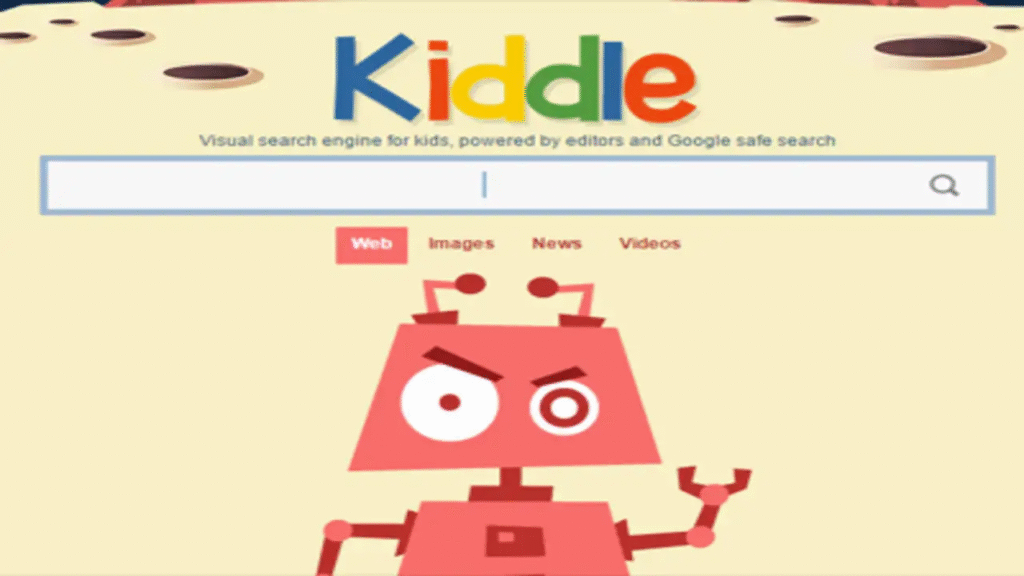
In today’s digital age, ensuring safe and appropriate online experiences for children is paramount. Enter Kiddle for Kids—a search engine crafted with children’s safety and curiosity in mind.

Whether your child is researching a fun school project or exploring Brady the Dinosaur, it offers a colorful, easy-to-navigate environment that filters out inappropriate content.

With large thumbnails, child-friendly language, and a dedicated “Kids Safe” filter, it’s designed to make web browsing both fun and monitored.

In this TazaJunction.com article, we’ll break down what makes Kiddle for Kids stand out, its key features, potential limitations, and why it’s rapidly becoming a top choice for parents and educators alike.


What Is Kiddle for Kids?

Kiddle for Kids is a specialized search engine created with younger users in mind, built on trust, supervision, and ease of use. Designed for kids under 12, it prioritizes safe, accurate, and easy-to-understand information while shielding them from inappropriate content.

This makes it not just another search engine but a foundational tool for introducing safe web exploration in a child’s early digital journey.


Key Features of Kiddle for Kids

Below are the standout capabilities that make Kiddle for Kids an essential tool:

1. Kids-Safe Search Filter

Every search on it runs through a strict filter, prominently hiding explicit images, adult content, or mature topics. This ensures children navigate internet searches with confidence, free from unintended exposure.

2. Large Thumbnails and Legible Fonts

The interface features vibrant thumbnails and large, readable fonts, making navigation intuitive even for early readers. These design choices reflect thoughtful usability, demonstrating the value of it in child-focused web design.

3. Kid-Friendly Language

Search results are displayed using simple, easy-to-understand language—no jargon, no technical terms. This user-centric design reflects how Kiddle for Kids developers prioritize comprehension and learning.

4. Three-Tiered Result Ranking

Results are categorized to support safe browsing:

  • First ten results: verified by editors, safe for all ages
  • Next twenty: automatically filtered and kid-appropriate
  • Remaining results: still safe but less tailored to kids

This layered approach means Kiddle for Kids blends human curation with algorithmic scaling.

5. Visual Design for Engagement

With its bright colors and whimsical illustrations, the overall design feels more like a game than a browser—encouraging children to explore safely, without overwhelming them.


Why Kiddle for Kids Matters Today?

image 76

1. Enhancing Online Safety

With rampant digital risk, it offers a child-first solution for safe content discovery—something traditional search engines often fail to offer in plain terms.

2. Supporting Early Literacy & Learning

As a parent or educator, introducing Kiddle for Kids early can nurture curiosity and teach students how to search effectively—all within a secure, child-friendly format.

3. Empowering Parental Confidence

Knowing children can explore subject topics freely while shielded from risky web content encourages more open dialogue and less restrictive “digital cordoning.”


Thoughtful Ways to Use Kiddle for Kids

  • Homework Assistance: Younger students can research historical figures or planets without worrying about mature content popping up.
  • General Knowledge Exploration: Kids curious about dinosaurs, sports, or weather can get accurate, age-appropriate responses.
  • Creative Learning: Teachers can craft scavenger hunts in class using it to reinforce literacy and research skills.

When integrated thoughtfully, it becomes a fun, educational companion rather than simply a search tool.


Limitations to Acknowledge

While it excels in many ways, it’s not without caveats:

  • Limited Breadth of Information: The safe filter means not all complex or niche details may appear, potentially limiting higher-level research.
  • Manual Curation Bias: Editor-verified results depend on past contributions, potentially skewing content relevance.
  • Not a Substitute for Oversight: While safer, parental involvement remains essential should supplement, not replace, engagement.

How to Maximize Kiddle for Kids in Learning?

  1. Use it as a starting point for research, then encourage exploration of broader sources.
  2. Combine Kiddle use with parent or teacher discussion of findings.
  3. Teach kids about digital footprints and privacy, using Kiddle’s safe environment as a training ground.
  4. Update kids when they’re older about how to move from Kiddle to the mainstream internet safely.

Educators and parents alike should view Kiddle for Kids as a bridge between protected browsing and digital fluency.


Final Thoughts

Kiddle for Kids stands out as an exemplary tool for empowering children to navigate the web safely, creatively, and confidently. By blending safety filters, kid-friendly design, and educational focus, it offers young learners a secure entrance into the richness of the internet.

As digital natives grow smarter, tools like Kiddle for Kids will play a key role in shaping safe, exploratory, and autonomous web usage habits from an early age.

Apple Accidentally Revealed 2025 Device Upgrades: iPad, Apple Watch, HomePod Mini & More

apple accidentally revealed 2025 device upgrades

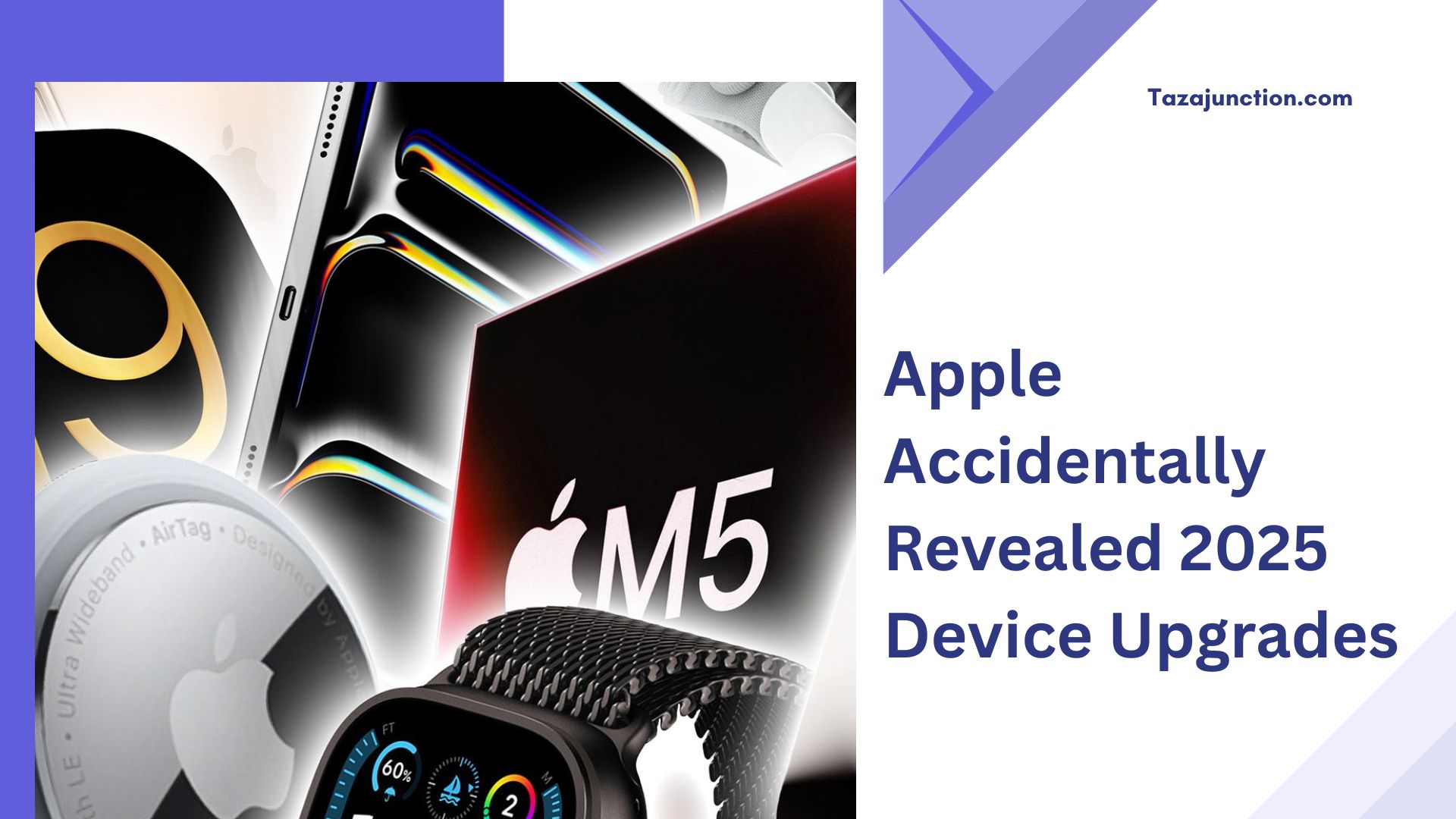
Apple appears to have unintentionally hinted at a wave of Apple accidentally revealed 2025 device upgrades, sparking excitement and speculation across the tech community.

Analysts argue that leaks in recent beta software and marketing previews point to refreshed iPad models, a new Apple Watch lineup, an updated HomePod mini, and much more. If verified, these premature reveals offer a rare glimpse into Apple’s next wave of innovation.

For tech enthusiasts and Apple fans, understanding these unintentional unveilings can help prepare for what’s next—from design refreshes to hardware upgrades that may shape user experience in the coming year.

Let’s explore the rumored upgrades and what they could mean for the product ecosystem with TazaJunction.com.


Unpacking Apple’s Accidental Programming Glitches

image 74

In typical Apple fashion, product details are tightly guarded—making any slip all the more unusual. Internally facing software and pre-release materials seem to have included references to unreleased hardware.

This supports the case where Apple accidentally revealed 2025 device upgrades through coding names, dummy images, or software references.

These accidental exposures, though quickly removed, offer clues that may outpace traditional leaks—making them extraordinarily valuable for anticipation and planning.

With the expected launch of the iPhone 17 Pro in September 2025, Apple appears to be preparing one of its most significant updates to the Pro lineup in years with iPhone 17 Air. Here’s everything about it.


What iPad Upgrades Could Be Coming?

Several references allude to upgraded iPad models in 2025:

  • Updated iPad Air with edge-to-edge display and slimmer bezels
  • A redesign for the standard iPad, with a larger screen and upgraded camera
  • M2 chip integration across multiple models

If accurate, these updates suggest Apple is doubling down on balancing affordability with performance—making the Apple accidentally revealed 2025 device upgrades especially attractive for everyday users and professionals alike.


A New Apple Watch on the Horizon

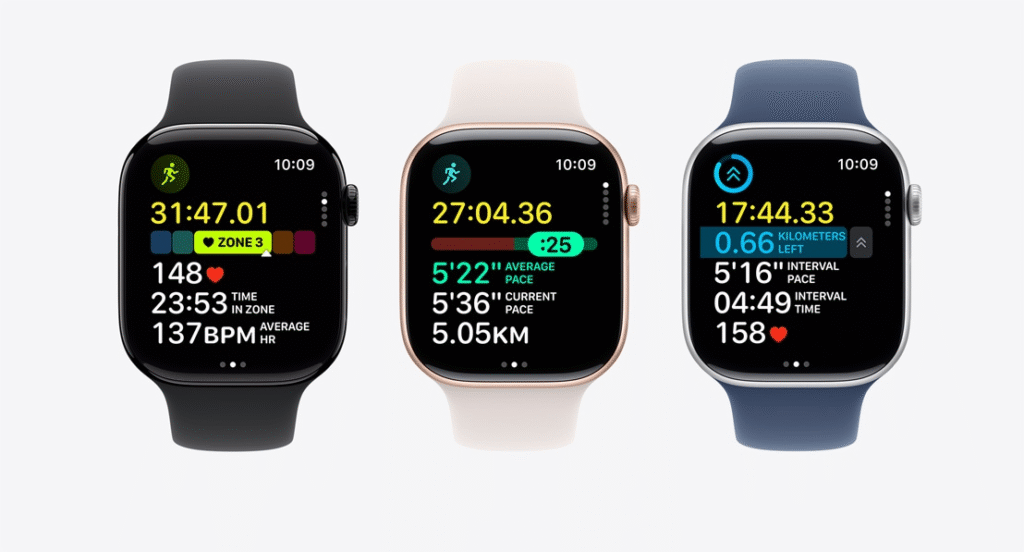
image 75

Hints from internal artwork and model identifiers seem to point to:

  • A redesigned Apple Watch Series 10 with flatter edges
  • Larger screen real estate in the same footprint
  • Additional health-tracking sensors—potentially body temperature or blood pressure monitoring

These changes suggest the Apple Watch keeps evolving as a health-forward wearable. That the Apple accidentally revealed 2025 device upgrades include an Apple Watch adds weight to the notion that Apple is ramping up both design and health functionality.


HomePod Mini: A Silent but Significant Refresh

The whispers of a refreshed HomePod mini appear in system logs and internal firmware references. Improvements may include:

  • Smarter adaptive EQ
  • Enhanced Siri understanding
  • Better integration with smart home devices
  • New color finishes

Although typically overshadowed by Apple’s more glamorous devices, inclusion in the Apple accidentally revealed 2025 device upgrades signals Apple is treating the smart speaker line with newfound importance.


Other Device Upgrades in the Pipeline

Beyond these headline updates, additional leaks hint at:

  • A new-generation iMac with slimmer bezels and upgraded gpu options
  • Refreshed Mac mini featuring M3 Pro chips
  • VR/AR headset firmware indicating an imminent headset launch

These projected releases suggest the Apple accidentally revealed 2025 device upgrades span multiple categories—mobile, desktop, wearables, and home systems—highlighting a comprehensive refresh strategy.


Why These Previews Matter

These early revelations have practical and psychological impact:

  • They shape buying decisions—especially for those weighing upgrades carefully
  • They build early buzz and feedback loops for Apple, even if accidental
  • They reinforce Apple’s design direction—if true—that exudes sleek, bezel-less aesthetics across product lines

When Apple accidentally revealed 2025 device upgrades, it wasn’t just a leak—it became a roadmap for where Apple may be heading in design and user experience.


Risks and Rewards in Leaking Too Soon

Apple’s guarded approach typically avoids such accidental disclosures—but that comes with trade-offs:

Risks

  • Diluted impact of official product launches
  • Leakage of product edge before marketing creates hype
  • Stock traders reacting prematurely

Rewards

  • Encourages early community discussion and anticipation
  • Provides Apple with feedback in beta phases
  • Boosts search and organic interest ahead of announcements

Managing these challenges means balancing secrecy with the reality that some information may escape—even if Apple accidentally revealed 2025 device upgrades that weren’t intended.


What This Means for Buyers?

If these upgrades are accurate, here’s what consumers should note:

  • Timing: Expect announcements at Apple’s spring or fall events in 2025
  • Feature Value: Budget conservatively if you’re eyeing hardware improvements like M2 chips
  • Resale Strategy: Hold off selling or buying merch, knowing new models may soon replace current ones
  • Workshop Ready: Council on ergonomics—the slimmer iPad bezels, larger screens, and watch refresh suggest subtle but real UX shifts ahead

Industry Implications

Apple’s updated stance sets standards—and competitors watch closely:

  • Intel and Arm OEMs may recalibrate their next gen laptops to match M-series norms
  • Watch and wearable brands may focus more on health sensors and fitness breakthroughs
  • Smart home ecosystems should prepare for deeper Apple integration and more intelligent speaker experiences

When Apple accidentally revealed 2025 device upgrades, it didn’t just impact core fans—it sent reverberations across entire tech markets.


Final Thoughts

Our preview of possible upgrades—iPad, Apple Watch, HomePod Mini, and beyond—centers on a refined yet expansive Apple update strategy. As unplanned as these accidental hints were, they provide fans and analysts a rare early look at Apple’s 2025 trajectory.

Close observers can now tailor buying decisions, prepare for design changes, and discuss features before keynote reveals.

For Apple, controlling future leaks—or embracing them—becomes part of the modern product cycle.

10 Powerful WhatsApp Features You Should Know

powerful whatsapp features

WhatsApp has grown from a simple messaging app into a full-featured communication platform used by billions globally. While most people are familiar with sending messages, photos, and videos, many don’t realize the depth of tools and functionalities available.

These powerful WhatsApp features are designed not only to make messaging easier but also to help users boost productivity, ensure privacy, and stay better organized.

In this TazaJunction.com article, we explore 10 powerful WhatsApp features that you might not be using—but definitely should.

Whether you use WhatsApp for personal chats, business coordination, or family groups, these tools will enhance your experience and help you use the app more efficiently and effectively.


Powerful WhatsApp Features You Need to Try

image 73

1. Schedule WhatsApp Calls

One of the newest and most powerful WhatsApp features is the ability to schedule calls. This feature allows users to plan audio or video calls in advance with individuals or groups.

When scheduling, you can select a time and date, and WhatsApp will automatically notify all participants shortly before the call starts. This is incredibly useful for coordinating meetings, especially for group chats, and brings WhatsApp one step closer to being a reliable tool for business communications.

2. Set Reminders Within Chats

Another recent addition to the powerful WhatsApp features list is the in-app reminder function. You can now long-press a message and choose to be reminded about it later.

The app will notify you at your selected time with a preview of the original message. This feature is perfect for remembering to reply to important messages or take action on information shared in a busy chat.

3. Edit Sent Messages

Ever sent a message and instantly regretted a typo or wrong detail? With the message editing feature, WhatsApp now lets you fix that. Simply long-press a sent message and tap “Edit” to modify the content.

The message will be updated with an “Edited” label visible to everyone, maintaining transparency. It’s one of the most practical and powerful WhatsApp features introduced to improve accuracy and clarity in conversations.

4. Star Messages for Easy Access

Starring messages helps you bookmark important texts like addresses, meeting times, or key information. You can then revisit all your starred messages in one place via the menu.

This is a valuable feature when you’re looking for specific information buried deep in ongoing conversations and stands out among powerful WhatsApp features for everyday use.

5. Convert Voice Notes to Text (iOS)

For iOS users, WhatsApp offers voice note transcription. When enabled, this feature converts long voice messages into readable text, allowing you to understand messages without listening—especially handy in public places or during meetings. It’s an intelligent tool that adds another layer of flexibility to the powerful WhatsApp feature set.

6. Enhanced Search Filters

Finding past messages in WhatsApp has become much easier with enhanced search filters. You can now narrow searches by document type (images, links, videos), sender name, and chat.

Whether you’re searching for a link from last week or a photo from last month, this is one of the most powerful WhatsApp features that saves both time and frustration.

7. Quick Navigation on Android

Android users benefit from an underrated but extremely helpful navigation shortcut. By long-pressing the back button, you can switch between recent chats without returning to the main screen.

This feature is perfect for multitaskers who juggle several conversations at once and prefer speed and efficiency—making it one of the more subtle yet powerful WhatsApp features available.

8. Custom Notifications

Tired of missing messages from specific people or groups? With custom notification settings, you can set different tones, vibration patterns, and popup alerts for individual chats.

It’s an excellent way to prioritize messages from close friends, family, or work contacts. This personalization is part of what makes these powerful WhatsApp features adaptable to your unique communication style.

9. Home Screen Chat Shortcuts (Android)

On Android, you can place direct shortcuts to specific chats right on your home screen. Just long-press the chat and select “Add Chat Shortcut.”

This saves time, especially for users who frequently contact the same individuals or groups. It’s a small touch but ranks high on the list of powerful WhatsApp features for convenience and speed.

10. Control Media Visibility

By default, WhatsApp saves received media to your gallery or camera roll. However, with media visibility settings, you can hide certain chat media from appearing in your phone’s gallery.

This feature is essential for users who want to keep their personal or group content private. It’s one of the powerful WhatsApp features that respects user control and privacy.


Why These Features Matter?

Each of these powerful WhatsApp features adds value to your communication routine. Whether you’re scheduling work calls, organizing daily chats, or simply looking to improve your WhatsApp efficiency, these tools make a difference.

They reflect how WhatsApp is evolving—not just as a social app—but as a platform that supports productivity, privacy, and personalization.

Users who explore these features often discover new workflows that help them stay connected more intelligently. From message control and reminders to smart navigation and customized alerts, each tool can be a game-changer in the right context.


Final Thoughts

WhatsApp isn’t just a chat app anymore—it’s a robust, intelligent, and user-centric platform full of productivity tools and communication enhancements. By mastering these 10 powerful WhatsApp features, you can significantly improve how you interact, respond, and stay on top of your digital conversations.

Whether you’re an individual looking to tidy up your chats or a professional aiming to streamline meetings and task reminders, these tools are your key to getting the most out of WhatsApp.

Start using them today, and experience the app in a whole new way.

Low‑Cost MacBook Powered by iPhone Chip Could Launch for Just $599

low‑cost MacBook

Apple is rumored to be preparing a low‑cost MacBook that flips the script on its premium pricing strategy. This new model may debut in late 2025 or early 2026, featuring a vibrant 12.9- or 13-inch display and, notably, running on the A18 Pro chip— the same processor used in the iPhone 16 Pro.

Analysts project a starting price between $599 and $699, dramatically undercutting the current MacBook Air. With mass production potentially beginning soon, this low‑cost MacBook could shake up the laptop market, especially among budget-conscious students and users transitioning away from unsupported Windows 10 devices.

Let’s explore what this affordable MacBook rumor could mean for Apple, consumers, and the broader market landscape with TazaJunction.com.


What Is the Low‑Cost MacBook All About?

The low‑cost MacBook is Apple’s tentative entry into the under-$700 laptop tier—something it has traditionally avoided. Instead of its typical high-performance M-series chips, Apple may leverage the A18 Pro chip from its iPhone lineup.

This device is said to be compact, stylish, and colorful, potentially reviving the playful aesthetics of earlier iBooks. The rumored pricing and specs suggest Apple wants to broaden access to macOS without sacrificing brand quality.

With the expected launch of the iPhone 17 Pro in September 2025, Apple appears to be preparing one of its most significant updates to the Pro lineup in years with iPhone 17 Air. Here’s everything about it.


Why the A18 Pro Chip?

Using an A18 Pro chip allows Apple to offer compelling performance at a lower cost. While it may fall short of a modern M-series chip in multi-core power, it reportedly matches the performance of the older M1 and outperforms it in graphics.

The low‑cost MacBook is expected to offer enough horsepower for everyday tasks and a smoother experience than equivalent Chromebooks or budget Windows laptops.


Expected Launch and Production Timeline

Sources suggest the low‑cost MacBook will start production in late Q4 2025, with widespread availability in early 2026. Analysts like Ming‑Chi Kuo predict that this new model could drive MacBook shipments up by 30–40%, aiming to account for up to 28% of total MacBook sales next year. For Apple, it represents a bold strategy to increase market share and reach new customer segments.


Design Highlights

  • Display: Compact sizes—12.9 to 13 inches—smaller than MacBook Air.
  • Build & Colors: Lightweight chassis with eye-catching color options like Blue, Pink, Silver, and Yellow.
  • Ports: Plain USB-C ports expected due to A-series limitations (no Thunderbolt).
  • RAM and Storage: Likely configured with 8GB RAM and 128GB base storage to keep costs down.

These design choices reflect practicality and purpose, enabling Apple to produce a cost-efficient yet idiomatic Mac.


Pricing Strategy and Market Implications

image 69

With pricing rumored between $599 and $699—or even $599 with educational discounts—the low‑cost MacBook represents a steep departure from Apple’s premium image.

It’s poised to compete directly with Chromebooks and lower-end Windows laptops, especially in emerging markets and education settings. This pricing could encourage Windows users, especially those with expired Windows 10 support, to switch to macOS for the first time.


Challenges and Trade‑Offs

While the low‑cost MacBook presents exciting possibilities, some trade-offs are likely:

  • Lower RAM and storage may limit multitasking or heavy workflows.
  • Graphics performance, while strong, may not match that of higher-tier MacBook Air models.
  • No Thunderbolt support may restrict external display and accessory compatibility.
  • Apple must balance affordability with its premium reputation—a delicate branding challenge.

Who Stands to Benefit?

  • Students and Educators: Affordable access to macOS and Apple’s ecosystem can encourage productivity and learning.
  • Budget Buyers: Users wanting Mac reliability without high prices now have a viable option.
  • Windows Migrants: With Windows 10 out of support, this could entrench many new users into Apple’s ecosystem.
  • Apple Collectors: Fans attracted by nostalgia and color options akin to past iBook models.

How It Affects Apple’s MacBook Lineup

The low‑cost MacBook won’t replace MacBook Air or Pro models but complements them. It offers an entry point for price-sensitive buyers without cannibalizing higher-end model sales. Apple may also maintain differentiation through build materials or chip selection to keep segmentation clear.


Broader Industry Impact

  • Market Pressure for Competitors: Windows OEMs may need to lower prices or improve value to remain competitive.
  • MacBook Ecosystem Expansion: New users adopting the platform can increase app development and service adoption.
  • Education Market Penetration: A device like this positions Apple to reclaim ground lost to Chromebook popularity in schools.

Future Outlook

If the low‑cost MacBook becomes official, Apple will need to carefully craft marketing that emphasizes performance, quality, and affordability. Software optimizations and battery life will play key roles in user satisfaction.

Moreover, if this device sells well, it could shift future MacBook design and cost strategy—hinting at multiple tiers of affordability.