Borderlands 4 Trick Makes Console Performance Better

borderlands 4 trick

The launch of Borderlands 4 has been a wild ride for fans of the looter‑shooter franchise. While the game has been praised for its chaotic gunplay, colorful worlds, and over‑the‑top humor, it hasn’t been without its share of technical hiccups — especially for console players.

Many have reported frame rate drops, stuttering, and sluggish performance after extended play sessions. Fortunately, a simple yet effective Borderlands 4 Trick Makes Console Performance Better, offering a temporary but noticeable improvement until official patches arrive.

In this TazaJunction.com article, we’ll break down exactly what this trick is, why it works, and how you can combine it with other settings tweaks to get the smoothest possible experience on your console.

The Problem: Performance Drops Over Time

One of the most frustrating issues for console players is that Borderlands 4 often runs well at first, but performance degrades the longer you play. This can manifest as:

  • Lower frame rates during intense combat
  • Delayed input response
  • Stuttering when moving between areas
  • Visual hiccups during cutscenes

Some players suspect this is due to a memory leak or resource management issue in the console versions. While Gearbox Software has acknowledged the problem and is working on a fix, the community has already found a workaround — and that’s where the Borderlands 4 Trick Makes Console Performance Better comes in.

The Trick: Restarting the Game

It might sound almost too simple, but the Borderlands 4 Trick Makes Console Performance Better involves quitting the game completely and restarting it after a few hours of play.

This clears whatever is bogging down the system — whether it’s cached data, memory allocation issues, or background processes — and restores performance to its initial smoothness.

Here’s how to do it effectively:

  1. Save Your Progress – Make sure you manually save or reach an autosave point.
  2. Quit to Console Dashboard – Don’t just return to the main menu; fully close the application.
  3. Restart the Game – Relaunch Borderlands 4 fresh from your console’s home screen.
  4. Repeat as Needed – If you notice performance dipping again after a few hours, repeat the process.

While this isn’t a permanent fix, it’s a quick and easy way to keep your sessions running smoothly until Gearbox releases an optimization patch.

Why This Works?

The reason the Borderlands 4 Trick Makes Console Performance Better is likely tied to how the game manages memory and resources over time.

As you play, the game loads new assets, textures, and effects into memory. If these aren’t cleared efficiently, they can build up and strain the console’s available resources, leading to performance degradation.

Restarting the game essentially resets the memory usage, giving your console a clean slate to work with. This is a common workaround in many large, open‑world or asset‑heavy games, especially those running on new engines like Unreal Engine 5.

Additional Tweaks for Better Console Performance

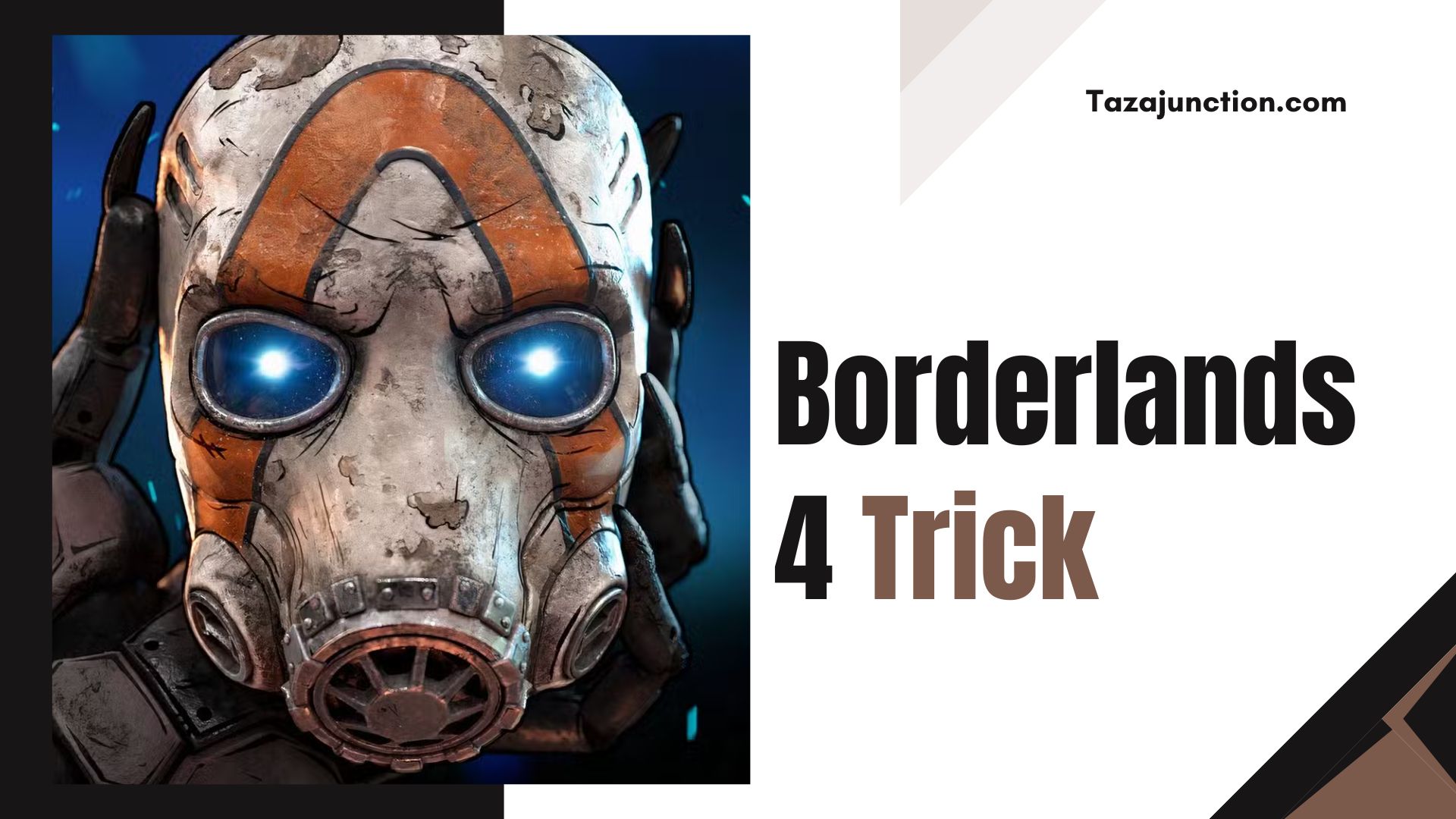
Borderlands 4 Trick

While restarting is the core of the Borderlands 4 Trick Makes Console Performance Better, you can combine it with other settings adjustments to further enhance your experience:

1. Switch to Performance Mode

Most modern consoles offer a choice between “Quality” and “Performance” modes. Quality mode prioritizes higher resolution and visual effects, while Performance mode targets a higher, more stable frame rate. For a fast‑paced shooter like Borderlands 4, Performance mode is the better choice.

2. Adjust Controller Sensitivity

Fine‑tuning your horizontal and vertical sensitivity can make aiming feel more responsive. Some players recommend lowering sensitivity slightly to reduce overshooting targets during frame dips.

3. Reduce Camera Effects

Turning off camera head‑bob and reducing motion blur can make gameplay feel smoother, even if the frame rate isn’t perfect.

4. Change Session Settings to Local Only

If you’re playing solo and don’t need online features, switching your session to “Local Only” can reduce network‑related stutter. Just remember this will prevent online co‑op.

5. Keep Your Console Cool

Overheating can cause throttling, which impacts performance. Ensure your console has good ventilation and isn’t in an enclosed space.

Community Feedback

The Borderlands 4 Trick Makes Console Performance Better has been widely shared across forums, social media, and gaming communities. Many players report that restarting the game every few hours keeps performance consistent, especially during long play sessions.

Some have even built it into their routine — taking a short break to stretch, grab a drink, and restart the game before diving back into the action. While it’s not ideal to have to do this, most agree it’s worth the minor inconvenience for smoother gameplay.

Gearbox’s Response
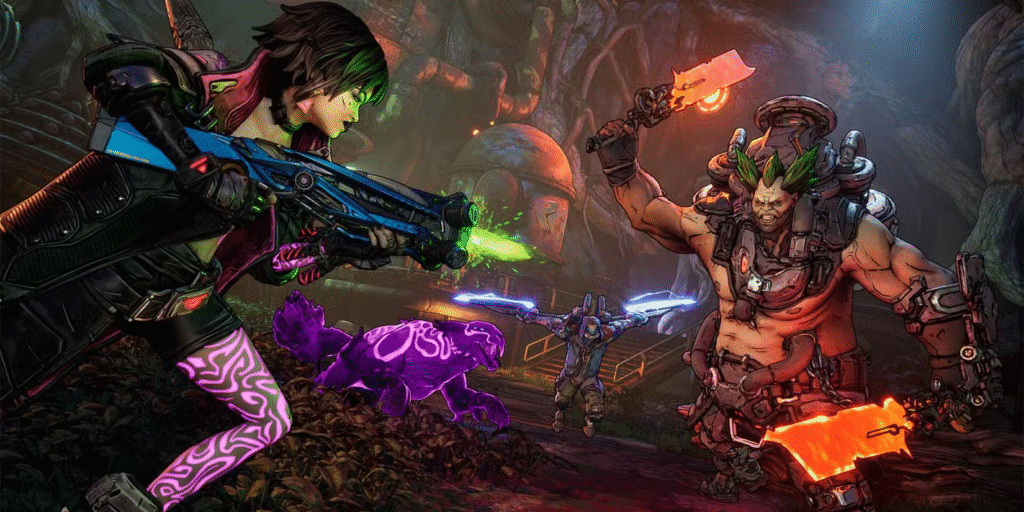
image 197

Gearbox Software has acknowledged the performance issues and confirmed they are working on a fix. In the meantime, they’ve suggested that players use the restart method if they encounter performance drops.

This aligns with the community‑discovered Borderlands 4 Trick Makes Console Performance Better, showing that sometimes the simplest solutions are the most effective.

The Bigger Picture: Console Optimization Challenges

The need for a Borderlands 4 Trick Makes Console Performance Better highlights a broader challenge in modern game development. With games becoming more complex and visually demanding, optimizing them for multiple platforms — each with different hardware capabilities — is no small feat.

Unreal Engine 5, which powers Borderlands 4, offers stunning visuals but can be resource‑intensive. Balancing graphical fidelity with stable performance is a constant push‑and‑pull for developers, especially when launching simultaneously on PC, PlayStation, and Xbox.

Looking Ahead

While the restart trick is a handy stopgap, players are eager for a permanent fix. Gearbox has a history of post‑launch support for the Borderlands series, so it’s likely that performance patches will arrive in the coming weeks or months.

Until then, the Borderlands 4 Trick Makes Console Performance Better remains the go‑to solution for console players who want to keep their vault‑hunting adventures running smoothly.

Final Thoughts

The Borderlands 4 Trick Makes Console Performance Better is a testament to the resourcefulness of the gaming community. Faced with performance issues, players didn’t just complain — they experimented, shared findings, and came up with a practical workaround that anyone can use.

If you’re playing Borderlands 4 on console and notice your frame rate dipping or controls feeling sluggish after a few hours, give this trick a try. It’s quick, easy, and can make the difference between a frustrating session and an enjoyable one.

Until Gearbox rolls out a permanent fix, this simple restart method — combined with smart settings adjustments — is your best bet for keeping Pandora’s chaos running at full speed.

Xbox Game Pass Ultimate Update Adds New Game With Serious Vampire Survivors Vibes

xbox game pass ultimate update

The gaming subscription world just got a thrilling new addition, as the Xbox Game Pass Ultimate Update Adds New Game With Serious Vampire Survivors Vibes.

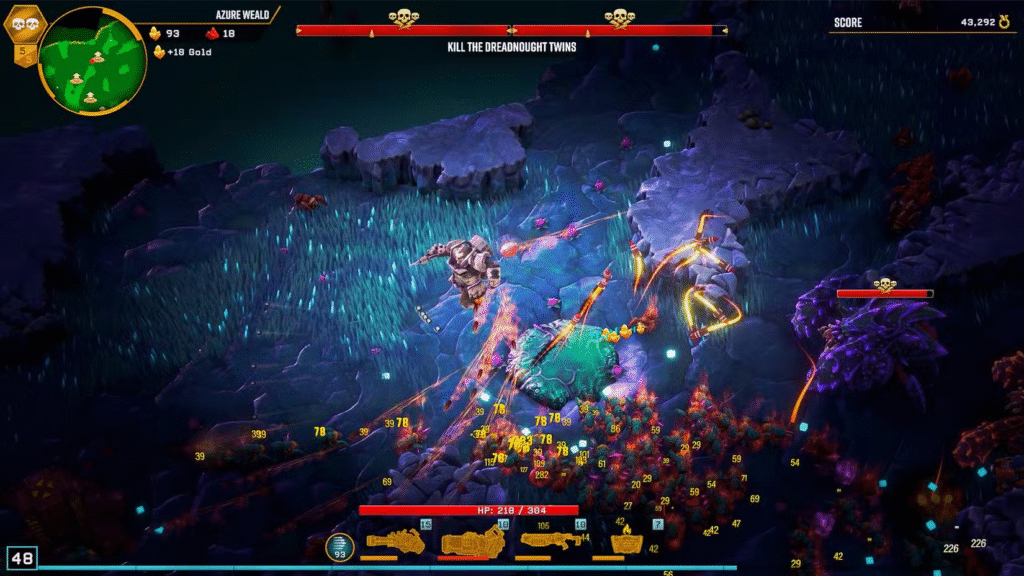
This latest content drop introduces Deep Rock Galactic: Survivor, a top‑down action roguelike that blends the addictive gameplay loop of Vampire Survivors with the mining‑and‑shooting chaos of the Deep Rock Galactic universe.

For fans of fast‑paced, survival‑driven gameplay, this is a day‑one release worth diving into.

A Day‑One Treat for Subscribers

One of the standout features of this release is that Deep Rock Galactic: Survivor is available on Xbox Game Pass Ultimate from day one. That means subscribers can jump straight into the action without spending an extra dime.

The Xbox Game Pass Ultimate Update Adds New Game With Serious Vampire Survivors Vibes not only expands the service’s library but also reinforces Microsoft’s commitment to delivering high‑quality, day‑one titles to its members.

The game is available on PC, Xbox Series X|S, and via Xbox Cloud Gaming, making it accessible to a wide range of players. Even if you’re on last‑gen hardware, cloud streaming ensures you can still experience the chaos of Planet Hoxxes.

What Makes It Feel Like Vampire Survivors?

Xbox Game Pass Ultimate Update

The Xbox Game Pass Ultimate Update Adds New Game With Serious Vampire Survivors Vibes is more than just a catchy headline — the similarities are real.

Like Vampire Survivors, Deep Rock Galactic: Survivor is an auto‑shooter where your character attacks enemies automatically, leaving you to focus on movement, positioning, and strategic upgrades.

Waves of enemies grow progressively tougher, and your survival depends on collecting resources, leveling up, and choosing the right perks.

However, this game adds its own twist. Mining is a core mechanic, allowing you to gather valuable minerals while fending off alien swarms. These resources feed into a meta‑progression system, letting you unlock new weapons, abilities, and upgrades between runs. It’s a satisfying loop that keeps you coming back for “just one more run.”

The Gameplay Loop

At its heart, the Xbox Game Pass Ultimate Update Adds New Game With Serious Vampire Survivors Vibes offers a simple yet endlessly replayable gameplay loop:

  1. Drop into Planet Hoxxes – Each run starts with your dwarf miner landing in a hostile biome.
  2. Mine and Fight – Use your tools to dig through terrain while blasting away at alien hordes.
  3. Collect Resources – Gather minerals and loot to power up your character.
  4. Level Up – Choose from a variety of upgrades to enhance your weapons, defenses, and mobility.
  5. Survive the Waves – Enemies grow stronger over time, forcing you to adapt your strategy.
  6. Meta Progression – Between runs, spend your hard‑earned resources to unlock permanent upgrades.

This blend of mining and survival combat sets it apart from other auto‑shooters, while still scratching that Vampire Survivors itch.

Visuals and Atmosphere

image 195

The Xbox Game Pass Ultimate Update Adds New Game With Serious Vampire Survivors Vibes also delivers a distinct visual style.

The game uses a colorful yet gritty aesthetic, with detailed environments that reflect the dangerous beauty of alien worlds. Explosions light up the screen, swarms of enemies fill every corner, and the mining animations add a tactile sense of destruction.

The sound design complements the visuals perfectly. The thud of pickaxes, the roar of alien creatures, and the satisfying pop of loot pickups create an immersive experience that keeps you engaged for hours.

Accessibility and Platforms

One of the best things about the Xbox Game Pass Ultimate Update Adds New Game With Serious Vampire Survivors Vibes is its accessibility.

Whether you’re playing on a high‑end gaming PC, an Xbox Series X, or streaming via the cloud on a tablet, the game runs smoothly and retains its addictive charm.

The controls are simple enough for newcomers to grasp quickly, but the depth of upgrades and strategies will keep veterans hooked.

Why This Matters for Game Pass?

The addition of Deep Rock Galactic: Survivor is more than just another title in the library — it’s a statement. The Xbox Game Pass Ultimate Update Adds New Game With Serious Vampire Survivors Vibes shows that Microsoft is paying attention to gaming trends and delivering content that resonates with players.

Auto‑shooter roguelikes have exploded in popularity thanks to Vampire Survivors, and bringing a high‑quality entry in that genre to Game Pass on day one is a smart move.

It also adds variety to the service. Game Pass already offers shooters, RPGs, strategy games, and indie darlings, but this title blends genres in a way that feels fresh.

It’s part survival game, part mining sim, and part bullet hell — a combination that stands out in the crowded subscription space.

Tips for New Players

If you’re jumping into the Xbox Game Pass Ultimate Update Adds New Game With Serious Vampire Survivors Vibes for the first time, here are a few tips to help you survive longer:

  • Keep Moving – Standing still is a death sentence. Always be on the move to avoid getting surrounded.
  • Prioritize Upgrades – Choose upgrades that complement your playstyle. If you like aggressive play, focus on weapon damage. If you prefer survival, invest in shields and mobility.
  • Mine Strategically – Don’t just dig randomly. Target resource‑rich areas to maximize your gains.
  • Learn Enemy Patterns – Different alien types have unique attack styles. Recognizing these patterns can save your life.
  • Use the Environment – Narrow tunnels can funnel enemies, making them easier to manage.

Community Reception

Early reactions to the Xbox Game Pass Ultimate Update Adds New Game With Serious Vampire Survivors Vibes have been overwhelmingly positive.

Players are praising the game’s addictive loop, satisfying progression, and the way it captures the spirit of Vampire Survivors while adding its own unique flavor. Many are already sharing high‑score screenshots, custom strategies, and fan art on social media.

The crossover appeal is strong, too. Fans of the original Deep Rock Galactic are enjoying the familiar setting and lore, while roguelike enthusiasts are embracing the fresh mechanics.

The Future of Game Pass Content

The Xbox Game Pass Ultimate Update Adds New Game With Serious Vampire Survivors Vibes is part of a broader trend of Game Pass securing diverse, high‑quality titles.

With more day‑one releases and genre‑blending games on the horizon, the service continues to be one of the best values in gaming.

If Microsoft keeps delivering content like this, it’s easy to see why subscribers stick around month after month. The combination of established franchises, indie hits, and innovative new titles ensures there’s always something fresh to play.

Final Thoughts

The Xbox Game Pass Ultimate Update Adds New Game With Serious Vampire Survivors Vibes is a win for both Microsoft and its subscribers. It’s a game that understands what makes the auto‑shooter roguelike genre so compelling, while adding enough unique elements to stand on its own.

Whether you’re a fan of Vampire Survivors, Deep Rock Galactic, or just looking for your next gaming obsession, this update delivers.

With its accessible gameplay, satisfying progression, and cross‑platform availability, Deep Rock Galactic: Survivor is poised to become a staple in many players’ Game Pass libraries.

If you haven’t tried it yet, now’s the perfect time to suit up, grab your pickaxe, and see how long you can survive on Planet Hoxxes.

WWE 2K25 Releases Attitude Era DLC Pack: Reliving Wrestling’s Most Explosive Era

wwe 2k25 attitude era dlc pack

The WWE 2K25 Attitude Era DLC Pack has officially arrived, and wrestling fans around the world are buzzing gaming with excitement.

This latest downloadable content drop is the fourth of five planned DLC packs for WWE 2K25 Season Pass, and it’s a love letter to one of the most iconic periods in professional wrestling history — the Attitude Era.

Known for its edgy storylines, larger‑than‑life personalities, and unforgettable matches, the Attitude Era remains a fan favorite decades later.

Now, thanks to this new DLC, players can step back into that chaotic, unpredictable world and take control of some of its most legendary superstars.

In this TazaJunction.com article, we’ll break down what makes the WWE 2K25 Attitude Era DLC Pack so special, what fans can expect, and why this release is a must-have for wrestling gamers.

A Star‑Studded Roster Addition

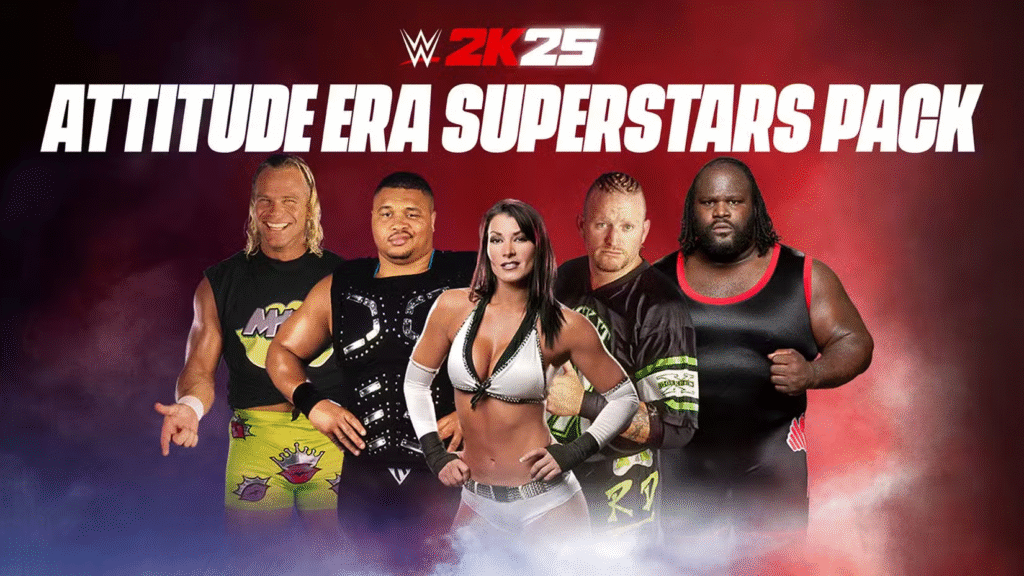
The WWE 2K25 Attitude Era DLC Pack brings five wrestling icons into the game’s already massive roster. These additions aren’t just random picks — they’re carefully chosen to represent the diversity and energy of the Attitude Era. The pack includes:

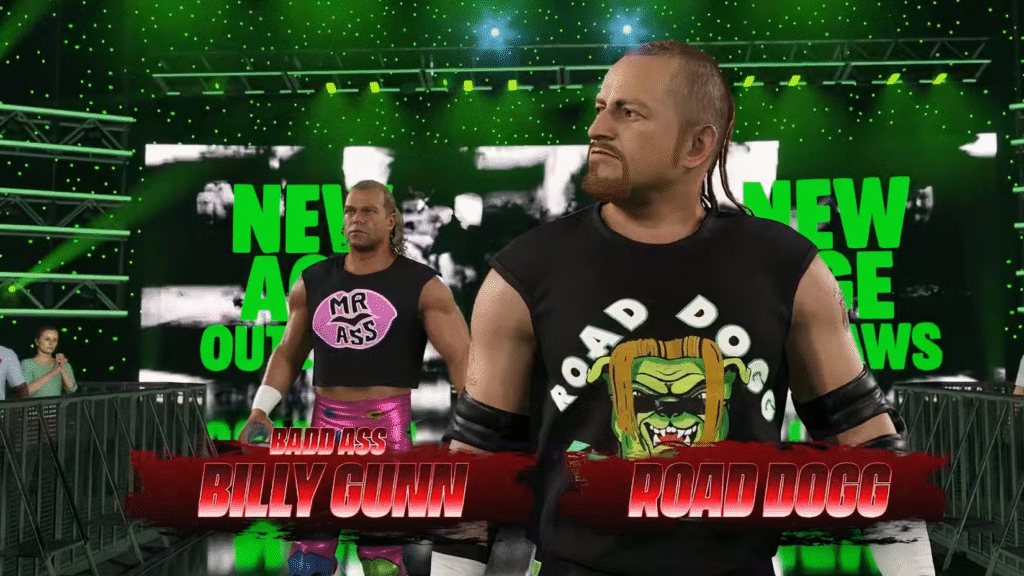
  • “Road Dogg” Jesse James – One half of the legendary New Age Outlaws, Road Dogg was known for his charisma, mic skills, and ability to hype up a crowd before the bell even rang.
  • “Badd Ass” Billy Gunn – Road Dogg’s tag team partner and powerhouse of the New Age Outlaws, Gunn’s athleticism and strength made him a force in both tag team and singles competition.
  • D’Lo Brown – A member of the Nation of Domination, D’Lo brought a unique style to the ring, complete with his signature head shake and devastating “Lo Down” frog splash.
  • Mark Henry – The “World’s Strongest Man” and a WWE Hall of Famer, Henry’s dominance in the ring was matched only by his incredible feats of strength.
  • Victoria – A two‑time Women’s Champion, Victoria’s combination of power, agility, and intensity made her one of the most formidable competitors in the women’s division.

Each of these superstars comes with authentic entrance animations, signature moves, and taunts, ensuring that the WWE 2K25 Attitude Era DLC Pack delivers an authentic throwback experience.

Bringing Back the Attitude

The Attitude Era was a time when WWE pushed boundaries, both in the ring and on the microphone. Rivalries were heated, promos were unscripted chaos, and the matches were often brutal.

The WWE 2K25 Attitude Era DLC Pack captures that spirit by not only adding these legendary wrestlers but also incorporating over 50 new moves and taunts from the era. This means players can recreate classic moments or invent entirely new ones that feel true to the time period.

For example, you can reunite the New Age Outlaws and have them challenge modern tag teams, or pit D’Lo Brown and Mark Henry against today’s biggest stars in faction warfare. Victoria can step into the ring with current women’s champions, creating dream matches that never happened in real life.

What’s Included in the WWE 2K25 Attitude Era DLC Pack?

WWE 2K25 Attitude Era DLC Pack

2K Games has gone all-in with this release. The WWE 2K25 Attitude Era DLC Pack offers a variety of content that will keep both nostalgic fans and new players entertained. Some of the highlights include:

1. Legendary Superstars

  • Stone Cold Steve Austin
  • The Rock
  • Triple H (DX version)
  • The Undertaker (Ministry of Darkness era)
  • Kane (original masked version)
  • Mick Foley (multiple personas including Mankind and Cactus Jack)

2. Classic Arenas

  • Monday Night Raw (1998 set)
  • WrestleMania XV stage
  • King of the Ring arena
  • SummerSlam 1999 entrance design

3. Storyline-Based Showcase Mode

Fans can play through curated moments inspired by the Attitude Era’s most famous feuds. Relive Austin vs. McMahon, The Rock vs. Triple H, and even The Undertaker vs. Kane in a special storyline mode.

4. Authentic Attires and Entrances

The DLC adds vintage gear, Titantron entrances, and crowd signs from the late 90s, giving players the most authentic experience possible.

    Nostalgia Meets Modern Gameplay

    One of the strengths of WWE 2K25 is its ability to blend nostalgia with modern wrestling mechanics. The WWE 2K25 Attitude Era DLC Pack benefits from the game’s improved animations, smoother controls, and enhanced AI, making these classic superstars feel fresh while still retaining their old‑school charm.

    The developers have clearly paid attention to detail — from Road Dogg’s pre‑match banter to Mark Henry’s powerhouse slams, everything feels authentic.

    For long‑time fans, this DLC is a trip down memory lane. For newer players, it’s a chance to experience why the Attitude Era is still talked about with such reverence. The combination of iconic characters and modern gameplay makes this pack a must‑have for anyone who loves wrestling history.

    Season Pass and Standalone Purchase Options

    The WWE 2K25 Attitude Era DLC Pack is available to all Season Pass holders, including those who purchased the Deadman Edition or Bloodline Edition of the game. For players who don’t have the Season Pass, the pack can be purchased separately.

    This flexibility ensures that everyone has the opportunity to add these legends to their roster, whether they’ve been following the DLC releases from the start or are just jumping in now.

    In addition to the Attitude Era pack, WWE 2K25 has also released other DLCs featuring both modern stars and legends from different eras. This steady stream of content keeps the game fresh and encourages players to keep coming back for more.

    The Impact on Gameplay

    Adding these five superstars isn’t just about expanding the roster — it’s about changing the way you play. The WWE 2K25 Attitude Era DLC Pack opens up new possibilities for match types, storylines, and rivalries.

    You can recreate famous feuds like D‑Generation X vs. The Nation of Domination, or you can mix eras and see how these legends fare against today’s champions.

    The pack also enhances modes like Universe Mode and MyFACTION, where you can build stables, create custom rivalries, and unlock rewards. The addition of authentic moves and taunts means that even custom characters can benefit from the DLC, giving players more creative tools to work with.

    A Spotlight on Each Superstar

    image 193

    To truly appreciate the WWE 2K25 Attitude Era DLC Pack, it’s worth taking a closer look at each superstar:

    • Road Dogg: Known for his catchphrases and crowd interaction, Road Dogg’s in‑game persona captures his real‑life energy perfectly. His tag team synergy with Billy Gunn is unmatched.
    • Billy Gunn: A powerhouse with surprising agility, Gunn’s moveset in the game reflects his versatility, from high‑impact slams to precision dropkicks.
    • D’Lo Brown: His unique style and signature chest protector make him stand out. The developers have nailed his frog splash animation, making it a joy to execute.
    • Mark Henry: Playing as Henry is all about dominance. His strength stats are among the highest in the game, and his power moves can end matches quickly.
    • Victoria: A trailblazer in the women’s division, Victoria’s inclusion adds depth to the female roster. Her Widow’s Peak finisher is as devastating in the game as it was in real life.

    Fan Reactions

    The release of the WWE 2K25 Attitude Era DLC Pack has been met with overwhelmingly positive reactions from the community.

    Long‑time fans are thrilled to see these legends return, especially those who haven’t been in a WWE game for years, like Victoria and D’Lo Brown. Social media is filled with screenshots, highlight reels, and custom matches featuring the new additions.

    Some fans have even recreated famous Attitude Era pay‑per‑views using the DLC, complete with authentic arenas and commentary. This level of engagement shows just how much the era still resonates with wrestling enthusiasts.

    Why This DLC Matters?

    The WWE 2K25 Attitude Era DLC Pack isn’t just another roster update — it’s a celebration of a time when wrestling was at its most unpredictable and exciting.

    By bringing these legends into the modern game, 2K has given fans the tools to keep the spirit of the Attitude Era alive. It’s a bridge between generations, allowing veterans and newcomers alike to share in the chaos, drama, and spectacle that defined late‑90s wrestling.

    For anyone who grew up watching the Attitude Era, this DLC is a nostalgic trip worth taking. For those who didn’t, it’s an opportunity to understand why this period is still considered the golden age of sports entertainment

    Final Thoughts

    The WWE 2K25 Attitude Era DLC Pack is more than just an add-on—it’s a celebration of one of wrestling’s greatest periods. By giving fans access to legendary superstars, iconic arenas, and unforgettable storylines, 2K has delivered something that resonates with both nostalgia and modern gameplay.

    For longtime wrestling fans, this DLC is a dream come true. For newer players, it’s an opportunity to experience the chaos, excitement, and intensity of a bygone era that defined WWE as we know it today.

    If you’ve ever dreamed of recreating Austin’s stunner on The Rock at WrestleMania XV, or reliving the Ministry of Darkness Undertaker entrances, now is your chance. With the WWE 2K25 Attitude Era DLC Pack, wrestling history is once again alive in the digital ring.

    10 Nano Banana Pro Prompts to Catch Onto the Viral AI Trend on Google Gemini

    nano banana pro prompts

    The AI world moves fast, and every once in a while, a quirky yet powerful trend takes over the internet. Right now, Nano Banana Pro prompts are going viral, especially among Google Gemini users who are exploring new ways to generate creative, fun, and useful AI outputs.

    If you’re curious about what these prompts are, how to use them, and why everyone is talking about them, you’re in the right place.

    In this TazaJunction.com article, we’ll break down 10 of the most effective Nano Banana Pro prompts to help you tap into the trend, boost your creativity, and get the most out of your AI experience.

    Whether you’re a content creator, marketer, student, or just someone who loves experimenting with AI, these prompts can inspire your imagination while giving you practical results.


    What Are Nano Banana Pro Prompts?

    Before diving into the list, let’s understand what makes Nano Banana Pro prompts so special. They are short, powerful, and structured inputs you can give to Google Gemini to generate unique outputs. Unlike generic AI prompts, these are designed to be precise yet creative, ensuring you get both high-quality and entertaining results.

    The “Nano” part highlights their short format, while “Banana Pro” reflects the quirky naming convention that made the trend viral on social media. Put together, Nano Banana Pro prompts are essentially clever instructions that balance simplicity with creativity—perfect for catching attention online.


    Google Gemini thrives on smart, concise inputs. Since it’s designed to understand context, tone, and nuance, these prompts help unlock its full potential. The viral trend started when users began sharing their most surprising and fun results from Nano Banana Pro prompts, creating a snowball effect on TikTok, YouTube, and Reddit.

    The trend resonates because it mixes humor with productivity. On one hand, you can create something funny and meme-worthy; on the other, you can generate serious ideas for projects, storytelling, or even business use cases. That dual nature makes Nano Banana Pro prompts so appealing.


    10 Nano Banana Pro Prompts to Try Today

    Nano Banana Pro Prompts

    Here’s a collection of prompts you can use right now to stay ahead of the trend. Feel free to copy, paste, and tweak them inside Google Gemini to see what kind of creative magic unfolds.

    1. The Micro Story Generator

    Prompt: “Write a 50-word story about a futuristic banana leading a rebellion in space.”

    This is one of the most iconic Nano Banana Pro prompts because it’s short, funny, and pushes the AI to create something entirely unique. Perfect for social media captions or quick entertainment.

    2. Productivity in 30 Seconds

    Prompt: “List 5 productivity hacks explained in exactly 30 words each.”

    This prompt balances practicality with the Nano concept—short and to the point, but with surprising depth.

    3. Meme Caption Maker

    Prompt: “Create 3 meme captions about students preparing for exams with bananas as the main theme.”

    When it comes to viral potential, memes rule the internet. This type of Nano Banana Pro prompts ensures you get shareable content instantly.

    4. AI Recipe Twist

    Prompt: “Invent a 3-step recipe using bananas but make it sound like a luxury chef’s secret.”

    Food-related prompts always trend, and this one blends humor with lifestyle content.

    5. Motivational Nano Quote

    Prompt: “Write one inspirational quote under 10 words using bananas as a metaphor.”

    Quick, quirky, and easy to share on platforms like Instagram.

    6. Study Hack Simulator

    Prompt: “Explain one science concept in the style of a banana giving a TED Talk.”

    This is both educational and entertaining, making it one of the more versatile Nano Banana Pro prompts.

    7. Viral Tweet Builder

    Prompt: “Write a funny tweet about why bananas are the best AI companions.”

    Since Twitter (X) thrives on bite-sized humor, this is perfect for boosting engagement.

    8. Business Pitch Nano-Style

    Prompt: “Create a 20-second pitch for a fictional banana-based startup.”

    This prompt works great for marketers or entrepreneurs experimenting with AI-driven creativity.

    9. Daily Affirmation with a Twist

    Prompt: “Write 5 daily affirmations, each starting with ‘I am a banana that…’”

    It’s bizarre, funny, and motivational all at once. No wonder people love this style of prompt.

    10. The Adventure Seed

    Prompt: “Create a 3-sentence adventure setup where the main character is a banana ninja.”

    Perfect for writers or gamers looking for creative story sparks in just a few lines.


    How to Make the Most Out of Nano Banana Pro Prompts?

    While these prompts are fun, they also teach us an important lesson: good AI results come from good inputs. To maximize your experience with Nano Banana Pro prompts, keep these tips in mind:

    1. Stay concise: Keep your instructions short but specific.
    2. Add personality: Use humor, metaphors, or quirky details.
    3. Experiment: Don’t be afraid to remix the prompts for your own style.
    4. Leverage trends: Post results on TikTok, Instagram, or Reddit where the trend is hot.
    5. Balance fun with function: Use them for entertainment and for productive tasks.

    Why Marketers and Creators Should Pay Attention?

    Marketers and content creators thrive on trends, and the rise of Nano Banana Pro prompts is no exception. By adopting them early, you can catch audience attention while showing that your brand is in tune with internet culture.

    For example, a fitness brand could use banana-themed motivational quotes. A tech company could share funny startup pitches generated from these prompts. Even educators can use them to explain boring concepts in a fun, engaging way.

    In short, these prompts aren’t just a gimmick—they’re a clever way to drive engagement.


    Final Thoughts

    The internet loves trends that are equal parts weird and useful, and Nano Banana Pro prompts fit that description perfectly. They’re short, creative, and surprisingly powerful when used in Google Gemini.

    By trying out the 10 prompts we’ve shared, you can catch onto the viral wave while also discovering new ways to enhance your creativity, productivity, and entertainment.

    As AI continues to evolve, it’s clear that the way we interact with it will evolve too. For now, Nano Banana Pro prompts show us that sometimes, the smallest and quirkiest ideas can have the biggest impact.

    2025 Ducati Multistrada V4 and V4 S: 5 Key Things to Know

    2025 ducati multistrada v4 and v4 s

    The motorcycle world is buzzing with excitement as Ducati unveils the 2025 Ducati Multistrada V4 and V4 S, the latest evolution of its adventure-touring powerhouse.

    For years, the Multistrada has been one of Ducati’s most popular bikes, blending sporty performance with touring comfort and off-road ability.

    The 2025 update refines this formula even further, with new technology, enhanced rider comfort, and performance tweaks that will appeal to both hardcore touring riders and thrill-seeking adventurers.

    In this TazaJunction.com article, we’ll explore five key things to know about the 2025 Ducati Multistrada V4 and V4 S, breaking down its design, performance, features, and what makes it stand out in a crowded adventure motorcycle segment.


    5 Key Things to Know About the 2025 Ducati Multistrada V4 and V4 S

    2025 Ducati Multistrada V4 and V4 S

    1. Design and Aerodynamics: A Refined Adventure Machine

    The first thing riders will notice about the 2025 Ducati Multistrada V4 and V4 S is its updated design. While it still carries the iconic Multistrada DNA with sharp lines and muscular proportions, Ducati has refined the aerodynamics for better stability and rider comfort.

    The bike features:

    • Redesigned fairing and winglets for improved airflow.
    • Adjustable windscreen offering better wind protection.
    • Optimized ergonomics for both rider and pillion.

    The V4 S variant also comes with additional comfort-focused upgrades like a more premium saddle, adjustable footrests, and advanced electronic suspension settings. These improvements make long-distance touring less fatiguing while retaining Ducati sporty identity.

    The combination of sleek aesthetics and functional aerodynamics ensures that the 2025 Ducati Multistrada V4 and V4 S stand out not just for their performance, but also for their road presence.


    2. Engine and Performance: The Beating Heart

    At the core of the 2025 Ducati Multistrada V4 and V4 S lies the powerful Granturismo V4 engine. This engine has been designed not just for performance, but also for reliability and versatility.

    Key highlights of the engine:

    • 1158cc V4 Granturismo engine.
    • Produces around 170 horsepower.
    • Smooth power delivery optimized for both highway cruising and off-road exploration.
    • Maintenance-friendly with extended service intervals.

    What sets this V4 apart is its balance of high-end power and low-end torque. Riders get the thrill of acceleration on open highways while enjoying enough control in city traffic or off-road trails. Ducati has also focused on reducing vibration, making it one of the smoothest rides in the adventure-touring category.

    The 2025 Ducati Multistrada V4 and V4 S are built for riders who don’t want to compromise between sporty riding dynamics and long-haul touring reliability.


    3. Advanced Rider Technology

    One of the biggest reasons the 2025 Ducati Multistrada V4 and V4 S shine is their state-of-the-art technology package. Ducati has always been at the forefront of motorcycle electronics, and this model takes it up a notch.

    Key technologies include:

    • Adaptive Cruise Control (ACC): Keeps a safe distance from vehicles ahead, making highway riding stress-free.
    • Blind Spot Detection: Increases safety by alerting riders of approaching vehicles.
    • Cornering ABS and Traction Control: Ensures stability during aggressive cornering or tricky road conditions.
    • Ducati Connect System: Offers smartphone integration with navigation and media controls.
    • Semi-active Suspension (on V4 S): Adjusts damping in real-time based on road conditions.

    The Multistrada has always been about blending power with safety, and the 2025 iteration proves this with features that rival modern luxury cars. The V4 S, in particular, is a tech-laden dream machine for riders who want maximum confidence and convenience.


    4. Touring and Comfort Features

    The 2025 Ducati Multistrada V4 and V4 S are designed to be versatile machines capable of handling city commutes, mountain roads, and cross-country adventures. Ducati has equipped them with features that prioritize rider comfort over long journeys.

    Touring highlights:

    • Ergonomics: Upright seating position with adjustable handlebars and footrests.
    • Long-distance comfort: Wider, plush seats and improved suspension tuning.
    • Luggage options: Side panniers and top boxes with high capacity for long trips.
    • Fuel efficiency and tank size: Around 22 liters, enabling extended rides between refueling stops.
    • Heated grips and seats (V4 S): Essential for colder climates and long rides.

    These additions make the 2025 Ducati Multistrada V4 and V4 S a serious contender for adventure enthusiasts who demand practicality alongside performance.

    Whether you’re commuting daily or setting off on a transcontinental ride, the Multistrada ensures you do it in style and comfort.


    5. Price, Availability, and Market Position

    The final thing to know about the 2025 Ducati Multistrada V4 and V4 S is how Ducati is positioning them in the global market. Ducati has built the Multistrada lineup as a premium offering in the adventure-touring category, competing with bikes like the BMW R1250GS, Triumph Tiger 1200, and KTM 1290 Super Adventure.

    Pricing expectations:

    • 2025 Ducati Multistrada V4: Positioned as the more accessible model with fewer premium features but still offering cutting-edge performance.
    • 2025 Ducati Multistrada V4 S: Aimed at riders who want the full premium experience, including advanced suspension, rider aids, and comfort upgrades.

    With an expected starting price around the premium segment benchmark, Ducati is targeting riders who want the best mix of performance, luxury, and practicality. Availability will likely vary across regions, with global rollouts beginning soon after the official launch.

    The 2025 Ducati Multistrada V4 and V4 S reaffirm Ducati’s commitment to innovation while ensuring that adventure riders have the tools they need for every journey.


    Final Thoughts

    The 2025 Ducati Multistrada V4 and V4 S represent a leap forward in Ducati’s adventure-touring lineup. With aerodynamic refinements, the powerful Granturismo V4 engine, cutting-edge rider technology, touring-focused features, and premium comfort, Ducati has created motorcycles that are equally at home on highways, mountain passes, and unpaved trails.

    For riders seeking a bike that blends performance with comfort, the 2025 Ducati Multistrada V4 and V4 S are among the most compelling options available.

    Ducati has managed to keep the Multistrada’s sporty DNA intact while evolving it into a more versatile and technologically advanced machine.

    These motorcycles are not just about reaching your destination—they’re about enjoying every mile of the journey. Whether you choose the standard V4 or the fully loaded V4 S, the 2025 Multistrada promises an experience that is nothing short of exhilarating.

    How to Prevent Windows Defender From Removing Files

    prevent windows defender

    Windows Defender, now known as Microsoft Defender Antivirus, is the built-in security solution on Windows devices. It provides real-time protection against malware, spyware, viruses, and other malicious threats.

    While it is an essential tool for most users, there are times when it can be overly aggressive and mistakenly remove files that you actually need.

    This situation can be frustrating, especially if the file is crucial for work, gaming, or development. We will also cover safe practices and step-by-step methods to configure Defender without compromising security.

    In this TazaJunction.com comprehensive guide, we’ll explore how to prevent Windows Defender from removing files while still keeping your system protected.


    Why Does Windows Defender Remove Files?

    Before learning how to prevent Windows Defender from removing files, it’s important to understand why it happens in the first place. Microsoft Defender uses advanced scanning algorithms to detect suspicious activity. However, certain files such as:

    • Game mods or cracked applications
    • Development scripts or code libraries
    • Old software patches
    • Compressed files with executables

    …might trigger false positives. Defender marks these files as harmful and deletes them automatically to protect your system. While this is a safety measure, it sometimes creates inconvenience.


    How to Prevent Windows Defender From Removing Files?

    Windows Defender

    Method 1: Exclude Files and Folders

    The most effective way to stop Defender from deleting your important files is by creating exclusions. Here’s how to prevent Windows Defender from removing files using the exclusion feature:

    1. Open Windows Security from the Start menu.
    2. Click on Virus & threat protection.
    3. Scroll down and select Manage settings under Virus & threat protection settings.
    4. Locate Exclusions and click Add or remove exclusions.
    5. Add your specific file, folder, file type, or even an entire process.

    This way, Defender will skip scanning and deleting the excluded files. Use this method carefully, as adding malicious files can compromise security.

    Method 2: Restore Files from Quarantine

    Sometimes, Defender doesn’t delete files permanently but moves them to quarantine. If that happens, you can restore them manually.

    Steps to follow:

    1. Open Windows Security.
    2. Go to Virus & threat protection history.
    3. Check the Quarantined items list.
    4. Select the file and click Restore.

    By doing this, you regain access to the file. However, make sure it is truly safe before restoring. This is another practical step in how to prevent Windows Defender from removing files permanently.

    Method 3: Disable Real-Time Protection Temporarily

    image 188

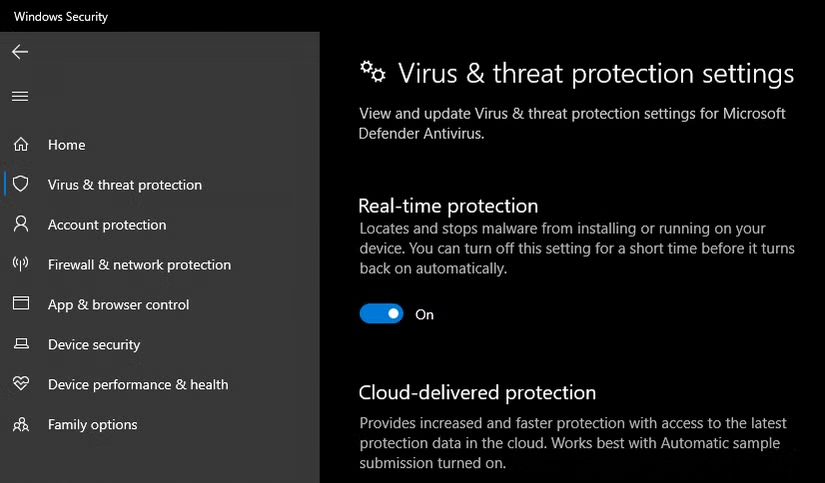
    For advanced users, you might want to install or use a file that Defender keeps flagging. In such cases, you can disable real-time protection temporarily.

    Steps:

    1. Go to Windows Security > Virus & threat protection.
    2. Click Manage settings.
    3. Toggle Real-time protection off.

    This prevents Defender from scanning files during the time it is disabled. Once you are done, turn it back on to stay safe. Remember, this method should be used sparingly when figuring out how to prevent Windows Defender from removing files.

    Method 4: Use Controlled Folder Access

    Controlled Folder Access is a feature that restricts changes to important folders by unknown applications. By customizing these settings, you can decide what apps have access to specific files.

    1. Open Windows Security.
    2. Go to Ransomware protection.
    3. Enable Controlled folder access.
    4. Add allowed apps that you trust.

    This allows you to protect essential files without disabling Defender entirely. For many users, this is one of the safest ways in how to prevent Windows Defender from removing files unnecessarily.

    Method 5: Use Group Policy Editor (Advanced Users)

    image 189

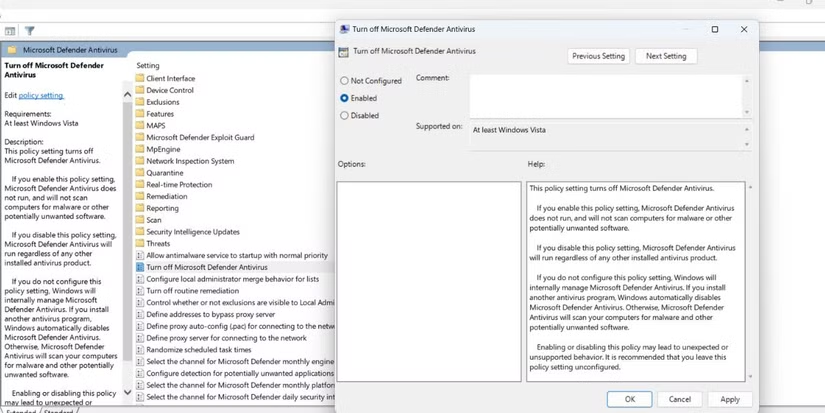
    If you’re using Windows Pro or Enterprise editions, you can configure Microsoft Defender using Group Policy. This is a more advanced option for those who want complete control.

    Steps:

    1. Press Win + R, type gpedit.msc, and hit Enter.
    2. Navigate to Computer Configuration > Administrative Templates > Windows Components > Microsoft Defender Antivirus.
    3. Configure policies like Turn off Microsoft Defender Antivirus or Configure Detection Options.

    While this gives you full customization, be careful with settings as they can weaken your overall protection. This is an advanced way of managing how to prevent Windows Defender from removing files.

    Method 6: Use Command Prompt or PowerShell

    For users who are comfortable with commands, PowerShell offers flexibility. You can add exclusions or disable specific features directly with commands.

    Example command to add an exclusion:

    Add-MpPreference -ExclusionPath "C:\YourFolder"
    

    This adds a folder exclusion so Defender will not scan or remove files in that directory. Such commands are another option in how to prevent Windows Defender from removing files.


    Safe Practices When Preventing Defender from Removing Files

    While it’s useful to know how to prevent Windows Defender from removing files, you must ensure you’re not exposing your system to real threats. Keep these practices in mind:

    • Only exclude files or folders you fully trust.
    • Avoid disabling real-time protection for long periods.
    • Always scan downloaded files with an external trusted antivirus.
    • Keep Windows updated for the latest security patches.
    • If you’re unsure about a file, upload it to a virus scanning service before excluding it.

    Alternatives to Windows Defender

    Some users prefer third-party antivirus software for better control. Options like Avast, Bitdefender, or Kaspersky allow users to whitelist files more easily. However, for most Windows users, Defender is sufficient once properly configured.

    Understanding how to prevent Windows Defender from removing files helps you make the best of both worlds—strong protection without unnecessary deletions.


    Conclusion

    Windows Defender plays a crucial role in keeping your system secure, but its aggressive file deletion can sometimes interfere with your workflow.

    By learning how to prevent Windows Defender from removing files, you can take control of your system’s security settings while keeping important data safe.

    Whether you’re restoring files from quarantine, adding exclusions, disabling real-time protection temporarily, or using advanced tools like Group Policy and PowerShell, these methods ensure you don’t lose access to essential files.

    Remember, the ultimate goal is balance: protect your computer without blocking your productivity. By following this guide on how to prevent Windows Defender from removing files, you’ll gain that control and peace of mind.

    Samsung Galaxy Watch Ultra Review: Design, Features, Battery & Performance

    samsung galaxy watch ultra

    The world of smartwatches has expanded rapidly over the last decade, but only a handful of devices stand out as true premium wearables.

    Samsung’s latest addition to its lineup, the Samsung Galaxy Watch Ultra, aims to compete at the very top, blending cutting-edge fitness features, rugged durability, and sleek design.

    In this TazaJunction.com, we’ll dive deep into its performance, design, health-tracking capabilities, and whether it justifies its premium price tag.


    Design and Build Quality

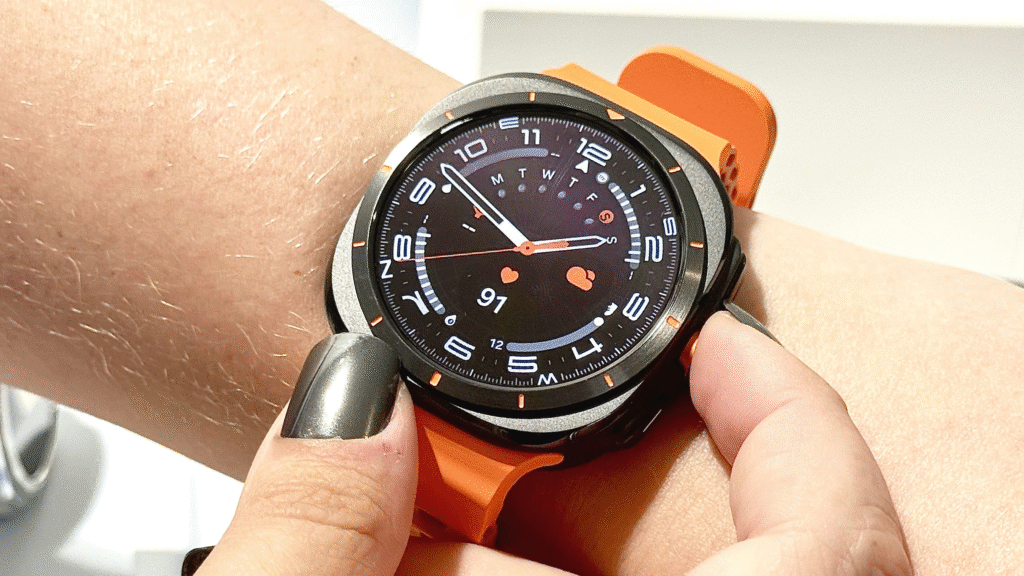
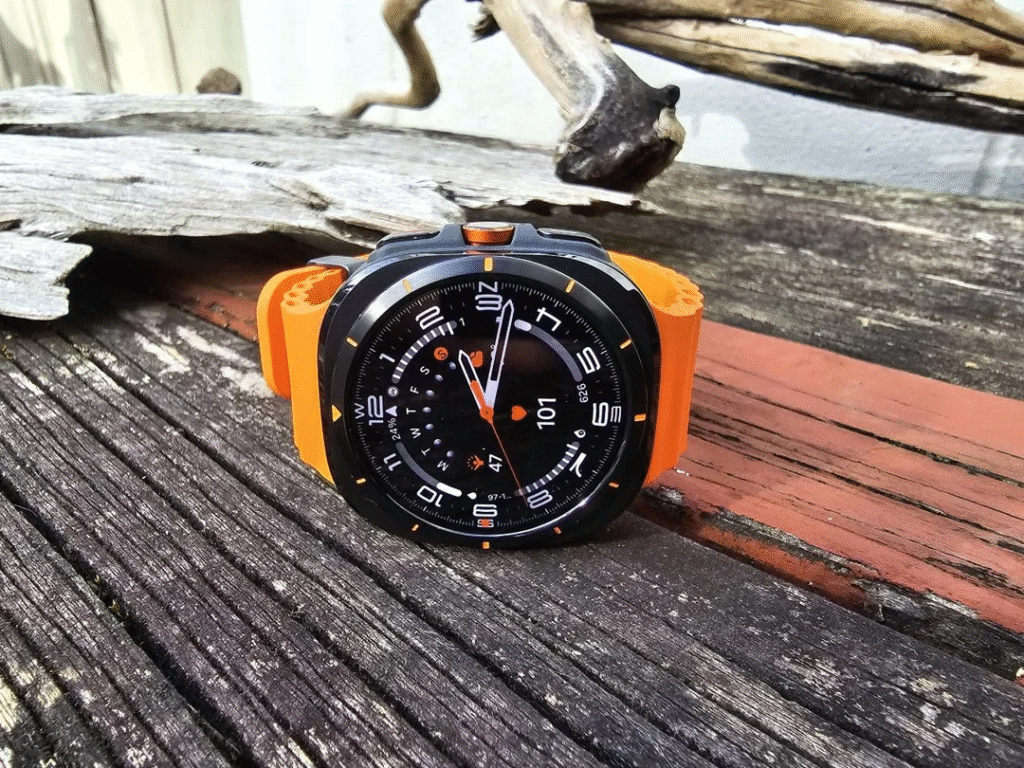
    When you first unbox the Galaxy Watch Ultra, its premium design immediately catches your attention. Samsung has gone for a tough yet elegant build, using titanium casing paired with sapphire crystal glass.

    This combination not only makes the smartwatch scratch-resistant but also ensures it can withstand outdoor adventures. The 47mm dial gives it a bold presence, while the crisp AMOLED display shines with rich colors and deep blacks.

    Whether you’re in bright sunlight or a dim room, visibility is never an issue. The rotating bezel, a fan favorite in previous Galaxy Watches, is present here too, making navigation intuitive and smooth.

    In this Samsung Galaxy Watch Ultra Review, it’s worth mentioning that the watch has been designed with both urban professionals and outdoor enthusiasts in mind.

    It’s water-resistant up to 100 meters, shockproof, and MIL-STD-810H certified, meaning it can handle harsh environments without compromising performance.


    Display Performance

    The Ultra’s 1.5-inch AMOLED display is a highlight of this Samsung Galaxy Watch Ultra Review. It supports an always-on display mode with adaptive brightness, ensuring efficiency without draining too much battery.

    The touch response is highly accurate, and the screen refresh rate feels smooth, whether you’re scrolling through apps, checking notifications, or swiping through workout stats.

    The customizable watch faces allow users to choose between professional looks, playful designs, and data-heavy fitness dashboards. For outdoor runners or hikers, the high brightness setting ensures the screen remains readable even under direct sunlight.


    Fitness and Health Tracking

    Samsung Galaxy Watch Ultra

    Samsung has always emphasized health features, and in this Samsung Galaxy Watch Ultra Review, fitness tracking is one of the biggest selling points.

    Equipped with Samsung BioActive Sensor, the watch can measure heart rate, blood oxygen levels, body composition, and even detect irregular heart rhythms.

    Key health features include:

    • ECG Monitoring: Helps track heart irregularities.
    • Sleep Tracking: Provides detailed analysis, including REM cycles and sleep coaching.
    • SpO2 Tracking: Monitors blood oxygen saturation during workouts or while sleeping.
    • VO2 Max: Essential for athletes, measuring cardiovascular endurance.

    The watch comes with over 100 workout modes, including running, cycling, swimming, strength training, and yoga. The automatic workout detection is highly accurate, kicking in quickly when you start jogging or cycling.

    For outdoor adventurers, GPS accuracy is excellent, thanks to dual-frequency GNSS support. Whether you’re navigating a city route or trekking through mountains, the Galaxy Watch Ultra delivers reliable performance.


    Software and Features

    This Samsung Galaxy Watch Ultra Review wouldn’t be complete without mentioning its software experience. The watch runs on Wear OS 4 with Samsung’s One UI Watch 5 layered on top.

    The interface is fluid, and integration with Android smartphones (especially Samsung Galaxy devices) is seamless.

    Highlights include:

    • Google Apps Integration: Use Google Maps, YouTube Music, and Gmail directly on the watch.
    • Samsung Ecosystem: Control Galaxy Buds, Samsung SmartThings devices, and sync with Samsung Health.
    • Third-Party Apps: Spotify, Strava, and WhatsApp are optimized for Wear OS, adding to convenience.

    Voice commands are powered by both Bixby and Google Assistant, giving users flexibility depending on preference. Notifications are clear, actionable, and can be responded to using quick replies, voice typing, or even the on-screen keyboard.


    Battery Life

    Battery life has always been a concern in high-end smartwatches, but Samsung has made significant improvements here. In this Samsung Galaxy Watch Ultra Review, battery performance stands out as a strong point.

    On a single charge, the Ultra delivers up to 100 hours in power-saving mode and around 48–60 hours with regular use, depending on settings. Always-on display and GPS usage reduce this, but the watch still outperforms many competitors in the premium category.

    Fast charging is another plus—just 30 minutes on the charger gives you nearly 50% battery, making it convenient for busy lifestyles.


    Connectivity and Smart Features

    image 185

    The Galaxy Watch Ultra supports Bluetooth 5.3, Wi-Fi, LTE variants, and NFC for Samsung Pay. LTE allows you to stay connected without your phone, letting you make calls, reply to texts, and stream music independently.

    Other standout smart features include:

    • Fall Detection & SOS Alerts: Automatically notifies emergency contacts if a fall is detected.
    • Offline Music Storage: Download playlists from Spotify or YouTube Music for phone-free workouts.
    • Contactless Payments: Samsung Pay and Google Wallet make transactions effortless.

    This Samsung Galaxy Watch Ultra Review shows how Samsung has packed productivity and safety features alongside health tracking, making it more than just a fitness gadget.


    Performance and Usability

    Performance is buttery smooth, thanks to the latest Exynos W940 processor paired with 2GB RAM and 32GB internal storage. Apps launch quickly, animations are fluid, and multitasking is seamless.

    Haptic feedback is subtle yet effective, enhancing the user experience during notifications and navigation. The rotating bezel adds precision, making it easier to move through menus compared to touchscreen-only devices.


    Pros and Cons

    Pros

    • Premium design with titanium and sapphire crystal.
    • Excellent AMOLED display with high brightness.
    • Advanced health and fitness tracking features.
    • Strong GPS performance with dual-frequency GNSS.
    • Long-lasting battery life with fast charging.
    • Smooth Wear OS 4 + One UI Watch 5 software experience.

    Cons

    • Larger size might not suit smaller wrists.
    • Expensive compared to other Galaxy Watch models.
    • Some advanced health features require a Galaxy phone for full functionality.

    Should You Buy the Galaxy Watch Ultra?

    In this Samsung Galaxy Watch Ultra Review, it’s clear that the smartwatch is built for users who demand premium quality, advanced fitness tracking, and seamless integration with their digital life.

    While its price may be higher than standard Galaxy Watch models, the rugged design, enhanced battery, and professional-level features make it worth the investment for athletes, adventurers, and tech enthusiasts.

    If you’re someone who values durability, accurate health monitoring, and an elegant yet functional design, the Galaxy Watch Ultra stands as one of the best smartwatches available today.


    Final Verdict

    To wrap up this Samsung Galaxy Watch Ultra Review, Samsung has successfully created a smartwatch that rivals, and in some cases surpasses, competitors like the Apple Watch Ultra.

    With its stunning design, robust fitness features, and long-lasting battery, it’s a powerhouse device that delivers on nearly every front.

    For those seeking the perfect balance between style and performance, the Galaxy Watch Ultra deserves serious consideration. It’s not just another smartwatch; it’s a lifestyle companion designed for those who want the very best.

    Spotify Listening History: How to View & Clear It Easily

    spotify listening history

    Music streaming has become an inseparable part of modern life, and for millions of users worldwide, Spotify is the go-to platform. From personalized playlists to curated recommendations, Spotify thrives on data gathered from your listening habits.

    One of the most useful features is the Spotify listening history, which allows users to look back at the songs, albums, or podcasts they’ve played. Whether you want to revisit a track you enjoyed or simply manage your record of past plays, accessing and managing this history is essential.

    At the same time, privacy-conscious listeners often ask how they can delete or clear their activity. If you share your account, you might not want others to see what you’ve been playing.

    In this TazaJunction.com guide, we’ll walk through everything you need to know about Spotify listening history, how to view it, and how to clear it with ease.


    What is Spotify Listening History?

    The Spotify listening history is a record of your recent activity on the platform. Every time you stream a song, podcast, or playlist, it gets stored in the system. This history serves two purposes:

    1. Convenience – It helps users revisit previously played tracks without searching all over again.
    2. Personalization – Spotify’s algorithms rely on listening history to generate “Made for You” mixes, Discover Weekly, and daily playlists tailored to your taste.

    For avid music lovers, this feature is like a musical diary, allowing them to trace back their moods and favorite genres over time.


    How to View Spotify Listening History on Mobile?

    On the Spotify mobile app, checking your listening activity is simple:

    1. Open the Spotify app on your Android or iOS device.
    2. Go to the Home tab and tap on the clock-like recently played icon.
    3. A list of your Spotify listening history will appear, showing the most recent songs, albums, or podcasts.

    Additionally, your history can be seen in your Queue section, where you’ll find tracks you’ve already played alongside upcoming ones.


    How to View Spotify Listening History on Desktop?

    The desktop version of Spotify provides more detailed access. Here’s how you can check it:

    1. Launch the Spotify desktop app and log in.
    2. Look for the Queue icon at the bottom-right corner.
    3. Under the Recently Played tab, you’ll see your Spotify listening history in chronological order.

    This version often shows more extensive data than mobile, allowing you to scroll further back in time.


    How Far Back Does Spotify Listening History Go?

    One limitation users often notice is that the Spotify listening history only shows a certain number of tracks, typically up to a few months depending on your activity.

    While Spotify doesn’t provide an unlimited archive, you can always view your longer-term listening habits by checking the Spotify Wrapped feature, which highlights your top artists, songs, and genres for the year.


    How to Clear Spotify Listening History?

    Spotify Listening History

    While Spotify automatically saves your play activity, you may want to clear it for privacy reasons. Unfortunately, there is no single “Clear All” button for the entire Spotify listening history, but there are ways to manage it effectively:

    1. Private Session

    If you don’t want certain songs recorded, enable a Private Session before listening.

    • On mobile or desktop, go to Settings > Social > Private Session.
    • Anything played during this session won’t appear in your Spotify listening history.

    2. Manually Remove Items

    Some items from your Recently Played list can be cleared:

    • Go to Recently Played on desktop.
    • Hover over the item and click on the three dots (…) menu.
    • Select Remove from Recently Played.

    3. Account Sharing

    If you share your account, switching to Private Session is the most effective way to prevent songs from showing up.

      While you can’t wipe your history entirely like you would in a web browser, these methods give you some control over what appears.


      Why Would You Clear Spotify Listening History?

      There are several reasons users choose to clear or hide their Spotify listening history:

      • Privacy Concerns – If you share your device or account, you may not want others seeing your music choices.
      • Recommendation Accuracy – Sometimes one-off songs can throw off Spotify’s recommendation algorithm. Clearing history prevents these from affecting playlists.
      • Professional Reasons – Some users who use Spotify during work presentations or events may not want casual tracks showing up.

      Whatever the reason, knowing how to manage this history puts control back in your hands.


      Tips for Managing Spotify Listening History

      If you want a balance between privacy and convenience, consider these strategies:

      1. Use Multiple Playlists – Keep experimental music or guilty-pleasure songs in a separate playlist.
      2. Switch to Private Session before listening to something you don’t want saved.
      3. Log Out on Shared Devices – This ensures your Spotify history isn’t altered by someone else.
      4. Regularly Check Recently Played – Stay on top of your activity to remove unwanted tracks quickly.

      Common Issues with Spotify Listening History

      While most users can easily view their history, a few common problems arise:

      • History Not Updating – Sometimes the app fails to show the most recent tracks. Refreshing or reinstalling can fix this.
      • Limited History – Spotify doesn’t display a complete archive, which can frustrate heavy listeners.
      • Synced Devices – If you use Spotify on multiple devices, syncing issues might cause inconsistencies in your Spotify history.

      Fortunately, updates and patches usually resolve these problems quickly.


      Conclusion

      The Spotify history is more than just a log of your past tracks—it’s a key feature that powers recommendations, personalized playlists, and user convenience. While Spotify doesn’t currently allow a full wipe of your history, options like Private Sessions and selective deletion give you control over what appears.

      For casual listeners, it’s a fun way to rediscover forgotten tracks. For privacy-conscious users, managing this history ensures peace of mind. By following the steps outlined above, you’ll always know how to view and clear your Spotify history with ease.

      What Are Snapchat Planets: Find Out Your Rank Now in 2025

      snapchat planets

      Snapchat has always been known for keeping its users engaged with fun, quirky, and mysterious features. From streaks to Bitmojis, the platform constantly introduces creative tools to keep conversations lively.

      Among its most talked-about features lately are the Snapchat Planets. If you’ve seen them but aren’t quite sure what they mean, don’t worry—you’re not alone.

      This TazaJunction.com article will break down everything about Snapchat Planets, their ranking system, and how they reveal more about your closest friends on the app.


      Introduction to Snapchat Planets

      The Snapchat Planets feature is part of Snapchat Plus, a premium subscription model that gives users exclusive perks. Instead of just showing who your best friends are in a traditional list, Snapchat adds a playful twist by ranking friends as planets in a solar system.

      Just like the planets revolve around the sun, your Snapchat friends revolve around you, with their position in the system depending on how much you interact with them.

      This gamified system of social interaction makes it fun for users to visualize friendships and adds a fresh layer to the social media experience. It’s no longer just about streaks—it’s about where your friends land in your personal universe.


      How Do Snapchat Planets Work?

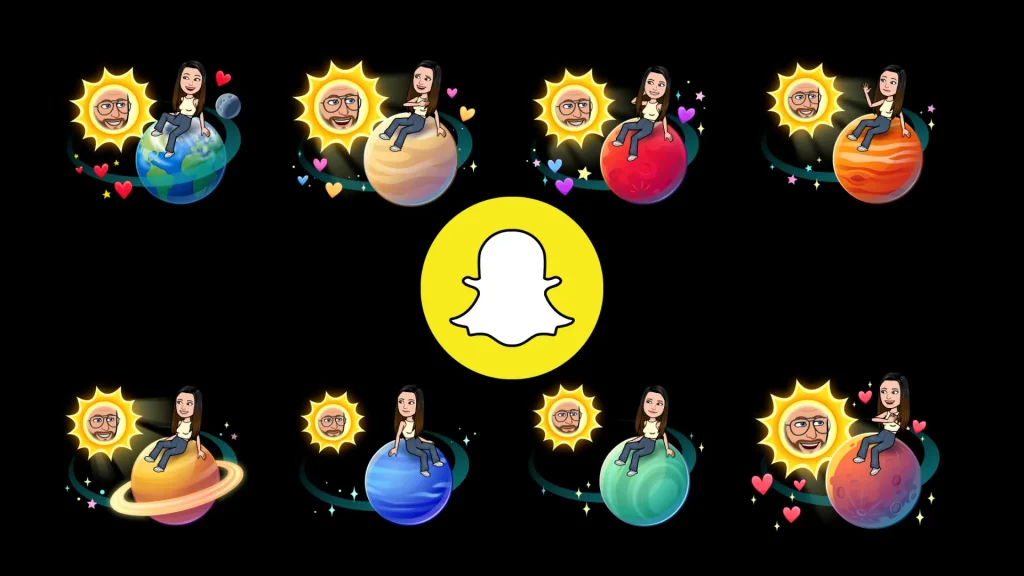
      Snapchat uses the metaphor of the solar system to explain closeness and engagement. Each user is at the center, like the sun, and their friends are represented as planets orbiting them. The Snapchat Planets rank your eight closest friends in order of interaction.

      For example:

      • Mercury represents your #1 best friend.
      • Venus represents your #2 best friend.
      • Earth represents your #3 best friend.
      • Mars represents your #4 best friend.
      • Jupiter represents your #5 best friend.
      • Saturn represents your #6 best friend.
      • Uranus represents your #7 best friend.
      • Neptune represents your #8 best friend.

      So, if someone appears as Mercury in your Snapchat Planets, it means they are your closest friend on the app based on messages, snaps, and interactions.


      Why Snapchat Introduced Planets?

      The feature was designed to keep the social element of the platform fresh. For years, Snapchat relied on streaks and emojis to signify friendships. While that system worked, it started to feel outdated.

      Snapchat Planets bring a fun, more interactive approach that resonates with younger audiences and those who enjoy gamification in apps.

      By connecting friendship levels to planets, Snapchat taps into curiosity and creativity. Many users now check their planets daily to see if relationships shift—making social interaction on the app even more dynamic.


      What Each Snapchat Planet Represents?

      Snapchat Planets

      Let’s break down the Snapchat Planets in more detail:

      1. Mercury – Your closest friend, the person you interact with most.
      2. Venus – Your second closest friend, often part of frequent group chats.
      3. Earth – Usually someone you snap daily, but not as much as the top two.
      4. Mars – A friend you interact with regularly but slightly less frequently.
      5. Jupiter – Still a strong connection, though interactions may be less frequent.
      6. Saturn – A loyal friend but not in your top five.
      7. Uranus – A friend you interact with casually but consistently.
      8. Neptune – Still important but has fewer interactions compared to the rest.

      Each of these planets is visually represented with colorful graphics, making it more appealing to check your rankings.


      How to Access Snapchat Planets?

      To see your Snapchat Planets, you’ll need Snapchat Plus, which is a paid subscription service. Once subscribed:

      1. Open Snapchat and go to a friend’s profile.
      2. If they’re in your top eight friends, you’ll see a special “Best Friends Solar System” badge.
      3. Tapping it reveals which planet they are in your solar system.

      It’s a premium feature, meaning not all users can access it unless they subscribe.


      Why People Are Obsessed with Snapchat Planets?

      The popularity of Planets lies in the mix of mystery and playfulness. Users are curious about where their friends rank and often compare notes with others. It has become a conversation starter and even a way to measure digital relationships.

      Some users view their rank as validation of closeness, while others find it a fun way to understand interaction patterns. It also brings a bit of nostalgia, as ranking friends reminds people of older social media platforms that had similar features.

      Do Snapchat Planets Change Frequently?

      Yes, they do! Your Planets rankings shift based on your interactions. If you stop snapping someone daily, their planet may drift further away from your sun, and another friend might take their place. This dynamic system ensures that the rankings feel accurate and reflect your real-time interactions.


      Privacy Concerns Around Snapchat Planets

      While Snapchat Planets are fun, they also spark debates about privacy and feelings. Some users feel pressured or anxious if they don’t rank high in someone else’s solar system. For younger audiences, it may even cause misunderstandings in friendships.

      Snapchat, however, has positioned it as a lighthearted feature. Since it’s only available in Snapchat Plus, it gives users the choice of whether or not they want to engage with this ranking system.


      How Snapchat Planets Affect Social Interactions?

      Interestingly, Planets have added a new dimension to how friendships are perceived online. People now pay more attention to who they interact with, and many aim to maintain their rank by increasing snap streaks or messages.

      It has turned everyday interaction into a playful challenge. For some, it motivates stronger connections, while for others, it may create competition. Either way, it has undeniably changed how users experience friendships on Snapchat.


      Should You Care About Your Planet Rank?

      Whether you care about your Snapchat Planets rank depends on how seriously you take social media interactions. For some, it’s just a fun, quirky feature. For others, it feels like a digital reflection of real-life friendships.

      At the end of the day, it’s important to remember that Snapchat Planets are just a playful feature and don’t necessarily define your true relationships.


      Final Thoughts

      The Snapchat Planets feature is an innovative way for Snapchat to keep its platform engaging while rewarding its premium subscribers. By turning friendships into a solar system metaphor, the app has created a unique visual experience that resonates with millions of users.

      If you’re subscribed to Snapchat Plus, it’s worth exploring the feature to see where your friends land in your universe. But remember: while Snapchat Planets may reveal who you interact with most online, your real-life connections are always more important.

      As Snapchat continues to evolve, expect even more features that combine fun, creativity, and social interaction. For now, the Snapchat Planets remain one of the app’s most fascinating ways to gamify friendships and keep users coming back for more.

      Call of Duty: Black Ops 7 Making Changes to Vault Edition Operator Skins

      call of duty: black ops 7 vault edition operator skins

      The Call of Duty franchise has long been known for delivering blockbuster experiences packed with gripping campaigns, high-octane multiplayer, and unforgettable operator cosmetics.

      With Call of Duty: Black Ops 7 Vault Edition Operator Skins, fans expected premium, high-quality designs that stand apart from the standard options available in the base game.

      However, recent updates from the development team suggest that there are significant changes coming to these exclusive skins—some exciting, and others slightly controversial among the gaming community.

      In this article, we’ll break down what’s changing, why it matters, and how these updates could impact the overall experience for players who have invested in the Vault Edition.


      The Legacy of Vault Editions in Call of Duty

      The concept of a Vault Edition has become a staple in the modern Call of Duty landscape. These editions generally offer players premium bonuses such as early access, special bundles, and most importantly, cosmetic operator skins that are unavailable to standard edition owners.

      In the past, Vault Edition bundles carried significant value because the skins often had distinctive designs that stood out in multiplayer lobbies. Many long-time fans believed that purchasing the Vault Edition was a worthy investment just for the operator skins alone.

      This is why the news of changes to Call of Duty: Black Ops 7 Vault Edition Operator Skins has sparked major discussion in the gaming community.


      What’s Changing in Black Ops 7 Vault Edition Operator Skins?

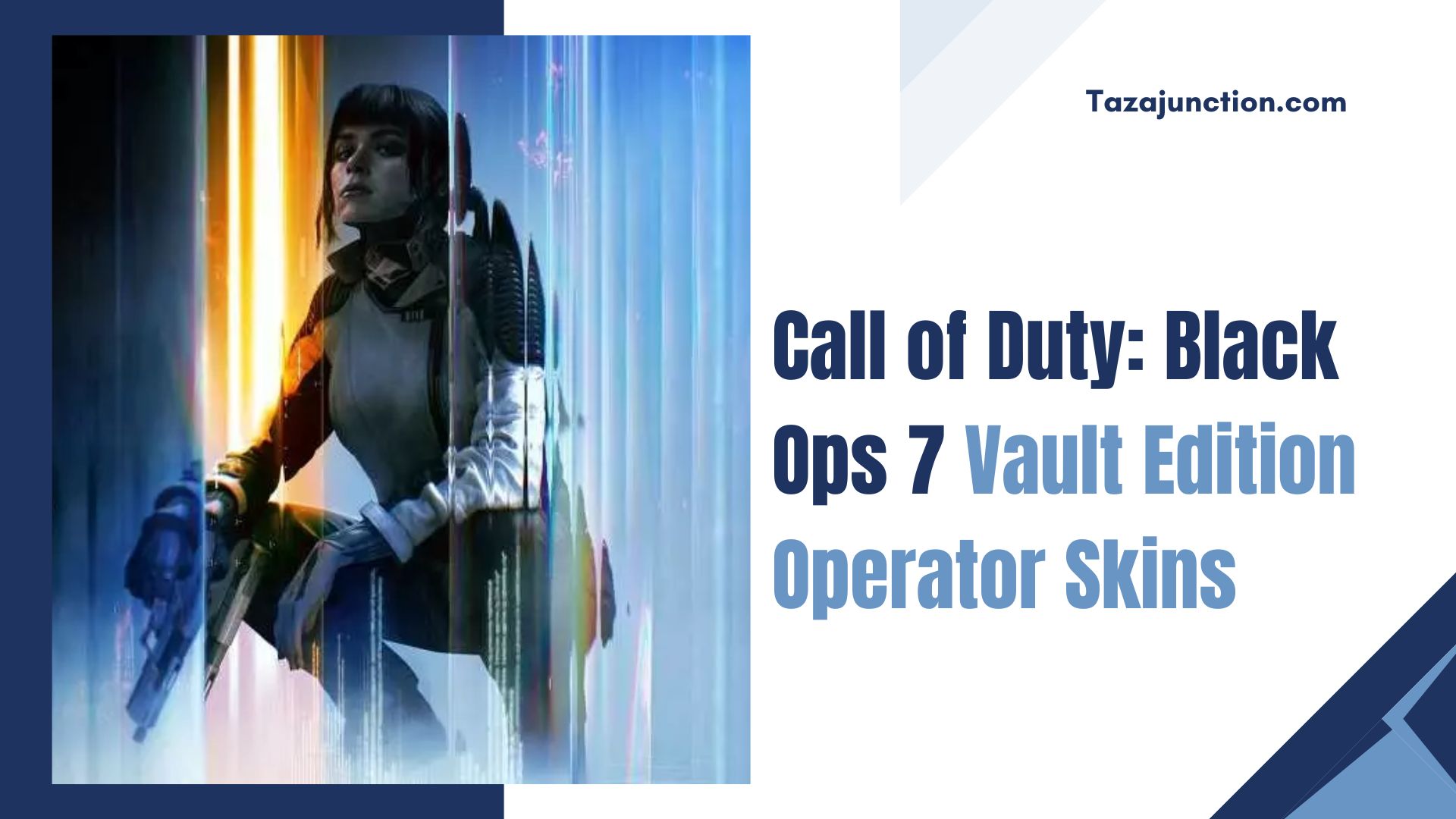
      Call of Duty: Black Ops 7 Vault Edition Operator Skins

      According to early reports, the developer is tweaking both the visual design and the availability rules of these cosmetics. Some highlights include:

      1. Redesigned Color Palettes – Instead of flashy, highly saturated designs, the new skins lean toward more grounded, realistic military tones. This aligns better with Black Ops’ signature gritty style.
      2. Cross-Mode Usability – Previously, certain operator skins were locked to multiplayer or Warzone. Now, all Call of Duty: Black Ops 7 Vault Edition Operator Skins will be usable across campaign, multiplayer, and Zombies.
      3. Seasonal Customizations – Players will be able to apply seasonal effects like camos, emblems, and weapon charms that sync directly with Vault Edition skins, adding a layer of personalization.
      4. Community-Requested Adjustments – Feedback-driven updates include removing overly bulky armor sets that obstruct visibility and instead offering sleeker, more tactical appearances.

      While these adjustments aim to balance immersion and player preference, some fans feel the redesigns may strip the Vault Edition skins of their “premium” identity.


      Why the Developer is Making Changes?

      The decision to rework the Call of Duty: Black Ops 7 Vault Edition Operator Skins didn’t come out of nowhere. Developers cited several reasons:

      • Gameplay Fairness – Some of the old Vault skins made players harder to spot in dark maps, giving owners an unfair edge. Redesigning them ensures fairer play.
      • Lore Consistency – The Black Ops series is famous for its Cold War and near-future themes. The shift toward more tactical realism keeps operator skins aligned with the overall tone.
      • Player Feedback – Many players wanted operator skins that looked cooler without being too over-the-top. The new designs are a compromise between flashy cosmetics and grounded authenticity.

      The Community Reaction

      Predictably, the Call of Duty community is divided. On one hand, players who invested in Vault Editions because of exclusivity are disappointed that skins are being toned down.

      They argue that premium buyers deserve something eye-catching and flashy. On the other hand, casual players and competitive fans are praising the move, noting that the redesigned Call of Duty: Black Ops 7 Vault Edition Operator Skins reduce unfair advantages while still offering uniqueness.

      Reddit threads, YouTube breakdowns, and Twitter debates highlight the passionate response. Some fans have even suggested that developers offer a toggle system, allowing users to switch between “original” and “new” skin versions.


      Impact on Multiplayer and Warzone

      image 180

      Operator skins play an underrated role in multiplayer and Warzone. They don’t just provide visual flair—they affect visibility, recognition, and even player morale.

      • In multiplayer, toned-down Vault skins prevent scenarios where enemies blend too easily into the environment.
      • In Warzone, universal accessibility ensures Vault Edition buyers can enjoy their cosmetics regardless of the mode they’re playing.
      • In Zombies, cosmetic variety adds immersion and personalization, enhancing replayability.

      The updated Call of Duty: Black Ops 7 Vault Edition Operator Skins strike a balance between rewarding premium players while maintaining fair play standards across competitive settings.


      Are Vault Editions Still Worth It?

      A big question among fans is whether these changes reduce the value of the Vault Edition. After all, flashy cosmetics were a major selling point.

      The answer depends on your perspective:

      • For collectors, the Vault Edition still offers exclusivity with redesigned skins that remain unavailable in the standard edition.
      • For casual gamers, the value is enhanced by cross-mode usability and seasonal customization options.
      • For competitive players, the redesigned skins improve fairness and consistency across modes.

      Ultimately, Call of Duty: Black Ops 7 Vault Edition Operator Skins still provide prestige and premium appeal—just in a subtler, more balanced way.


      The Future of Operator Skins in Call of Duty

      The changes in Black Ops 7 may set the stage for how future Call of Duty games handle premium cosmetics. A few likely trends include:

      1. Dynamic Skins – Operator skins that evolve with progression, offering unique unlocks as players rank up.
      2. Event-Based Variants – Seasonal events could temporarily alter Vault skins, giving them festive or thematic upgrades.
      3. Player-Created Input – Community votes or collaborations may guide the design of new Vault Edition cosmetics.
      4. Balanced Designs – Expect developers to maintain a careful balance between style and fairness.

      This evolution suggests that Call of Duty: Black Ops 7 Vault Edition Operator Skins are just the beginning of a broader shift in how premium cosmetics are designed, marketed, and experienced.


      Final Thoughts

      The upcoming changes to Call of Duty: Black Ops 7 Vault Edition Operator Skins highlight the ongoing challenge of balancing exclusivity, fairness, and fan expectations.

      While some players feel short-changed by the more subtle designs, others appreciate the developer’s effort to keep the game immersive and balanced.

      Vault Editions will likely remain a popular choice among dedicated fans, but the community’s divided response underscores just how important cosmetics have become in the Call of Duty experience.

      Whether you love or hate the changes, one thing is clear: operator skins will continue to play a central role in shaping the identity of Call of Duty for years to come.