
OLED Monitors: 8 Reasons They Might Not Be Worth It

oled monitors

OLED monitors have taken the tech world by storm. With promises of perfect blacks, stunning contrast ratios, and ultra-thin panels, it’s easy to see why so many people are excited.

Reviewers rave about the picture quality, and brands push OLED displays as the pinnacle of visual experience. But before you jump on the bandwagon, it’s important to understand that OLED monitors come with their own set of compromises—some of which could seriously impact your daily use.

While OLED technology certainly has strengths, it’s not always the ideal choice for every user, especially when it comes to PC monitors.

In this TazaJunction.com article, we’ll dig into the overlooked drawbacks of OLED monitors and explain why they might not be as perfect as you’ve been led to believe.


What Are OLED Monitors?

OLED stands for Organic Light-Emitting Diode. Unlike traditional LED or LCD displays, OLED panels emit light on a per-pixel basis. This means each individual pixel can turn on or off independently, allowing for true blacks and better contrast.

OLED monitors bring this technology to the desktop environment, and they’re often marketed toward creatives, gamers, and high-end users who prioritize image quality. But while the visuals are undeniably impressive, they’re not without significant limitations.


OLED Monitors: 8 Reasons They Might Not Be Worth It

image 138

1. Burn-In Risk Is Still a Real Problem

One of the most notorious issues with OLED monitors is burn-in. Burn-in happens when static elements—like logos, HUDs in games, or taskbars—leave a permanent “ghost” image on the screen after prolonged exposure.

Unlike TVs, where content changes frequently, monitors often display static elements for hours at a time. Think about your web browser, desktop icons, or software interfaces—they don’t move much. This makes OLED monitors much more prone to burn-in in everyday PC use, especially for professionals or gamers.

Despite manufacturers introducing pixel-shifting features and screen savers to reduce the risk, burn-in hasn’t been completely eliminated. If you plan to use your monitor for work, design, or gaming with static UI elements, this is a major red flag.


2. Lower Brightness Compared to LCD

Another area where OLED monitors fall short is brightness. OLED panels typically can’t reach the same peak brightness levels as high-end LED or mini-LED displays. This matters more than you might think, especially if you’re using your monitor in a brightly lit room.

While the deep blacks may enhance perceived contrast, in well-lit environments, the screen may appear dim or washed out. If you’re used to a bright, punchy LCD panel, switching to OLED could feel like a step backward in day-to-day use.

For HDR content, brightness is crucial for delivering the “pop” that makes highlights stand out. Unfortunately, most OLED monitors underperform in this area, limiting the full HDR experience.


3. Price vs. Value: Is It Worth It?

It’s no secret that OLED monitors come at a premium. Even a mid-range OLED monitor often costs significantly more than a high-end IPS or VA panel. But are you really getting better value for that extra money?

For many users, the answer is no. Unless you specifically need OLED for color grading, cinematic visuals, or design accuracy, you may find that other technologies offer more bang for your buck. Today’s IPS monitors provide excellent color reproduction, high refresh rates, and solid HDR support at a lower cost.

In other words, the extra money spent on OLED monitors might be better invested elsewhere—like a faster GPU, better peripherals, or even a dual-monitor setup.


4. Limited Refresh Rate Options

While OLED TVs have embraced high refresh rates (like 120Hz or even 144Hz), many OLED monitors lag behind in this area. Until recently, OLED panels were largely capped at 60Hz or 75Hz, which isn’t ideal for competitive gaming or fast-paced workflows.

Some newer models now support 120Hz or higher, but they’re expensive and still not as widely available as their LCD counterparts. If you’re a gamer or someone who values fluidity and responsiveness, the refresh rate limitations of many OLED monitors might be a dealbreaker.

Plus, even when higher refresh rates are available, OLED pixel response times can sometimes cause visible artifacts like smearing or overshoot—issues not often talked about in product marketing.


5. Poor Text Clarity for Productivity Tasks

Text rendering on OLED monitors can be problematic, especially when using certain resolutions or scaling settings. While they shine in video and photo content, OLED panels can struggle with fine text clarity, leading to a less-than-ideal experience for reading documents, writing, or coding.

This is partly due to the subpixel layout used in many OLED panels, which doesn’t always align well with Windows’ ClearType rendering. If you spend hours reading or working on text-heavy tasks, this can lead to eye strain or visual discomfort over time.

For productivity-focused users, traditional IPS monitors with high pixel density still offer better clarity and comfort.


6. Limited Lifespan

Organic compounds used in OLED panels degrade over time. This means OLED monitors tend to have a shorter lifespan compared to LED-backlit alternatives.

While this degradation may not be immediately noticeable, it accumulates—especially with heavy use. Blue OLED subpixels are particularly vulnerable, often leading to color shifting or dimming as the panel ages.

If you’re investing in a monitor for the long term, this degradation should factor into your decision. A well-made IPS or VA monitor might outlast an OLED panel while still providing great performance and color accuracy.


7. Lack of Variety and Standardization

The market for OLED monitors is still relatively small. Most OLED panels are manufactured by a handful of suppliers, and as a result, there’s limited variety in screen sizes, aspect ratios, and features.

Finding an OLED monitor with your ideal specs—such as ultrawide format, USB-C connectivity, or built-in color calibration—can be a challenge. This lack of diversity means users may have to compromise on other features just to enjoy OLED technology.

On the other hand, the LED monitor market is full of options at every size, resolution, and price point, giving you far more flexibility.


8. Overhyped Marketing

Much of the hype surrounding OLED monitors comes from aggressive marketing. Brands often highlight features like infinite contrast and perfect black levels without giving equal weight to the downsides.

Reviewers may also focus more on cinematic image quality and less on practical, everyday use. As a result, many buyers enter the OLED world with sky-high expectations, only to be disappointed by quirks and limitations they didn’t anticipate.

Before investing in OLED monitors, it’s important to look beyond the glossy ads and understand what you’re really getting. For some, the technology is worth it. For many others, it’s not.


Final Thoughts

OLED monitors offer stunning visual quality, no doubt about it. But they’re not a one-size-fits-all solution. Their drawbacks—burn-in, brightness limitations, text clarity issues, and high price—make them less than ideal for certain users.

Gamers, creatives, and media professionals might benefit from the deep contrast and vibrant colors. However, for everyday users focused on productivity, longevity, and value, traditional monitors may be the smarter choice.

If you’re considering one, ask yourself: do you truly need the strengths of OLED monitors, or are you buying into the hype? The perfect monitor is not about having the flashiest tech—it’s about matching your screen to your needs.

5 Perfect Free Windows Search App: Find Files Instantly Without the Hassle

perfect free windows search app

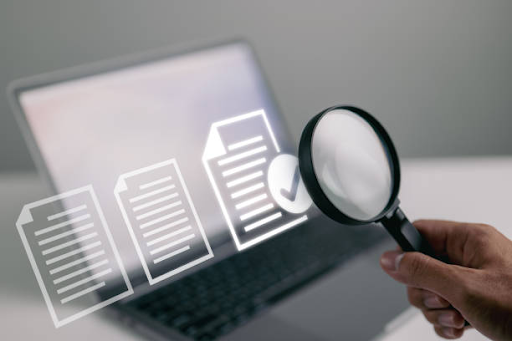
If you’ve ever struggled to locate a file on your computer, you know how frustrating the default Windows search tool can be. It’s often slow, inaccurate, or just plain unhelpful.

Fortunately, there are better options out there. Finding the perfect free Windows search app can significantly improve your productivity, especially if you work with a large number of files.

Whether you’re a student managing class documents, a developer sorting through source code, or a business user navigating reports and spreadsheets, having the perfect free Windows search app can transform how you use your computer.

In this TazaJunction.com article, we’ll explore what makes a great search tool, the top free apps available, and how they can make your life easier.


Why Windows Search Falls Short?

While Windows has improved its native search over the years, many users still find it lacking. It can be:

  • Slow, especially on large drives
  • Limited in scope (often ignoring content inside files)
  • Inaccurate, returning unrelated or outdated results
  • Heavy on system resources during indexing

That’s where third-party tools come in. The perfect free Windows search app addresses these shortcomings with lightning speed, advanced filters, and an intuitive interface that actually helps you find what you’re looking for—fast.

Also you can take a look into 8 Google Sheets Formulas That Make Work So Much Easier. So read our article on it and be the master into the world of Formulas.


What Makes the Perfect Free Windows Search App?

image 136

Choosing the perfect free Windows search app means looking for a few key features:

  1. Speed: Instant results are crucial, especially when searching thousands of files.
  2. Lightweight: Minimal impact on system performance is a must.
  3. File Content Search: Not just names—search inside documents.
  4. Real-Time Indexing: Stay up to date as new files are added.
  5. Custom Filters: Narrow your search by file type, size, or date modified.
  6. User-Friendly Interface: Easy to use, even for non-tech users.

Let’s explore some of the top contenders that fit the criteria.


The Perfect Free Windows Search Apps

image 137

1. Everything – Speed Like You’ve Never Seen

For most users, Everything is often considered the perfect free Windows search app. Why? Because it’s blazing fast, incredibly lightweight, and easy to use.

As soon as it’s installed, it indexes your entire drive in seconds. From that point forward, you can search for any file or folder instantly as you type. Unlike Windows Search, it doesn’t slow down your computer or take minutes to return results.

However, Everything focuses on file and folder names, not the contents inside them. If you need deep content search, you’ll want to consider other tools. But for sheer speed and simplicity, Everything might just be the perfect free Windows search app for basic needs.


Another strong candidate for the perfect free Windows search app is Listary. While it offers quick file search capabilities, it also doubles as a launcher and productivity tool.

With Listary, you can:

  • Quickly access recent files
  • Search and open files from any folder or dialog box
  • Customize shortcuts and commands

What makes Listary unique is how well it integrates with the Windows environment. It works seamlessly with File Explorer, Save/Open dialogs, and even your favorite software tools. While the free version offers plenty of power, a paid version exists with additional features. Still, many users find the free tier more than sufficient.


3. Agent Ransack – When You Need to Search Inside Files

If you’re someone who needs to search inside documents—like PDFs, Word files, or code—Agent Ransack could be the perfect free Windows search app for you.

Unlike Everything or Listary, Agent Ransack focuses on content search. It can quickly scan through a wide variety of file types and return only the files that contain your keyword. This is invaluable for legal professionals, researchers, or developers who often need to dig into document content.

Agent Ransack is known for being accurate and fast, even when working with thousands of files. It also allows for advanced Boolean search options, making it ideal for power users.


4. WizFile – Real-Time and Ridiculously Fast

WizFile is another contender for the title of perfect free Windows search app. It’s similar in function to Everything but offers some unique features, including real-time file system monitoring. As soon as a new file appears on your system, WizFile indexes it immediately.

Its interface is clean, and it provides options to filter results by size, file type, and path. If you’re looking for a tool that offers the speed of Everything with slightly more customization, WizFile is worth trying.


5. Microsoft PowerToys Run – For Power Users

If you’re already using PowerToys on Windows 10 or 11, you might have overlooked one of its features—PowerToys Run. While it’s technically a launcher, it serves as a fast and efficient search tool that can find files, folders, and apps.

Although it’s not as feature-rich as the other tools mentioned above, PowerToys Run is open-source, free, and backed by Microsoft.

It integrates well with the OS and offers plugin support for extra capabilities. It may not be the perfect free Windows search app for everyone, but for minimalist users or developers, it’s a great lightweight option.


Comparing the Top Free Options

Each of the above apps has strengths and weaknesses. The perfect free Windows search app depends largely on your use case:

AppBest ForFile Name SearchContent SearchLightweight
EverythingSpeed & Simplicity✅ Yes❌ No✅ Yes
ListaryPower Users & Shortcuts✅ Yes❌ No✅ Yes
Agent RansackContent Search✅ Yes✅ Yes✅ Yes
WizFileReal-Time Indexing✅ Yes❌ No✅ Yes
PowerToys RunMinimalist File & App Search✅ Yes❌ No✅ Yes

No matter what your needs are, one of these options is likely to be the perfect free Windows search app for you.


How the Right Search App Boosts Productivity?

Choosing the perfect free Windows search app isn’t just about convenience—it’s about efficiency. Here’s how the right tool can help you:

  • Saves time: No more digging through folders manually.
  • Reduces stress: Quickly find what you need, when you need it.
  • Improves focus: Stay in the flow instead of getting distracted while searching.
  • Streamlines workflows: Especially helpful in work-from-home or hybrid settings.

Imagine being able to access any document, folder, or image on your system in under a second. That’s what these tools offer.


Final Thoughts

If you’ve been frustrated by Windows’ native search, you’re not alone. But you don’t have to live with slow, clunky tools. Whether you’re looking for speed, content search, or seamless integration, there’s a solution out there.

For most users, Everything or Listary will come close to being the perfect free Windows search app. For those who need content search, Agent Ransack is a top choice. And if you like customization and launch-style features, tools like PowerToys Run and WizFile offer solid alternatives.

No matter your preference, switching to a better search tool can make your computer feel faster, smarter, and more personal.

You might even start enjoying search again—or at least stop hating it.

8 Google Sheets Formulas That Make Work So Much Easier

google sheets formulas

If you find yourself cringing at the thought of using spreadsheets, you’re not alone. Many people struggle with complex functions and endless rows of data.

However, the truth is, Google Sheets formulas can simplify your work dramatically—even if you think you hate spreadsheets.

Whether you’re organizing a budget, managing a team project, or analyzing data for reports, learning just a few basic Google Sheets formulas can save you time and frustration.

In this TazaJunction.com article, we’ll explore eight powerful yet easy-to-use Google Sheets formulas that can make your daily tasks far more manageable.


8 Google Sheets Formulas That Make Work So Much Easier

image 134

1. SUM – Add It All Up Quickly

Let’s start with the basics. The SUM formula does exactly what you expect—it adds up numbers. It’s one of the most used Google Sheets formulas, especially in budgeting and financial documents.

Example:

=SUM(A1:A10)

This adds the values from cell A1 through A10. Instead of manually adding each number, SUM does it in a single command. It’s a foundational tool that saves time and reduces error.


2. IF – Simple Decision-Making

The IF formula is incredibly useful when you want to return different values based on a condition. This is one of the more practical Google Sheets formulas for managing workflow or data tracking.

Example:

=IF(B2>50, "Pass", "Fail")

This means: if the value in B2 is greater than 50, return “Pass”; otherwise, return “Fail”. It’s perfect for grading systems, sales targets, or inventory thresholds.


3. VLOOKUP – Find Data Fast

VLOOKUP (vertical lookup) is a lifesaver when dealing with large datasets. This formula looks up a value in one column and returns a value in the same row from another column. It’s one of the more intimidating Google Sheets formulas, but once you get the hang of it, you’ll use it constantly.

Example:

=VLOOKUP("Product A", A2:C10, 3, FALSE)

This looks for “Product A” in the first column of the range A2:C10 and returns the value from the third column in the same row. Whether you’re pulling customer details or item prices, VLOOKUP helps you avoid manual searching.


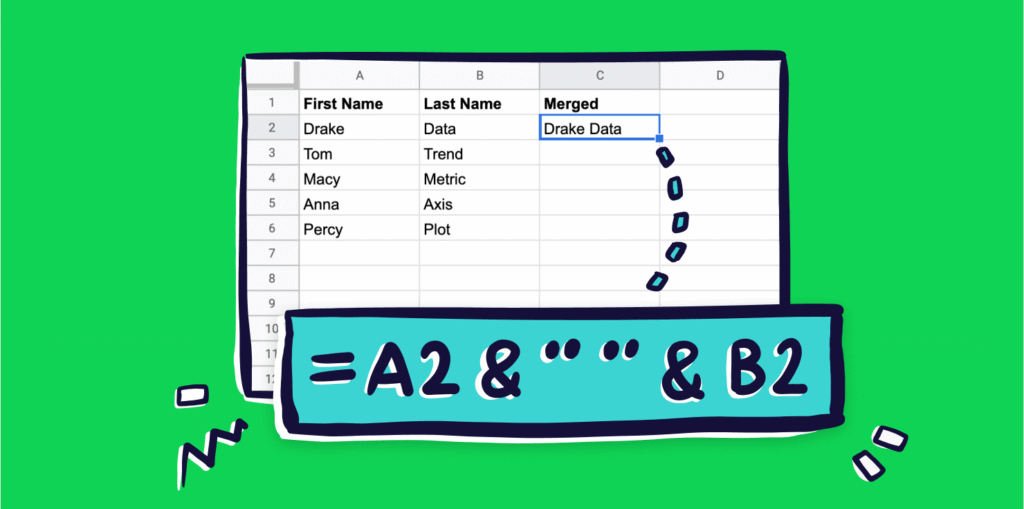
4. CONCATENATE / CONCAT – Combine Text Easily

Need to combine first names and last names in one cell? Want to merge product details? The CONCATENATE or its simpler version, CONCAT, is one of those Google Sheets formulas that makes formatting clean and efficient.

Example:

=CONCATENATE(A2, " ", B2)

This joins the content of cells A2 and B2 with a space in between. It’s excellent for combining data fields into a readable format.


5. ARRAYFORMULA – Automate Cell Functions

ARRAYFORMULA is like giving your spreadsheet a superpower. It applies a formula to an entire range of cells, saving you from copying and pasting the same formula again and again.

Example:

=ARRAYFORMULA(B2:B10 * C2:C10)

This multiplies every value in column B by its corresponding value in column C. Google Sheets formulas like this one are great for scalable tasks like calculating total sales or bulk discounts.


6. TEXT – Format Numbers and Dates

The TEXT formula allows you to control how numbers and dates appear in your spreadsheet. It’s one of the more underrated Google Sheets formulas, but it’s essential for clean reports and presentations.

Example:

=TEXT(TODAY(), "MM/DD/YYYY")

This converts the current date into a readable format. You can use TEXT to turn 2025-07-26 into 07/26/2025 or format 10000 as $10,000.00.


7. COUNTIF – Count Only What You Need

Want to count how many times a specific word or number appears? COUNTIF is your best friend. It’s among the most practical Google Sheets formulas when analyzing frequency or filtering data.

Example:

=COUNTIF(A2:A100, "Pending")

This counts how many times the word “Pending” appears in column A. You can use it for attendance, statuses, or product categories.


8. IMPORTRANGE – Pull Data from Other Sheets

The IMPORTRANGE formula is a game changer if you work with multiple spreadsheets. It pulls data from one Google Sheet into another, keeping everything connected without manual updates.

Example:

=IMPORTRANGE("sheet_url", "Sheet1!A1:C10")

Just replace “sheet_url” with the actual URL of the spreadsheet. Google Sheets formulas like this one are ideal for team collaboration or dashboard building.


Why These Google Sheets Formulas Matter?

These eight Google Sheets formulas are not just shortcuts—they’re smart tools for working better. Whether you’re a student, freelancer, project manager, or small business owner, learning a few of these can save hours of manual work.

People often assume spreadsheets are only for accountants or data analysts. But the reality is, you don’t need to be a spreadsheet wizard to benefit from them.

With a basic understanding of Google Sheets formulas, you can automate tasks, reduce errors, and make your workflow smoother.


Tips for Learning Google Sheets Formulas

  1. Start Small: Pick one or two formulas and apply them to real-life problems.
  2. Use Templates: Google Sheets offers built-in templates that use formulas—great for practice.
  3. Make Mistakes: Trial and error is part of learning. Use the undo button and explore.
  4. Break Down Formulas: Understand what each part of the formula is doing.
  5. Use the Formula Bar: Hovering over functions gives helpful tooltips and usage hints.

Final Thoughts

Even if you’ve always disliked spreadsheets, these eight Google Sheets formulas can make a big difference. From quick calculations to data organization, they turn a once-intimidating tool into something approachable and surprisingly powerful.

You don’t have to master every function. But knowing the right few Google Sheets formulas can transform the way you work. Start with the ones you find most useful and build your confidence from there.

In no time, you’ll be using spreadsheets not because you have to—but because they actually help.

Anime Last Stand Codes – Get Free Rerolls & Pearls (July 2025)

anime last stand codes

If you’re an avid Roblox player and a fan of anime tower defense games, you’ve likely come across the popular title Anime Last Stand.

Known for its strategic gameplay, ever-evolving content, and a vast selection of anime-inspired characters, the game keeps players engaged and constantly on their toes.

One of the best ways to gain an edge is through Anime Last Stand codes—which provide valuable in-game resources like rerolls, pearls, and technique shards.

With July 2025 bringing a new round of updates and rewards, players can now redeem the latest Anime Last Stand codes to power up their units, enhance skills, and unlock premium characters—without spending Robux.

Here’s everything you need to know on TazaJunction.com.


What Are Anime Last Stand Codes?

Anime Last Stand codes are promotional codes released by the game’s developers during major updates, holidays, or special events.

These codes grant players free in-game items like rerolls (used to change unit traits), pearls (used to summon powerful characters), and other valuable currencies.

These codes are a vital tool, especially for free-to-play users looking to keep up with the evolving meta without needing to spend real money. Redeeming these rewards on time can significantly boost your early and mid-game progress.


Active Anime Last Stand Codes (July 2025)

image 131

As of July 2025, the following Anime Last Stand codes are currently active and redeemable:

  • SECRET! – Grants 15 Rerolls and 2 Pearls
  • QualityOfLife! – Offers 20 Rerolls and 1 Pearl
  • UPDATE62! – Provides 20 Rerolls and 1 Pearl
  • UmbralPrince! – Gives 20 Rerolls and 1 Pearl
  • SorryForOPDelay! – 50 Rerolls and 5 Pearls
  • Hawkeye! – 20 Rerolls and 1 Pearl
  • UPDATE63! – 20 Rerolls and 1 Pearl
  • BossEvent! – 20 Rerolls and 1 Pearl
  • YOUTUBEBACK!! – 25 Rerolls
  • SryForDelay!! – 50 Rerolls and 2 Pearls
  • FireAndLightningDevil – 1 Pearl and 20 Technique Shards
  • SORRYForDelay!! – 2 Pearls and 50 Technique Shards

Each of these Anime Last Stand codes grants players either rerolls, pearls, or technique shards, all of which are crucial for boosting your power level and upgrading your units.


How to Redeem Anime Last Stand Codes

Redeeming Anime Last Stand codes is a simple process:

  1. Launch Anime Last Stand on Roblox.
  2. Once in the game, look for the Codes button on your screen—typically located on the side menu.
  3. Click the button to open the code input box.
  4. Type or paste the desired code exactly as it appears.
  5. Hit enter or click “Redeem” to receive your rewards instantly.

Make sure to enter each code exactly as shown, as they are case-sensitive.


What Do You Get From These Codes?

image 133

Each of the Anime Last Stand codes provides different combinations of valuable in-game items. Here’s what they typically offer:

1. Rerolls

Used to change the traits of your characters, rerolls are vital for optimizing your top units. Traits can boost damage, range, speed, or offer special perks like regeneration or defense buffs.

2. Pearls

Pearls are a premium currency used for summoning rare and legendary units from limited-time banners. Getting pearls for free through Anime Last Stand codes allows players to roll for top-tier characters without spending Robux.

3. Technique Shards

These are used to enhance and evolve units’ special abilities. Technique shards become especially important at higher levels and are often more difficult to obtain than rerolls.


Best Strategy for Using Rerolls and Pearls

Once you’ve redeemed the Anime Last Stand codes, you should use your resources strategically. Here’s how:

  • Prioritize rerolls on top-tier characters or those you use most often in boss fights and raids. Traits can drastically impact performance.
  • Save pearls for special events or banners featuring limited-edition or meta-relevant units. These banners offer higher value than standard pulls.
  • Use technique shards cautiously, especially on rare units or end-game characters that require maximum upgrades for effectiveness.

Tips to Maximize Code Usage

  1. Check for New Codes Weekly: Developers usually release new Anime Last Stand codes with every update or event. Stay up to date so you don’t miss any.
  2. Redeem Immediately: Some codes have short expiration windows—redeem them as soon as you see them.
  3. Join Community Forums: Many players share codes on social platforms, helping you stay ahead.
  4. Log in Daily: Even outside of codes, daily login rewards can supplement your rerolls and pearls.

Are Anime Last Stand Codes Safe to Use?

Yes, Anime Last Stand codes are 100% safe. They are officially released by the developers and meant to be used by players.

They do not require you to enter any personal information, download external software, or perform tasks outside the game. Always avoid websites that ask for your Roblox login or password in exchange for codes.


How Often Are New Codes Released?

The frequency of new Anime Last Stand codes depends on several factors:

  • Game updates (usually every few weeks)
  • Special events like holidays, collabs, or major milestones
  • Bug fixes and maintenance compensation
  • Community goals such as follower count or Discord milestones

While there’s no fixed schedule, major updates almost always include a few new codes.


Expired Codes to Avoid

Some Anime Last Stand codes from previous months may no longer work. Attempting to use expired codes won’t harm your account, but it’s best to avoid wasting time. Keep a list of active codes and refresh it every week.

Examples of expired codes include:

  • SummerPart2!
  • NewCCURecord!
  • NotSecretCode!

Be sure to redeem all July 2025 codes while they’re still active.


Why Focus on Anime Last Stand Codes?

Free resources are a major boost in any competitive Roblox game, especially in tower defense titles that rely heavily on unit strength, traits, and skill. With Anime Last Stand codes, players get a head start without grinding for hours or spending money.

More importantly, these codes help even the playing field between free-to-play users and those who purchase Robux. With enough planning and regular code redemptions, any player can build a strong roster capable of completing high-level stages and defeating raid bosses.


Final Thoughts

As of July 2025, Anime Last Stand codes are more generous than ever. With up to 50 rerolls and 5 pearls available from a single code, there’s no reason to miss out on these valuable freebies.

Whether you’re a new player trying to build a strong foundation or a veteran looking to enhance your elite team, redeeming every code is a must.

Don’t wait—enter all active Anime Last Stand codes, stockpile rerolls, summon rare units, and prepare for the next update. In a game where every trait and ability counts, these codes might be the difference between victory and defeat.

Foldable iPhone with 8-Inch Display Expected in 2026

foldable iphone

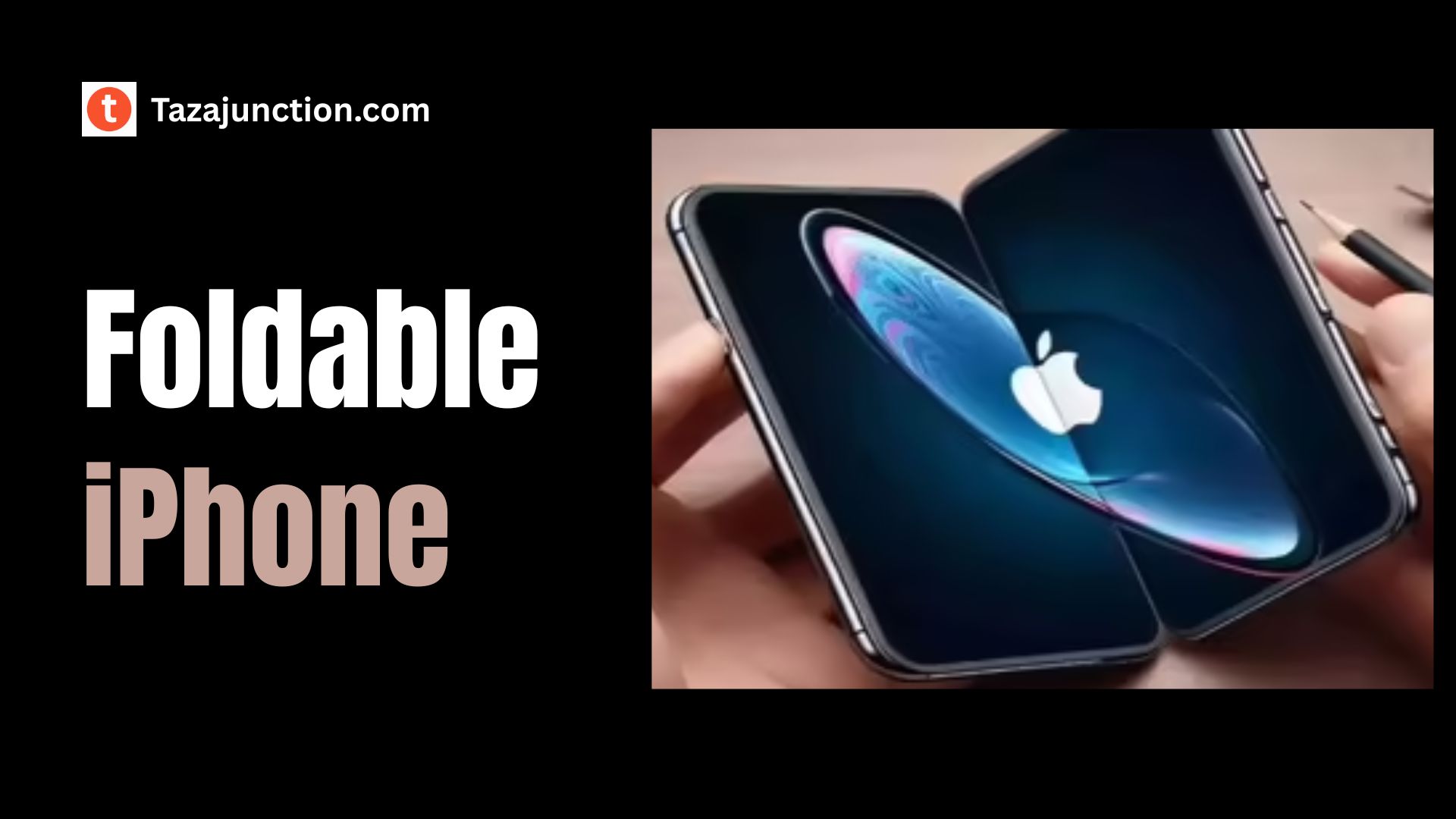
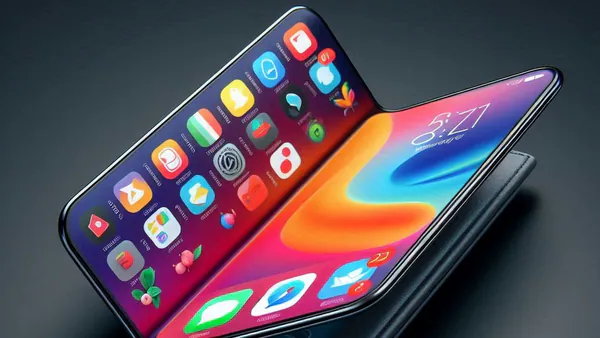
Apple appears to be planning its first ever foldable iPhone for a launch in 2026, featuring a massive 8-inch display when unfolded.

This highly anticipated move would mark Apple’s entry into the fast‑growing foldable market, long dominated by Android manufacturers.

With a bold new form factor and a high-end design philosophy, the foldable iPhone could redefine Apple’s mobile lineup.

With the expected launch of the iPhone 17 Pro in September 2025, Apple appears to be preparing one of its most significant updates to the Pro lineup in years with iPhone 17 Air. Here’s everything about it.


Why Apple Is Entering the Foldable Space?

For years, Apple has avoided foldable designs, focusing instead on iterative improvements to the flat screen iPhone. That changed as competitors introduced foldables with large screens and flexible form factors.

The foldable iPhone represents Apple’s response—aiming to offer the productivity of a mini‑tablet along with the portability of a phone.

This approach aligns with Apple’s broader shift toward multifunctional devices that blend smartphone and tablet functionality into one sleek package.


An Industry‑Leading 8-Inch Display

A standout feature of the foldable iPhone will be its 8-inch display, significantly larger than previous iPhones and even the current iPhone Pro Max models. When folded, it would fit in one hand; when unfolded, it becomes a compact tablet.

This large display is expected to support high refresh rates (120Hz or more), HDR content, Apple’s ProMotion technology, and perhaps even under‑display Face ID.

Apple’s reputation for optimized screens and pixel accuracy may make this unfolded display one of the sharpest and brightest on the market.


Design and Build Quality

image 129

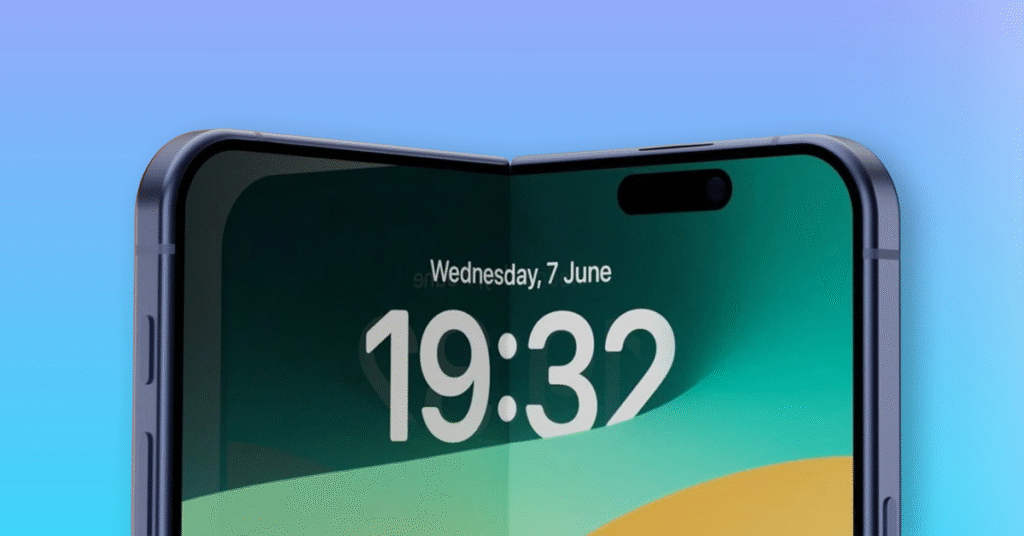
The foldable iPhone is said to feature premium materials: titanium hinges, ultra-thin glass on both sides, and a robust internal frame to resist folding fatigue. Apple may also use a hinge-free design or a hydraulic hinge system for a seamless opening.

The unfolded design will likely prioritize minimal bezels and flat-edge styling consistent with current iPhone design language—yet robust enough to handle frequent folding without creasing the display.


Camera and Sensor Integration

Apple’s foldable device will likely keep flagship camera performance intact. Expect a triple-lens or quad‑lens system on the back with support for ultra‑wide, wide, telephoto, and LiDAR or advanced ToF sensors.

When unfolded, the foldable iPhone may also support improved multitasking—camera apps on one side and editing tools or additional viewfinder panels on the other.

Front‑facing cameras may sit on both interiors and exteriors, giving users flexibility when folding or holding the device in different orientations.


Performance and Internal Hardware

Under the hood, the foldable iPhone is expected to run on Apple’s next‑generation A20 Bionic chip along with at least 12GB of RAM to ensure smooth performance across multitasking, split‑screen use, and high‑end apps.

Apple may also bake in top‑tier SSD‐level storage speeds and optionally dedicated neural processing units for on‑device machine learning. The foldable iPhone will almost certainly support 5G, ultra‑wideband UWB, and Wi‑Fi 7, aligning with Apple’s recent emphasis on connectivity performance.


Battery and Charging Considerations

One challenge facing the foldable iPhone is battery life—given the large 8‑inch display and dual‑screen design. Apple may turn to stacked silicon‑anode batteries or high‑density lithium‑ion technology to squeeze more capacity into a thin chassis.

Fast charging (up to 45W wired) and improved MagSafe wireless charging may also be offered. A hinge‑integrated secondary battery or flexible cell is also possible to balance weight and power. Apple’s goal will be to deliver all‑day battery life even with sustained unfolded use.


Software and Optimization

image 130

For a smooth user experience, Apple will likely adapt iOS for the foldable format. The foldable iPhone may introduce a dedicated multi‑window interface—allowing apps to run side by side, split‑view editing, drag‑and‑drop between apps, and specially optimized layouts for Apple productivity apps like Notes, Pages, Keynote, and Final Cut.

Enhanced multitasking, together with stylus support (perhaps via Apple Pencil or similar accessory), may turn the folded device into a serious productivity tool.


Foldable iPhone Ecosystem and Accessories

Apple will likely build an accessory ecosystem around the foldable iPhone, including specialized covers, docking stands, foldable keyboard folios, and stylus options.

Cases may need to accommodate the hinge mechanism and provide impact protection for both screen sides. Apple might also release new Apple Pencil-compatible accessories or note-taking apps optimized for the foldable form.

The foldable iPhone could mark the start of a broader Apple ecosystem expansion in foldable productivity devices.


Target Launch Timeline of 2026

Reports point to a 2026 launch window for the foldable iPhone, giving Apple enough time to refine hardware, hinge durability, foldable display longevity, and software support.

Manufacturing yields will need time to ramp up, battery technology integration must be finalized, and manufacturing costs must come down.

A 2026 release also positions Apple well behind early market entrants, allowing it to enter the foldable space after lessons learned from competitors.

The foldable iPhone is therefore seen as a strategic mid‑cycle innovation—for Apple fans eager for something new.


Why 2026 Is the Right Year?

Releasing in 2026 means Apple can benefit from maturing flexible OLED panel supply, well-tested hinge systems, and refined user interface design based on real‑world feedback. By then, third‑party app support for foldable screens may also be more robust.

This approach allows Apple to enter with a polished experience rather than rushing. It also gives Apple time to evaluate battery innovations and screen durability under folding stress, ensuring the foldable iPhone feels premium and reliable at launch.


Market Potential and Competitive Landscape

The foldable market has grown rapidly—but Apple’s foldable iPhone, with its 8‑inch display and polished ecosystem fit, could be a game‑changer.

Apple’s brand loyalists, enterprise clients, and creative professionals may find unique value in a foldable device optimized for both content consumption and multitasking.

If Apple plays its cards right, the foldable iPhone could drive foldable adoption more than any competitor so far, thanks to Apple’s expertise in design, UX, and hardware‑software integration.


Early Concerns and Challenges

Despite the promising outlook, there are concerns. Durability of the folding display is a known pain point, and ensuring hinge reliability through thousands of folds is critical. The weight balance of the foldable iPhone must feel comfortable both folded and unfolded.

Pricing is another hurdle—built with premium materials and new technologies, the foldable iPhone will almost certainly command a premium price, which could limit early uptake. Apple will need to justify that cost with performance and value.


Possible Variants and Future Directions

Apple may release multiple foldable iPhone models—perhaps a standard version and a larger Pro model with added LiDAR or satellite connectivity.

Over time, we could see Apple bridging more of its product lines, perhaps blending this foldable form into iPad Mini competitors or Project Star developments.

The foldable iPhone could be just the first in a wave of flexible Apple devices, potentially including foldable tablets or hybrid laptops in the future.


What It Means for Apple Users

The arrival of the foldable iPhone would offer Apple users new ways to consume content, work, and create. It would be a powerful alternative for those who hesitate to carry both iPhone and iPad, or who need more multitasking flexibility on the go.

For students, creatives, or executives, the foldable iPhone could fill the gap between smartphone portability and tablet productivity.


Final Thoughts

While Apple has yet to confirm the project, all signs point to the foldable iPhone making waves in 2026 with an expansive 8-inch display and fully integrated software.

Apple fans should expect a new chapter in mobile innovation—one that blends big-screen capability with refined ergonomics and iOS polish.

If Apple can deliver on build quality, performance, and ecosystem usefulness, the foldable iPhone may become one of the company’s most memorable product launches yet.

Apple Watch Sleep Score: A Closer Look at the Proposed Feature

apple watch sleep score

Apple is taking sleep tracking to the next level. After years of detailed sleep metrics, the company may finally introduce a long-requested feature: the Apple Watch Sleep Score.

This potential new feature, expected to arrive with watchOS 26, would provide users with a single, easy-to-understand number representing the quality of their sleep.

For those who have relied on third-party apps or envied competitors like Fitbit and Oura, this addition could bring Apple’s ecosystem up to par—and perhaps even beyond.

Let’s dive into everything we know about the Apple Watch Sleep Score, how it might work, and what it could mean for your health and wellness.

With the expected launch of the iPhone 17 Pro in September 2025, Apple appears to be preparing one of its most significant updates to the Pro lineup in years with iPhone 17 Air. Here’s everything about it.


What Is the Apple Watch Sleep Score?

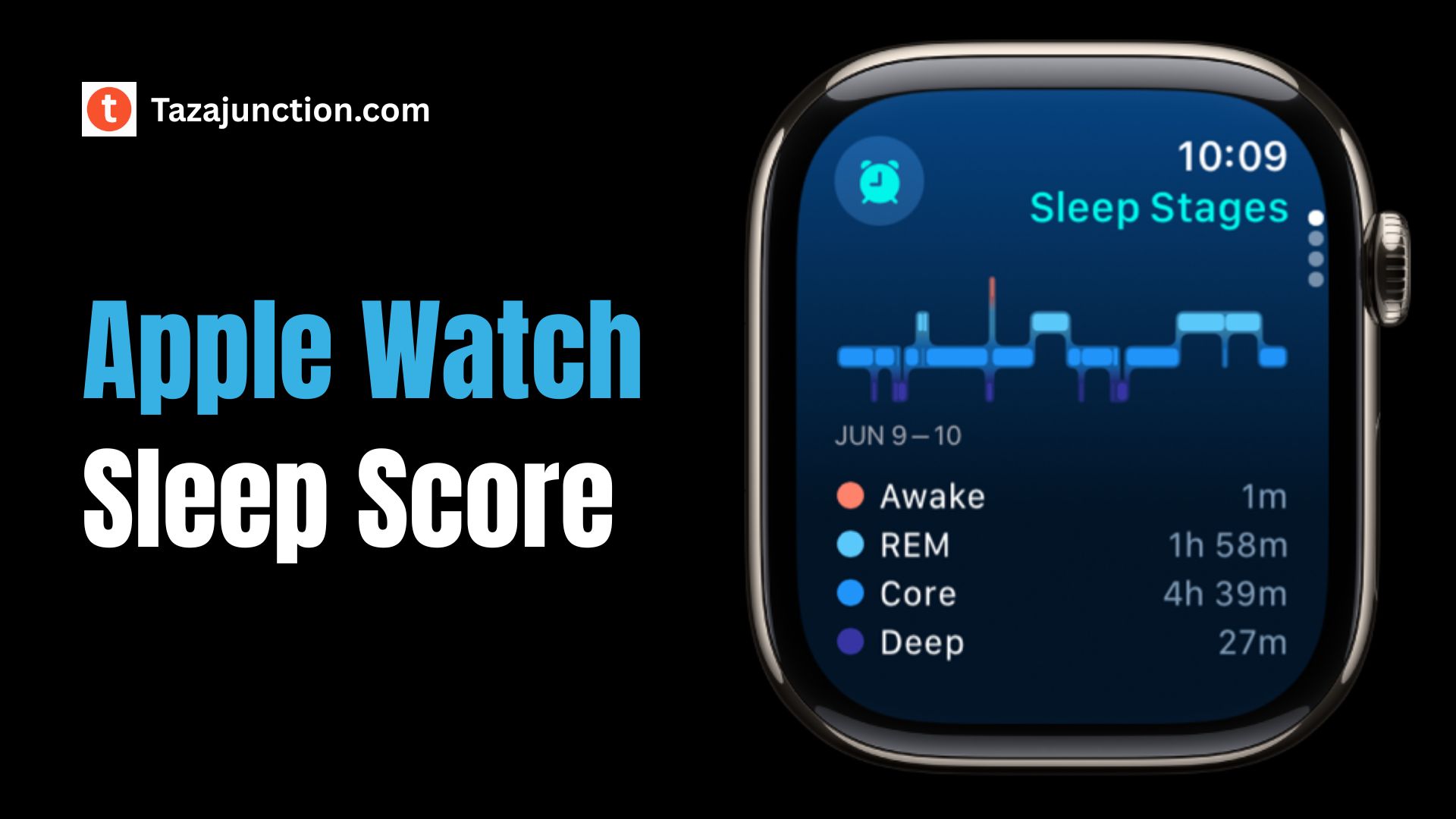
The Apple Watch Sleep Score is expected to be a numerical value—likely on a scale from 0 to 100—that gives users an overall indication of how well they slept. It would be based on various data points collected by the Apple Watch, such as:

  • Total sleep duration
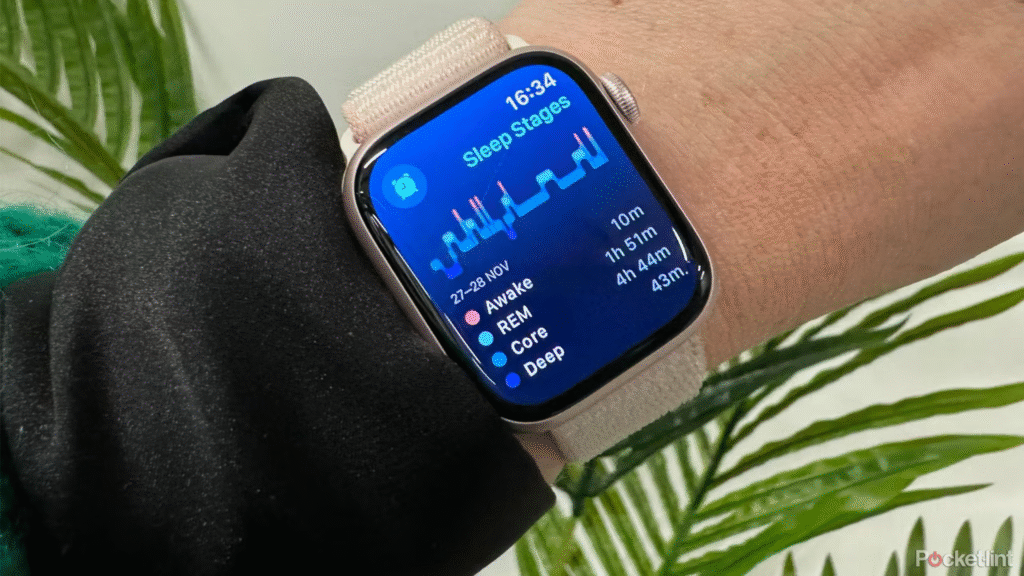
  • Time spent in each sleep stage (REM, Core, Deep)
  • Resting heart rate during sleep
  • Movement and wake periods
  • Possibly temperature and breathing patterns

Apple already tracks all of these metrics independently. What makes the Apple Watch Sleep Score special is its ability to synthesize that data into a single, actionable number. This helps users quickly understand their sleep quality without digging through multiple charts and graphs.

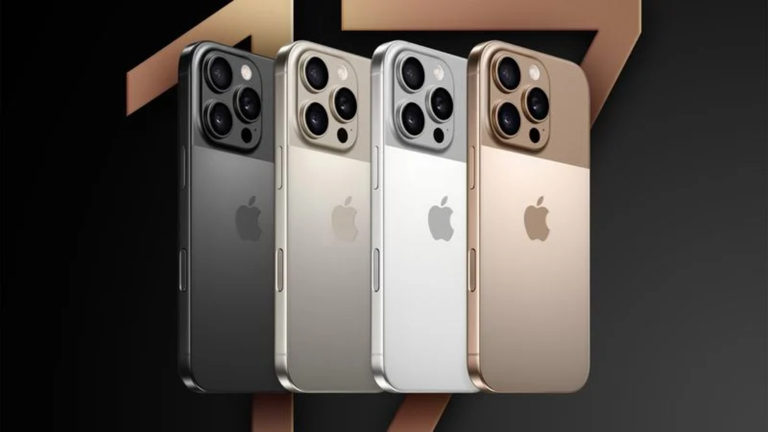
This year, Apple is doubling down on variety, introducing distinct color options for each iPhone 17 variant. From bold tones to muted classics, the new lineup offers something for every taste — from fashion-forward users to minimalists.


Why Apple Is Adding a Sleep Score Now?

image 128

For years, Apple has taken a conservative approach to health features—favoring accuracy and simplicity over flashy metrics. Yet as consumer demand grows for health-focused wearables, the lack of a native Apple Watch Sleep Score has become more noticeable.

Competing devices have offered sleep scores for years, and many Apple users have turned to third-party apps to fill the gap.

Now, with Apple’s expanding focus on health, recovery, and AI-powered insights, the timing is ideal. The Apple Watch Sleep Score would not only streamline sleep data but also fit neatly into Apple’s broader wellness ecosystem.


How the Apple Watch Sleep Score Might Work?

Although Apple hasn’t officially confirmed the feature, code found in iOS and watchOS beta versions suggests that the Apple Watch Sleep Score is in active development. Here’s how it might function:

  • Passive Data Collection: As with current sleep tracking, the Watch will monitor your sleep automatically each night, without requiring manual input.
  • Sleep Score Generation: Each morning, your Watch or iPhone would display your Apple Watch Sleep Score, summarizing your sleep with a simple number.
  • Additional Context: Alongside the score, you might see details like time asleep, time in REM, heart rate changes, and breathing trends.
  • Trends and Advice: Over time, your device could analyze your sleep history and offer suggestions—like adjusting bedtime or managing screen exposure—to improve your score.

With Apple Intelligence on the horizon, it’s possible the Apple Watch Sleep Score will eventually be paired with AI-generated sleep coaching or recovery feedback.


What Makes This Different from Current Tracking?

Right now, Apple Watch users can view sleep duration and time in various stages, but those numbers require interpretation. For example, seeing 1 hour of REM sleep or 45 minutes of Deep sleep doesn’t instantly tell users how “good” or “bad” their night was.

The Apple Watch Sleep Score removes this friction by assigning a single number that captures overall rest quality. Whether your score is 95 or 68, you’ll know at a glance how well you slept—and whether you need to make changes.


Integration with Other Health Features

One of the most exciting parts about the Apple Watch Sleep Score is how it may tie into Apple’s existing health features. With watchOS 11, users already have access to:

  • Vitals App: Displays key body metrics like heart rate and respiratory rate.
  • Training Load: Measures workout strain and recovery status.
  • Cycle Tracking and Temperature Sensing: Helps detect changes in body patterns.

The Apple Watch Sleep Score could serve as the link between sleep and readiness. A low score might suggest skipping an intense workout, while a high score could mean you’re ready to train or take on a demanding day.


Who Will Benefit from the Apple Watch Sleep Score?

The Apple Watch Sleep Score has wide-ranging appeal:

1. Casual Users

Anyone interested in improving their sleep but unsure how to interpret detailed charts will benefit from the simplicity of a score.

2. Athletes and Fitness Enthusiasts

By tying the Apple Watch Sleep Score to recovery and energy levels, it becomes a useful metric for performance planning.

3. Wellness Trackers

Those managing chronic conditions or overall well-being will gain valuable insight into how sleep affects their health.

4. Professionals

Busy users can use the Apple Watch Sleep Score to stay sharp and make informed choices about rest and focus.


How It May Look and Feel?

Design-wise, the Apple Watch Sleep Score is expected to align with Apple’s familiar aesthetic: clean, visual, and user-friendly. A morning notification might show:

  • Your score (e.g., 82)
  • A color-coded ring displaying time in REM, Core, and Deep sleep
  • A comment like “Good job! You got 30% deep sleep last night.”
  • Suggested bedtime tweaks if needed

Over time, the Health app could chart your Apple Watch Sleep Score on weekly or monthly graphs, helping you track progress and identify patterns.


Limitations and What’s Still Unclear

As with any upcoming feature, there are some unknowns:

  • Rollout Date: It’s unclear whether the Apple Watch Sleep Score will launch with watchOS 26 or appear later.
  • Compatibility: Will older Apple Watch models support it, or will it be exclusive to newer devices?
  • Customization: Will users be able to adjust what factors influence the score?
  • AI Integration: How much advice or prediction will Apple Intelligence provide based on your sleep score?

These questions will likely be answered as we get closer to Apple’s official announcement.


Why It Matters Now?

The focus on wellness has never been higher. As people look for smarter ways to manage their time, energy, and performance, understanding sleep becomes critical. The Apple Watch Sleep Score represents a step toward making health data actionable.

Rather than requiring users to study complex metrics, a simple score lowers the barrier to understanding. And with Apple’s reputation for tight hardware-software integration, the Apple Watch Sleep Score may deliver unmatched consistency and privacy.


Early User Sentiment

Apple Watch users have long asked for a native sleep score. Many have turned to third-party apps like AutoSleep or Pillow, but these tools often require subscriptions or manual input. With the introduction of the Apple Watch Sleep Score, users can expect a built-in, ad-free, privacy-first solution.

Those who’ve seen mockups or leaks are enthusiastic about the clarity it offers. Some are even hoping Apple expands it into a “Readiness Score” similar to the Oura Ring or WHOOP system.


Final Thoughts

The Apple Watch Sleep Score has the potential to reshape how millions of people track and understand their sleep. It simplifies complex information, supports health awareness, and integrates seamlessly into Apple’s larger ecosystem of wellness tools.

Whether you’re a casual user who just wants better rest, or an athlete looking to optimize recovery, the Apple Watch Sleep Score could soon become one of the most useful numbers you see each morning.

As Apple continues to refine its software and hardware offerings, one thing is clear: better sleep insights are coming—and they might just start with a simple score.

WhatsApp Reminders Feature: Set Alerts on Messages Easily – Here’s How

whatsapp reminders feature

WhatsApp is rolling out an exciting new feature that allows users to set WhatsApp reminders directly on messages.

This marks a significant evolution in the way people manage their chats, transforming WhatsApp from a simple messaging app into a productivity tool.

With WhatsApp reminders, you can finally make sure important messages—such as to-do items or dates—don’t get lost in the conversation feed.

If you are interested in real-time headlines, trending stories, and in-depth coverage that keeps you informed and engaged, discover fresh, fast, and reliable news at Taza Junction.


What Are WhatsApp Reminders?

WhatsApp reminders let you pin a reminder to any individual message so that the app will notify you at your chosen time.

Whether it’s a message about a meeting, payment deadline, or task, a quick reminder setup ensures you don’t forget it.

This is different from starred messages or labels, because reminders bring proactive alerts instead of passive saving.


Why WhatsApp Introduced Reminders?

image 123

WhatsApp users have often had to copy important messages to other apps like notes, calendars, or to-do lists. By introducing WhatsApp reminders, the app keeps everything in context—no switching between apps.

The idea is simple: let the message itself trigger the alert. That enhances user focus, reduces friction, and keeps workflows smooth within chats.


How to Use WhatsApp Reminders?

Setting up WhatsApp reminders is intuitive and fast. Here’s a general walkthrough:

  1. Long-press the message you wish to remember.
  2. Select the “Remind me” or clock icon from the action menu.
  3. Choose a reminder time—options usually include in 1 hour, later today, tomorrow, or custom date/time.
  4. Confirm, and you’re done. The message now has a reminder attached.

At the selected time, WhatsApp will notify you. Tapping the alert opens the chat and highlights the original message.


Reminder Options and Flexibility

WhatsApp reminders offer flexible scheduling. The default short-term options (like later today) are handy for immediate tasks. The custom option lets you set reminder date and time even weeks ahead, which is perfect for future events or deadlines.

You can also edit or delete a reminder. Just long-press the message again and choose “Edit reminder” or “Remove reminder”. This ensures you can adjust your plan if priorities change.


Reminders in One-on-One Chats Versus Groups

In one-on-one chat, WhatsApp reminders work for both messages you receive and messages you have sent. That way, you can remind yourself to follow up on messages you’ve already read, or to come back to a message you sent earlier.

In group chats, reminders work the same way—but you can only set reminders for messages you have access to. So long as the message is still visible to you, you can attach a WhatsApp reminder to it. It’s a subtle but powerful way to keep tabs on mentions, shared files, or group tasks.


Why This Feature Stands Out?

  1. Contextual reminders: The alert takes you straight to the message, so you always know what you needed to remember.
  2. Less dependency on external apps: No need to copy/paste into task managers or calendars.
  3. Enhanced accountability: Works great for deadlines, plans, and follow-ups with friends, colleagues, or clients.
  4. Improved chat hygiene: Instead of keeping unstarred or unread messages in chat, you can clean up and still know you’ll get prompted later.

By integrating reminders into the conversation thread, WhatsApp reminders help users stay organized without clutter.


Privacy and Data Handling

When using WhatsApp reminders, the app handles all reminders locally on your device. The reminders are tied to your message thread and are encrypted the same way WhatsApp messages are.

This means nobody else—not even WhatsApp—can access your reminder content. Only you receive the alert, and only your device stores the data.


Use Cases for WhatsApp Reminders

image 124
  • Payment follow-up: If someone sends you a payment request or an invoice, you can set a reminder to pay or confirm.
  • Meeting preparation: Set reminders for important details like venue or time shared in chat.
  • Task tracking: If a friend tells you to send them something later, remind yourself so nothing slips through.
  • Work coordination: In group projects or client chats, flag design requests, deadlines, or feedback items.
  • Personal planning: Use reminders for plan confirmations, birthdays mentioned in chat, or reservation details.

WhatsApp reminders fit seamlessly into both personal and professional contexts.


Visual Queues and Message Marking

When a reminder is set, WhatsApp adds a small clock icon overlay on the message to show it has a scheduled alert. You can glance through your conversation and spot which messages are set to remind you.

Once triggered, the icon disappears and the reminder status resets. That quick visual cue helps manage outstanding tasks efficiently.


Managing Reminders in Settings

WhatsApp now includes a Reminder Settings section where you can:

  • View all active WhatsApp reminders across chats.
  • Cancel or snooze reminders from one central place.
  • Adjust default reminder times (like changing suggested short-term options).
  • Decide whether reminder alerts should include message previews for privacy.

These controls keep reminders organized and customizable, especially for users with many reminders across different chats.


Compatibility and Availability

This WhatsApp reminders feature is being rolled out gradually. It will be available on both Android and iOS, as long as you’re using the latest version of WhatsApp.

Reminders sync with your account only on that single device—other linked devices will not show the reminder, preserving privacy.

WhatsApp will likely expand availability and refine controls in future updates, but early adopter reviews show high satisfaction with its ease of use and reliability.


Tips for Getting the Most from WhatsApp Reminders

  • Use reminders instead of leaving messages unread—this keeps your chats clutter‑free.
  • Set reminders immediately after reading important messages, to avoid forgetting later.
  • Combine reminders with WhatsApp starred messages if you need to star an important chat and remind yourself later.
  • Use the Reminder Settings dashboard regularly to clean up old reminders or reschedule tasks.
  • Remember that reminders trigger only on the device where you set them. That’s great for privacy—but keep it in mind if you also use WhatsApp on desktop or secondary phones.

Potential Limitations

While WhatsApp reminders add significant utility, there are a few current limitations:

  • Reminders do not sync across devices, so alerts only trigger on the originating device.
  • You cannot yet set recurring reminders (such as daily, weekly)—only one‑time alerts.
  • There’s no integration with external calendars (e.g. Google Calendar or iOS Calendar).
  • If a message is deleted before the reminder fires, the reminder may not trigger.

However, future updates may address these limitations as WhatsApp continues to evolve.


Security and Best Practices

Since reminders are attached to messages you’ve already seen, there’s no risk of sharing sensitive message content inadvertently.

Still, practice good chat hygiene:

  • Only set WhatsApp reminders on messages you genuinely need.
  • Regularly clean out inactive reminders via Settings.
  • Use end‑to‑end encryption and biometric security on your device for enhanced privacy.
  • Avoid setting reminders for highly sensitive content if you frequently share your device.

What This Means for WhatsApp Users?

The launch of WhatsApp reminders transforms WhatsApp into more than just a messaging app—it becomes a personal assistant of sorts.

You can keep track of overdue messages, conversations needing follow-up, and chat‑based reminders without leaving the app. In business contexts, project coordination and client replies become smoother.

For personal users, forgotten plans and tasks become a thing of the past. Over time, this feature may evolve into one of WhatsApp’s most valued productivity tools.


Final Thoughts

The addition of WhatsApp reminders marks a major milestone in messaging functionality. By bridging casual conversation and practical task management, it simplifies life organization without forcing users to adopt new apps or processes.

Whether for work, planning, or daily errands, this new feature helps ensure important messages actually get acted upon. With context-aware reminders connected to the message itself, you get clarity, timing, and relevance in one tap.

As WhatsApp continues to refine the feature—perhaps adding recurring alerts, calendar syncing, or cloud backup—it’s clear that WhatsApp reminders are here to stay.

iPhone 17 Pro: Full Specs, Features, Camera & Release Date Revealed

iphone 17 pro

With the expected launch of the iPhone 17 Pro in September 2025, Apple appears to be preparing one of its most significant updates to the Pro lineup in years with iPhone 17 Air.

From new materials and camera upgrades to internal cooling and performance enhancements, the iPhone 17 Pro could be the most advanced smartphone Apple has ever released.

Here’s everything we know so far.


All-New Aluminum and Glass Design

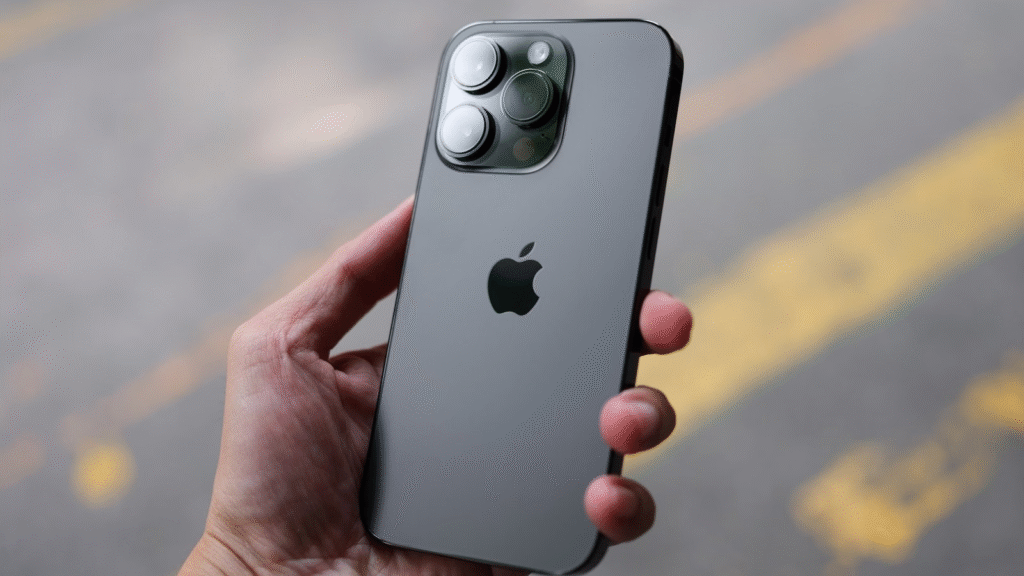
One of the most exciting changes to the iPhone 17 Pro is its rumored redesign. Apple may replace the titanium frame used in recent models with a lighter aluminum and glass construction. This change is said to improve thermal conductivity and reduce weight without sacrificing structural strength.

Adding to the visual appeal, the Pro is expected to feature a dual-tone finish, combining a matte glass back with a glossy camera housing.

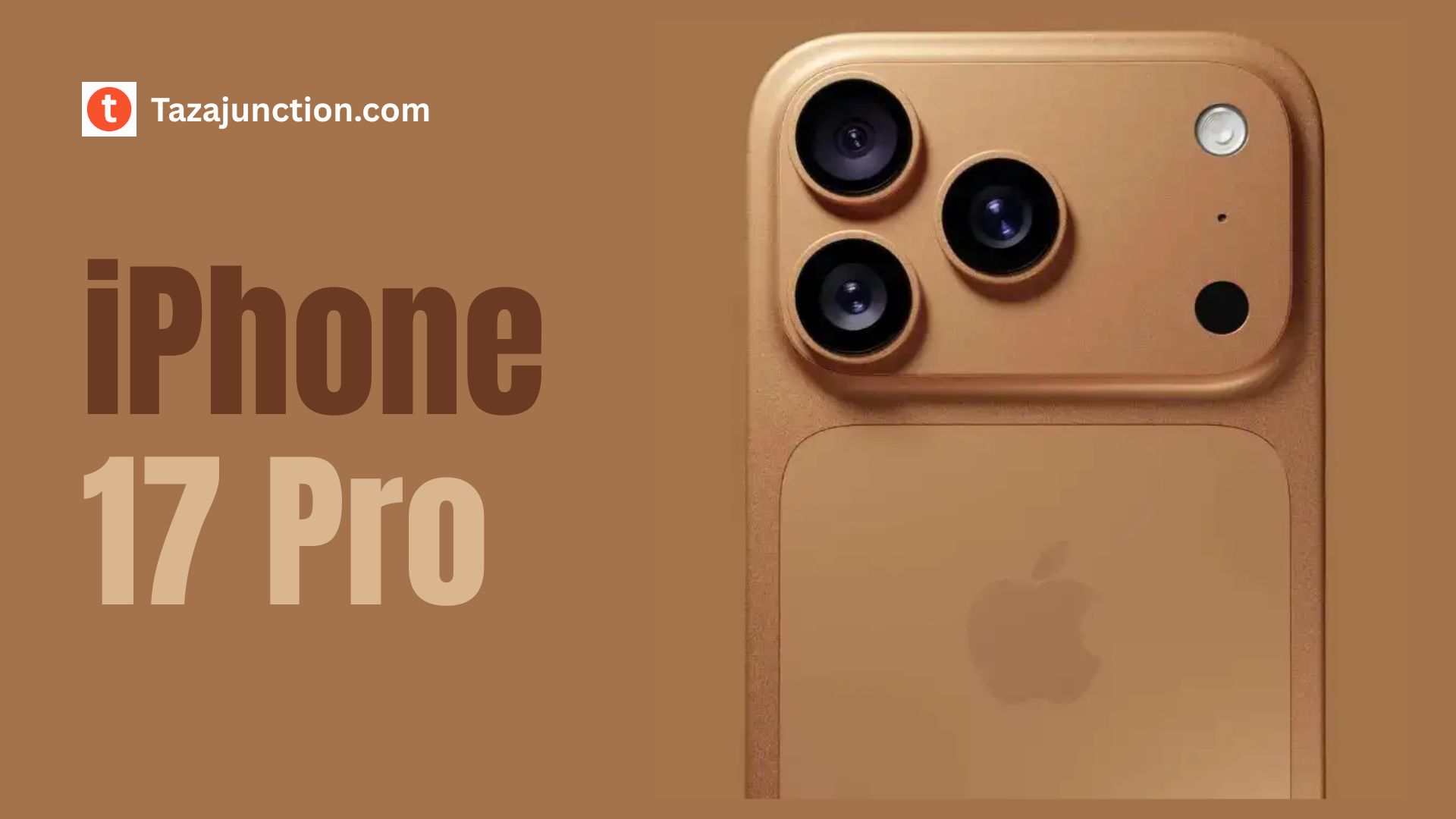
The new horizontal camera bar, which stretches across the width of the phone, gives the device a futuristic and more balanced appearance.

The Pro Max version is also expected to adopt the same design elements while offering a slightly larger form factor.


Smaller Dynamic Island and Durable Display

image 120

The front of the iPhone 17 Pro is likely to retain the 6.3-inch Super Retina XDR OLED display, but with a few refinements. Apple may introduce a smaller Dynamic Island, made possible by next-gen metalens technology that reduces the size of the front camera and Face ID sensors.

Another standout feature is the introduction of a new scratch-resistant, anti-reflective coating, which enhances screen durability and outdoor visibility.

Combined with 120Hz ProMotion technology and ultra-thin bezels, the display promises to be more immersive and responsive than ever.


Powered by the A19 Pro Chip and 12GB RAM

Under the hood, the iPhone 17 Pro is expected to debut with the powerful A19 Pro chip, manufactured using TSMC’s advanced 3nm process.

This chip will deliver faster processing, better graphics, and more energy-efficient performance, setting the stage for the next generation of mobile computing.

To support Apple’s growing suite of on-device AI tools, the iPhone 17 Pro will likely feature 12GB of RAM, up from 8GB in previous models. This increase will ensure seamless multitasking and optimal performance for new features introduced with iOS 26 and Apple Intelligence.


Next-Level Camera Capabilities

The iPhone 17 Pro will reportedly come equipped with a triple-lens 48MP camera system, marking a significant leap in Apple’s imaging technology. The setup is expected to include:

  • A 48MP wide (main) lens
  • A 48MP ultra-wide lens
  • A 48MP telephoto lens with improved zoom and stabilization

This would be the first time all rear cameras have the same high resolution, promising superior low-light performance, sharper details, and advanced computational photography.

The front camera may also receive a boost to 24MP, enhancing selfies, video calls, and Face ID accuracy. Another new addition could be dual-video recording, which allows simultaneous recording from both front and rear cameras — ideal for vloggers and content creators.

Additionally, the device is expected to support 8K video recording, bringing Pro-level filmmaking tools to a smartphone.


Vapor Chamber Cooling System

With the iPhone 17 Pro packing more powerful internals, Apple is expected to introduce a vapor chamber cooling system to manage heat effectively.

This technology is commonly found in high-end gaming phones and ensures consistent performance during intense tasks like video editing, gaming, and 8K recording.

The use of aluminum also improves thermal conductivity, helping the device stay cooler and last longer without throttling under load.


Battery and Charging Enhancements

The new internal layout and slightly thicker design may allow Apple to include a larger battery than previous Pro models. This should lead to improved screen-on time, even with power-hungry features like ProMotion and AI processing.

On the charging front, Apple is expected to upgrade:

  • Wired charging: Up to 35W via USB-C
  • Wireless charging: Faster MagSafe with Qi2 support up to 25W
  • Reverse wireless charging: Rumored to allow charging of AirPods or Apple Watch from the back of the phone

These enhancements aim to make charging more convenient and versatile, keeping pace with top-tier Android competitors.


Faster, Smarter Connectivity

image 121

Connectivity will also see improvements in the iPhone 17 Pro. Apple may introduce its first in-house Wi-Fi 7 modem, bringing faster wireless speeds, reduced latency, and more efficient data transmission in congested areas.

The iPhone 17 Pro is also expected to support:

  • Advanced 5G
  • Low-energy Bluetooth 6
  • Enhanced UWB (Ultra-Wideband) for spatial awareness and ecosystem features like AirTag tracking

With these upgrades, users can expect a faster, more reliable, and smarter experience across networks and connected devices.


iOS 26 and Apple Intelligence

image 122

The iPhone 17 Pro will launch with iOS 26, and one of its biggest attractions will be its tight integration with Apple Intelligence — Apple’s new generative AI platform.

Features expected to run natively on the iPhone 17 Pro include:

  • Smarter Siri with contextual awareness
  • AI-assisted photo editing and organization
  • Enhanced voice dictation and writing suggestions
  • Smart app suggestions and scheduling

Thanks to the A19 Pro chip and expanded memory, all of these tools can run on-device, offering high performance with maximum privacy.


Colors and Finish Options

Apple is expected to offer the iPhone 17 Pro in a new selection of elegant and bold color options, including:

  • Sky Blue
  • Desert Copper (Orange)
  • Midnight Blue
  • Titanium Gray

These finishes are likely to use anodized aluminum or brushed metal textures, offering both grip and visual appeal. Also you can check confirmed iPhone 17 colors.


Expected Launch and Pricing

Apple typically launches new iPhones in early to mid-September, and the iPhone 17 Pro is expected to follow this schedule in 2025.

Here’s a quick breakdown of expected availability and pricing:

  • Launch event: Between September 8–12, 2025
  • Pre-orders: Likely open the same week
  • In-store availability: Around September 19, 2025
  • Expected starting price (US): Around $1,099
  • Expected starting price (India): ₹1,39,900

Prices will vary depending on storage configurations, which are expected to range from 256GB up to 2TB.


iPhone 17 Pro vs iPhone 17 Air

The iPhone 17 Pro is designed for professionals and enthusiasts who want the most powerful features Apple offers. In contrast, the iPhone 17 Air — also launching this year — will be thinner and lighter, but with fewer camera lenses, smaller battery, and a less powerful chip.

Key differences:

  • Camera: Triple 48MP system on Pro vs. single-lens on Air
  • Build: Aluminum Pro body vs. titanium in Air
  • Battery life: Longer in Pro
  • Price: iPhone 17 Pro will cost significantly more

Who Should Buy the iPhone 17 Pro?

The iPhone 17 Pro is built for users who need performance and quality above all else. It’s ideal for:

  • Mobile photographers and videographers
  • Power users and professionals
  • Gamers and creatives
  • Anyone excited about on-device AI tools

If you’re looking for Apple most complete and capable smartphone experience, the iPhone 17 Pro is shaping up to be a clear front-runner.


Final Thoughts

The iPhone 17 Pro is shaping up to be more than just another iPhone. With its all-new design, triple 48MP camera system, A19 Pro chip, advanced AI features, and smarter connectivity, it represents a major evolution of the iPhone platform.

As September 2025 approaches, all eyes will be on Apple to see how many of these rumors become reality. One thing’s for sure — the iPhone 17 Pro will raise the bar once again in the premium smartphone space.

iPhone 17 Air: Specs, Features, Release Date & Everything We Know So Far

iphone 17 air

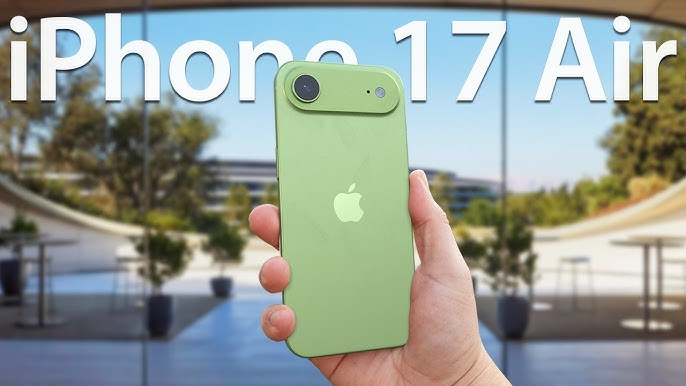
Apple is no stranger to innovation, but the upcoming iPhone 17 Air might mark its boldest move yet in the smartphone world.

Slated for release in late 2025, this ultra-slim iPhone is expected to replace the Plus model and introduce a new standard in portable design and intelligent performance.

As more leaks and rumors surface, we’ve compiled everything we know so far about this sleek, futuristic addition to the iPhone lineup.


A Radical New Design

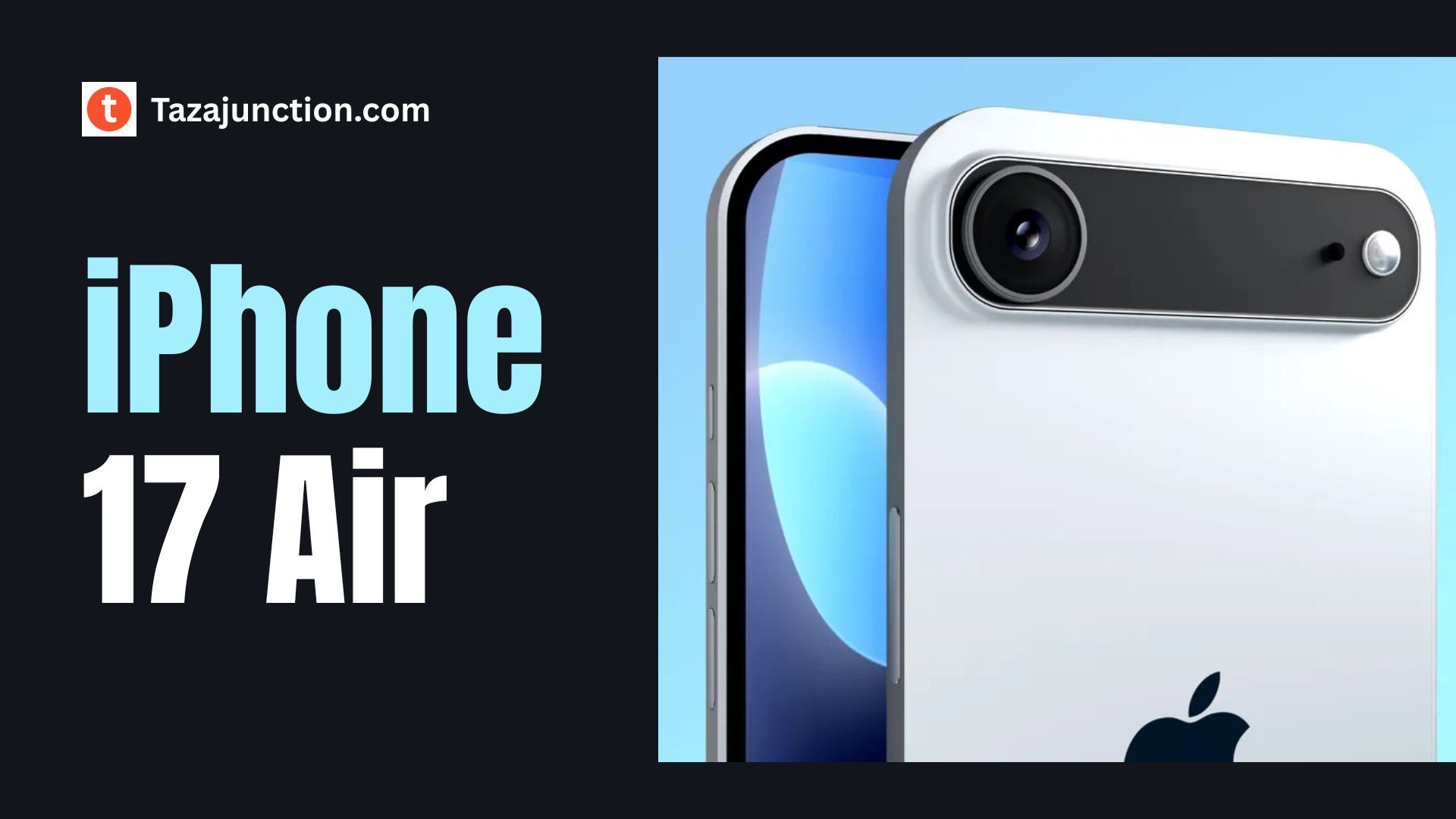
The iPhone 17 Air is expected to be Apple’s thinnest iPhone ever, measuring approximately 5.5 mm in thickness. This is a significant departure from the current design language and may even surpass the famously slim iPhone 6.

To achieve such a thin profile, Apple is rumored to be using a titanium frame, which offers strength while maintaining a featherlight build. Early estimations suggest the phone will weigh around 145 grams, making it ideal for users who prioritize comfort and portability.

In terms of size, the iPhone 17 Air is expected to feature a 6.6-inch OLED display. The screen will likely support ProMotion technology, offering up to 120Hz refresh rates for smoother scrolling and more responsive gaming.

To complement the slim profile, Apple might implement a reduced Dynamic Island with a more compact sensor cutout, possibly enabled by metalens camera technology.

This year, Apple is doubling down on variety, introducing distinct color options for each iPhone 17 variant. From bold tones to muted classics, the new lineup offers something for every taste — from fashion-forward users to minimalists.


Performance Powered by the A19 Chip

Apple’s next-generation A19 chip is expected to power the iPhone 17 Air. Built on an advanced 3nm process, the A19 is designed for energy efficiency while still delivering the fast performance Apple users have come to expect.

It may not be quite as powerful as the A19 Pro found in the Pro models, but it will still be more than capable of handling demanding tasks.

The iPhone 17 Air is also rumored to feature 8GB to 12GB of RAM, which aligns with Apple’s push for more on-device AI capabilities. With iOS 26 introducing new Apple Intelligence features, this amount of memory ensures a smoother, smarter user experience with better multitasking and app management.


The New Standard in Connectivity

image 117

The iPhone 17 Air is expected to be the first iPhone to feature Apple’s in-house C1 modem, which supports 5G, Wi-Fi, Bluetooth, and GPS. This change represents a major shift from using third-party modem suppliers and is aimed at improving both speed and efficiency.

Additionally, the Air model may be among the first Apple devices to support Wi-Fi 7, offering faster and more stable internet connections. Whether streaming, gaming, or video calling, users can expect significantly improved connectivity—even in crowded environments.


Simplified Camera System

In contrast to the multiple-lens systems on Pro models, the iPhone 17 Air is expected to feature a single 48MP rear camera. This may seem like a downgrade to some, but Apple is reportedly leveraging advanced image processing and sensor technology to deliver performance that rivals dual or triple-camera setups.

The camera will be placed in a horizontal camera bar, giving the iPhone 17 Air a clean and modern aesthetic. The front camera is rumored to receive an upgrade to 24MP, enhancing selfie quality and Face ID precision.

These changes may allow Apple to maintain top-tier photo and video quality while adhering to the Air’s slim form factor.


Battery Trade-Offs

The biggest trade-off in making the iPhone 17 Air so slim is battery capacity. Reports suggest the device will house a 2,800 mAh battery, significantly smaller than that of the iPhone 16 Plus. While this may sound concerning, Apple is expected to introduce several software and hardware optimizations to make the most of the battery it has.

iOS 26 will likely include a new Adaptive Power Mode, which dynamically adjusts settings to conserve energy based on usage patterns. In addition, rumors suggest Apple may implement next-generation silicon-anode or carbon-silicon battery materials, offering higher energy density to help balance the reduced size.

Still, early expectations suggest that while light to moderate users may get a full day of usage, heavy users may require mid-day top-ups. To address this, Apple may offer a Smart Battery Case as an accessory for those needing extended power without compromising the thin form factor.


USB-C and eSIM Only

image 118

In keeping with regulatory compliance and a minimalist approach, the iPhone 17 Air is expected to ditch the SIM tray entirely and go eSIM-only worldwide. While this move simplifies the internal design, it may raise concerns for users in countries where eSIM adoption is still growing.

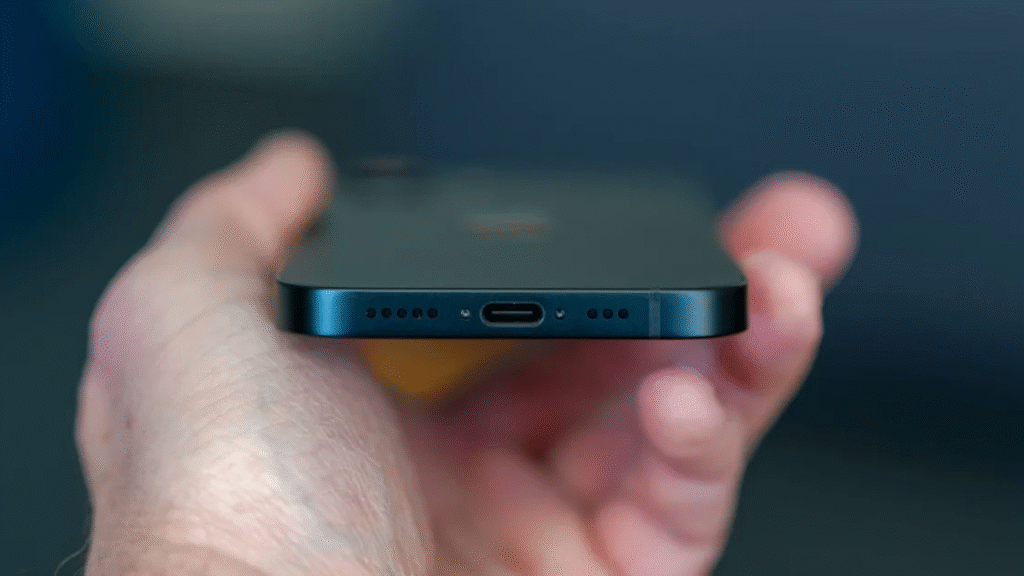
The Air will retain a USB-C port, likely positioned to maximize internal space efficiency. Apple had reportedly considered making the Air completely portless, but regulations—especially in Europe—require USB-C as the standard.

The device is also expected to support MagSafe for wireless charging and accessories, with the latest Qi 2.2 standard allowing for faster wireless charging speeds up to 25W.


Advanced Thermal and Structural Engineering

With such a thin chassis, thermal management and structural integrity become top concerns. To prevent issues like overheating and device warping, Apple is said to be implementing a vapor chamber cooling system inside the iPhone 17 Air. This technology is already common in high-end gaming phones and could help maintain performance under load.

To avoid structural issues like bending, which plagued earlier models like the iPhone 6 Plus, Apple is reportedly using a combination of titanium alloy, internal reinforcement, and improved glass durability to maintain rigidity despite the phone’s ultra-slim design.


iOS 26 and Apple Intelligence

The iPhone 17 Air will ship with iOS 26, which emphasizes Apple’s new Apple Intelligence platform. Users can expect smarter Siri, AI-powered writing tools, automatic photo edits, and app suggestions based on behavior. These AI tools will be handled on-device as much as possible for privacy and performance.

Thanks to the A19 chip and improved RAM, the Air will fully support these features—bringing many Pro-level software tools to a thinner, more accessible device.


Pricing and Release Timeline

Apple is expected to announce the iPhone 17 lineup, including the Air model, in September 2025. Pre-orders should open shortly after the announcement, with general availability expected later in the month.

As for pricing, the iPhone 17 Air is rumored to start around $899 in the U.S., filling the gap between the standard iPhone 17 and the iPhone 17 Pro. In other markets like India, the expected price is between ₹90,000 and ₹99,900, depending on storage configurations and local taxes.


Who Is the iPhone 17 Air For?

The iPhone 17 Air is clearly designed for a specific audience:

  • Style-conscious users who want a lightweight, ultra-thin iPhone without sacrificing too much on performance.
  • AI enthusiasts who want to take advantage of Apple Intelligence without going for the Pro lineup.
  • Light to moderate users who value portability and design more than extended battery life or advanced camera setups.
  • Frequent travelers who will benefit from the slim design, fast connectivity, and eSIM support across regions.

Final Thoughts

The iPhone 17 Air could represent a major shift in Apple’s iPhone strategy. By prioritizing slimness, modern aesthetics, and AI capabilities, it introduces a new type of iPhone that blends portability with intelligence.

While compromises are evident—especially in battery size and camera count—the overall package could appeal to a wide range of users.

If the rumors hold true, the iPhone 17 Air may be one of the most intriguing devices Apple has released in years. Whether it becomes a fan favorite or a niche product will depend on how well Apple balances design ambition with everyday usability.

Either way, September 2025 is shaping up to be a big month for Apple fans.

Powerline Adapters: 5 Surprising Facts About Powerline Adapters

powerline adapters

In an age where fast, reliable internet is no longer a luxury but a necessity, many people are turning to lesser-known networking tools to boost connectivity.

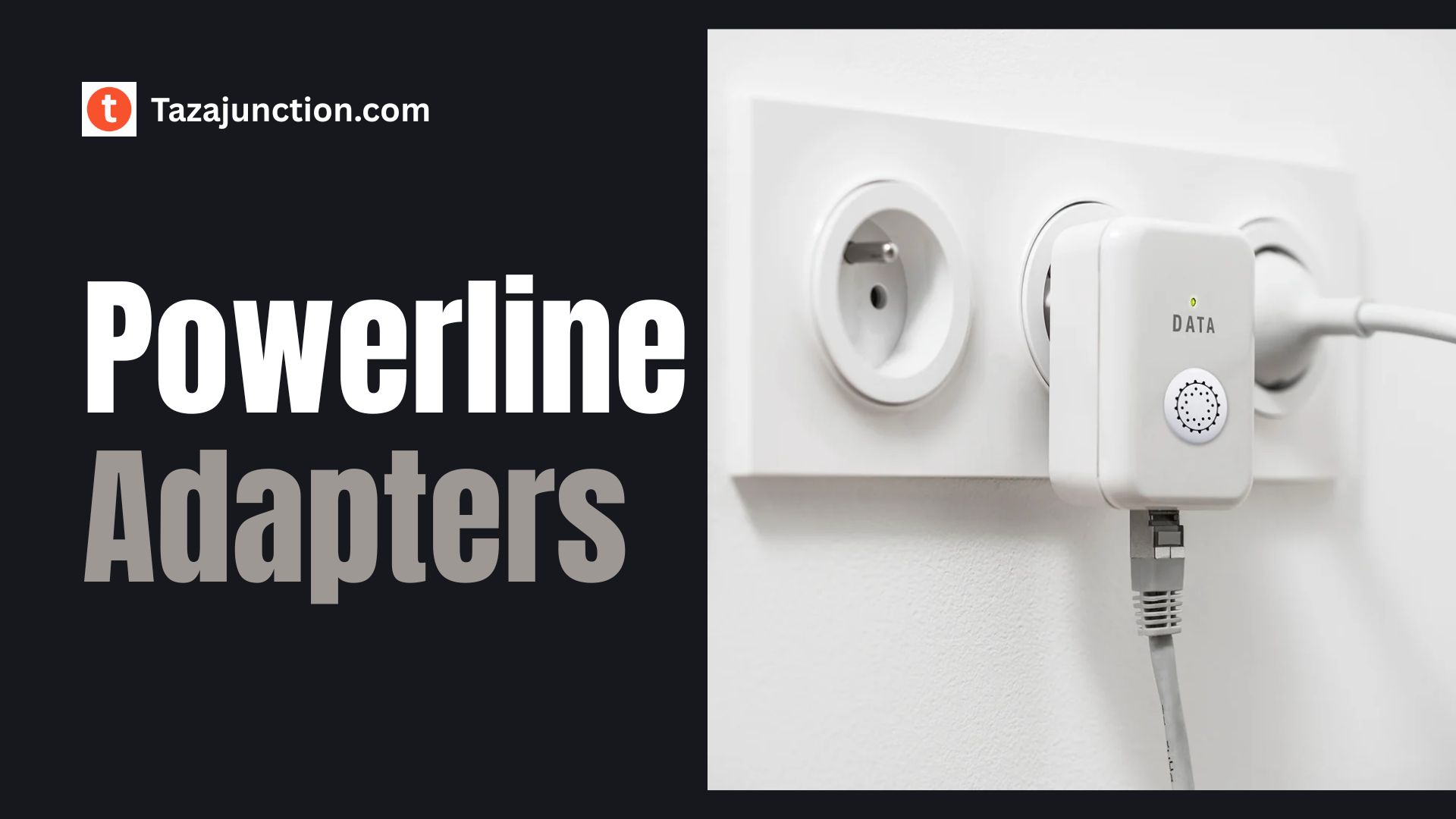
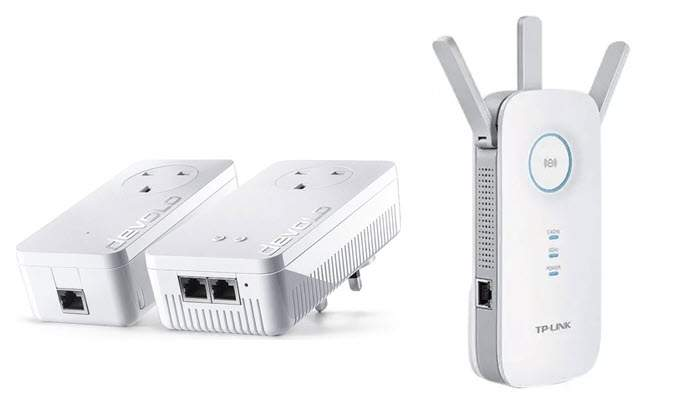
Among the most underrated solutions are powerline adapters — devices that transform your home’s electrical wiring into a high-speed data network.

While they may not get as much spotlight as mesh Wi-Fi systems or high-end routers, powerline adapters offer a unique combination of performance and convenience.

Whether you’re a tech enthusiast or just tired of poor Wi-Fi in the attic or basement, here are five surprising facts about powerline adapters that may change how you think about home networking.


5 Surprising Facts About Powerline Adapters

1. They Use Your Home’s Existing Electrical Wiring for Data Transmission

image 113

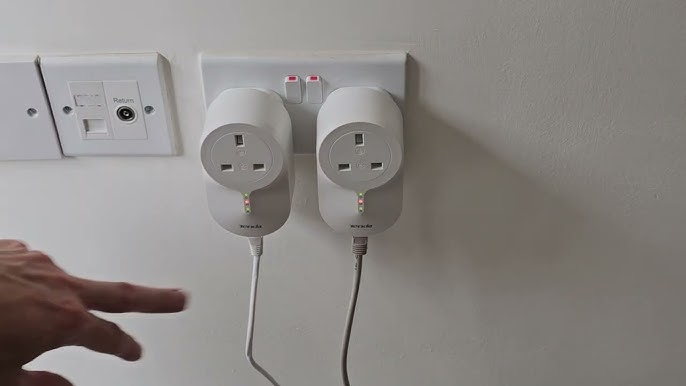
One of the most remarkable things about powerline adapters is how they work. Instead of relying on traditional Ethernet cables or wireless signals, these devices use your home’s existing electrical circuitry to transmit data.

Here’s how it works: you plug one adapter into a power outlet near your router and connect it via Ethernet. Then, you plug a second adapter into another outlet in the room where you need internet, and connect your device to it. The data travels over the copper wires in your walls, allowing for a wired internet connection without installing new cables.

What surprises many people is how efficient this method is. While it might sound like a compromise, powerline adapters can deliver speeds sufficient for gaming, video streaming, and even home office setups. This makes them a smart alternative in homes where Wi-Fi struggles to reach.

Also if you’re looking for innovation, performance, and versatility in one sleek package, the Samsung Galaxy Z Fold 7 is the foldable to beat in 2025.


2. Powerline Adapters Can Offer Better Performance Than Wi-Fi in Some Scenarios

image 114

If you’re assuming powerline adapters are a “last resort,” think again. In certain cases, they actually outperform Wi-Fi — especially in homes with thick walls, multiple floors, or crowded wireless environments.

Wi-Fi signals weaken as they pass through obstacles like brick, concrete, or even furniture. Plus, interference from other devices (microwaves, Bluetooth, neighbor’s Wi-Fi) can further degrade the signal. In contrast, powerline adapters aren’t affected by those limitations. As long as the electrical wiring is in decent condition and on the same circuit, they provide a stable, low-latency connection.

This makes them particularly ideal for online gaming or streaming 4K video — tasks where lag and buffering are unacceptable. In some head-to-head tests, powerline adapters actually beat mid-range Wi-Fi routers in delivering consistent download and upload speeds.


3. Not All Power Outlets Are Equal

Here’s a detail most users overlook: not all power outlets will give the same performance when using powerline adapters.

While it’s true that these devices work with standard electrical outlets, their performance can vary depending on how your home is wired. If the two outlets you’re using are on different electrical circuits or breaker panels, performance may be significantly reduced — or the connection may not work at all.

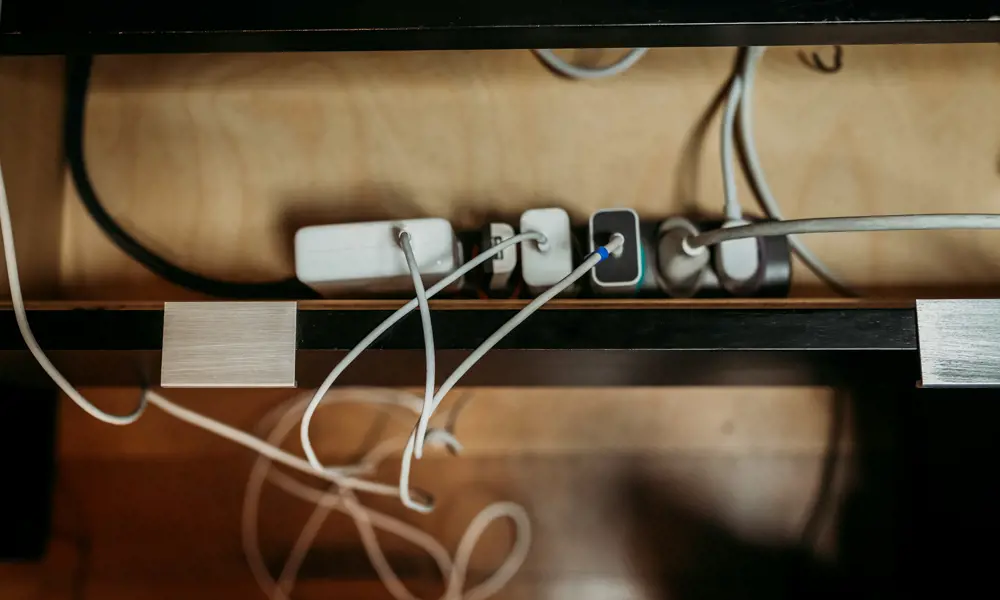
Also, avoid plugging powerline adapters into power strips or surge protectors, as these can filter out the data signals. For best results, always plug them directly into the wall socket. Some premium adapters come with pass-through power sockets so you don’t lose an outlet in the process.

The takeaway? Placement matters. You might need to experiment a bit to find the optimal spots for your powerline adapters — but once you do, the performance payoff is worth it.


4. Encryption and Security Are Built-In

image 116

A common concern with data traveling through electrical wiring is security. After all, if the signal is going through the walls, couldn’t someone else tap into it?

Fortunately, most modern powerline adapters come with built-in 128-bit AES encryption. That means your data is scrambled and protected, just like it would be over a secure Wi-Fi network.

Setting up the encryption is usually as simple as pressing a “pair” button on each adapter. Once paired, the devices form a secure, private network that cannot be accessed by anyone not part of your home circuit.

This level of security makes powerline adapters suitable even for tasks involving sensitive information, like remote work or online banking.


5. They Can Be Combined With Wi-Fi Extenders or Mesh Systems

Here’s a surprising and highly useful fact: you don’t have to choose between powerline adapters and Wi-Fi. In fact, many of the best networking setups involve combining the two.

Some powerline adapters come with built-in Wi-Fi access points. That means once the data reaches the second adapter, it can be broadcast wirelessly — effectively acting as a Wi-Fi extender.

This hybrid approach gives you the best of both worlds: the speed and reliability of a wired connection with the convenience of wireless access.

You can even integrate powerline adapters into some mesh networking systems, depending on the brand and compatibility. This is ideal for large homes where even mesh systems struggle to cover every corner.

By strategically placing powerline units, you can bring high-speed internet to hard-to-reach spots without cluttering your home with extra Ethernet cables.


Are Powerline Adapters Right for You?

Now that you know these five surprising facts about powerline adapters, you might be wondering whether they’re the right solution for your home network.

Here are a few scenarios where they shine:

  • You have a dead zone in your house where Wi-Fi just won’t reach.
  • You’re a gamer or streamer who needs a low-latency, reliable connection.
  • Your home has thick walls or multiple floors.
  • You want an easy, plug-and-play way to get wired internet without drilling holes.

Of course, powerline adapters aren’t perfect. Their performance depends on the age and layout of your home’s electrical system. In newer homes, they tend to work exceptionally well.

In older homes with complex wiring or noisy electrical environments, the results can vary. Still, for many users, they offer a powerful, often overlooked alternative to expensive networking solutions.


Final Thoughts

In the ever-evolving world of home networking, it’s easy to get caught up in the latest router specs or Wi-Fi 6E buzzwords. But sometimes, a simple, proven technology like powerline adapters can offer just what you need: fast, reliable internet where you didn’t think it was possible.

From surprising performance capabilities to security features and hybrid Wi-Fi integration, powerline adapters are far more versatile than most people realize. They’re not just a quick fix — they’re a smart addition to your home network toolkit.

So next time your Wi-Fi signal fades, don’t just move your router. Consider harnessing the hidden power running through your walls.